


ISVforce Guide
 j
jNewer Version Available
Chat Engagement in AppExchange Marketplace Analytics
See how customers interact with your AppExchange Chat experiences. For example, see how
many conversations your sales reps hosted during the previous week.
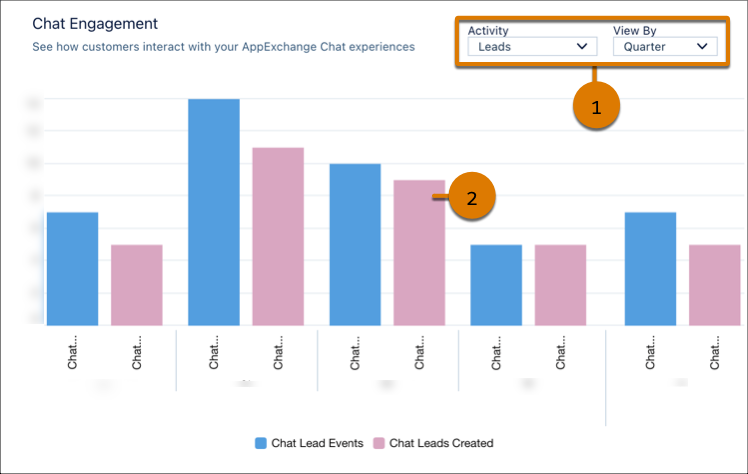
To change activities, adjust the local filter (1). To see exact values, hover over a chart segment (2).
Definitions
Here’s how we define the metrics that appear in this visualization.
| Metric | Description |
|---|---|
| Chat Leads Created | Unique leads passed from AppExchange Chat to your CRM implementation, such as
Salesforce or Account Engagement. A single chat lead can be associated with multiple
chat lead events. For example, if a customer chats with your reps several times across multiple listing visits, we record a lead event for each interaction. However, we pass only one chat lead to your CRM. This behavior prevents unwanted duplication of lead records in your CRM. |
| Chat Lead Event | Lead events on your listing from AppExchange Chat activity, such as human or chatbot conversations. |
| Chatbot Conversation | Conversations between a customer and a chatbot experience that you configure. |
| Human Conversation | Real-time conversations between a customer and a rep at your company. |
| Meetings Booked | Meetings booked with a customer during a live chat or chatbot conversation. |