


Mobile and Offline Developer Guide
 j
jNote: This release is in preview. Features described here don’t become generally available until the latest general availability date that Salesforce announces for this release. Before then, and where features are noted as beta, pilot, or developer preview, we can’t guarantee general availability within any particular time frame or at all. Make your purchase decisions only on the basis of generally available products and features.
Add LWC Quick Actions to Mobile Layouts
For a quick action to appear in the action bar of a record view, it must be assigned to
the main page layout for the record's object type.
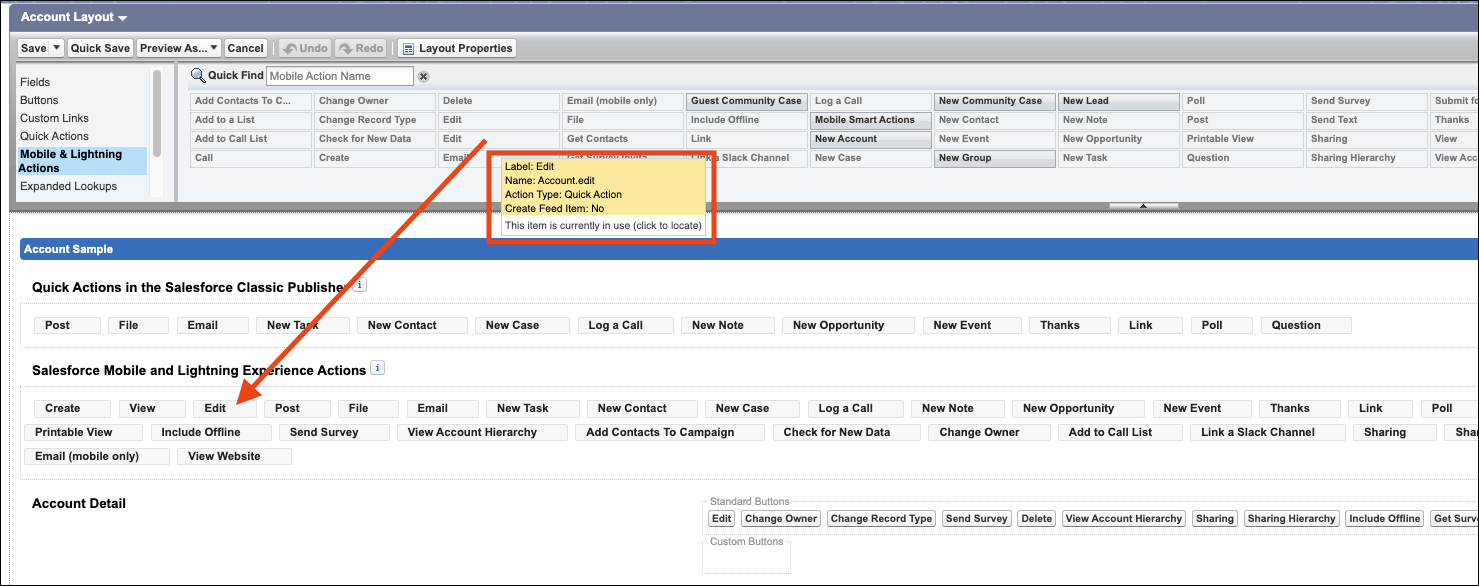
Here's an example of assigning the Edit quick action for the Account object type:
- From Setup, open the Object Manager.
- Enter Account in the Quick Find box, then select Account.
- From the Account object management settings, go to Page Layouts and click Account Layout.
- In the Salesforce Mobile and Lightning Experience Actions panel, if you see a link to override the predefined actions, the page layout is using the default actions. Click the link to enable customizing the actions.