Getting Query String Parameters
You can reference query string parameters in Visualforce markup by using the $CurrentPage global variable. Using $CurrentPage, you can access the query string parameters for the page by specifying the parameters attribute, after which you can access each individual parameter:
1$CurrentPage.parameters.parameter_name
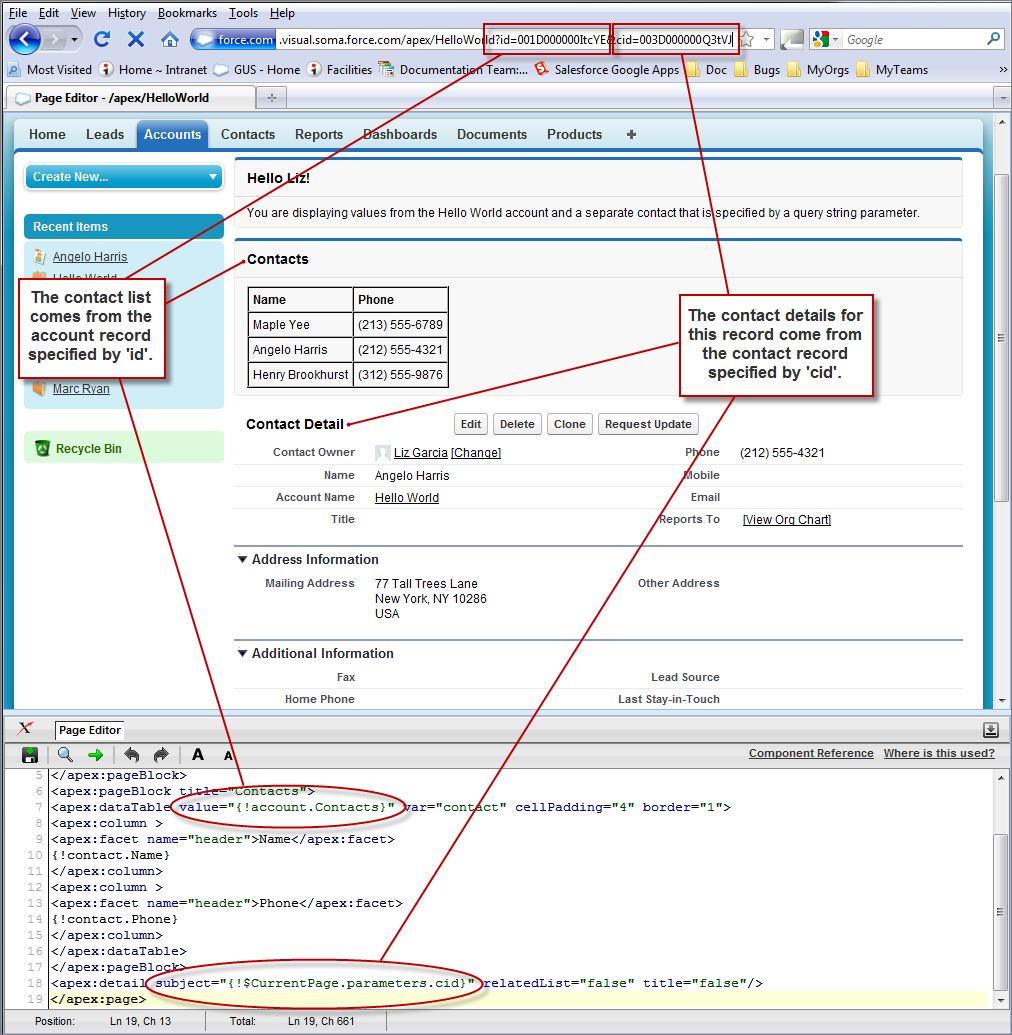
For example, suppose you want to add detail information about a specific contact to an Account page. The account record ID is specified by the default id query string parameter, and the contact record ID is specified by the query string parameter named cid:
1<apex:page standardController="Account">
2    <apex:pageBlock title="Hello {!$User.FirstName}!">
3        You are displaying values from the {!account.name} account and a separate contact
4        that is specified by a query string parameter.
5    </apex:pageBlock>
6    <apex:pageBlock title="Contacts">
7        <apex:dataTable value="{!account.Contacts}" var="contact" cellPadding="4" border="1">
8              <apex:column>
9               <apex:facet name="header">Name</apex:facet>
10                {!contact.Name}
11              </apex:column>
12              <apex:column>
13               <apex:facet name="header">Phone</apex:facet>
14              {!contact.Phone}
15              </apex:column>
16        </apex:dataTable>
17    </apex:pageBlock>
18    <apex:detail subject="{!$CurrentPage.parameters.cid}" relatedList="false" title="false"/>
19</apex:page>
For this example to render properly, you must associate the Visualforce page with valid account and contact IDs in the URL. For example, if 001D000000IRt53 is the account ID and 003D000000Q0bIE is the contact ID, the resulting URL should be:
1https://MyDomain_login_URL/apex/MyFirstPage?id=001D000000IRt53&cid=003D000000Q0bIE
Displaying Field Values with Visualforce has more information about retrieving the ID of a record.
If you use the id parameter in a URL, it must refer to the same entity referred to in the standard controller.


 j
j