


ISVforce Guide
 j
jNewer Version Available
Undertand Invoices and Payouts
The diagram shows how Salesforce moves you and your customer through the process. After an offer is accepted and an order is generated, licenses are automatically provisioned and your customer can start using your products. From there, Stripe generates an invoice, sends it to your customer, and the invoice status is set to Pending. You can see the invoice and its status from the Invoices tab.
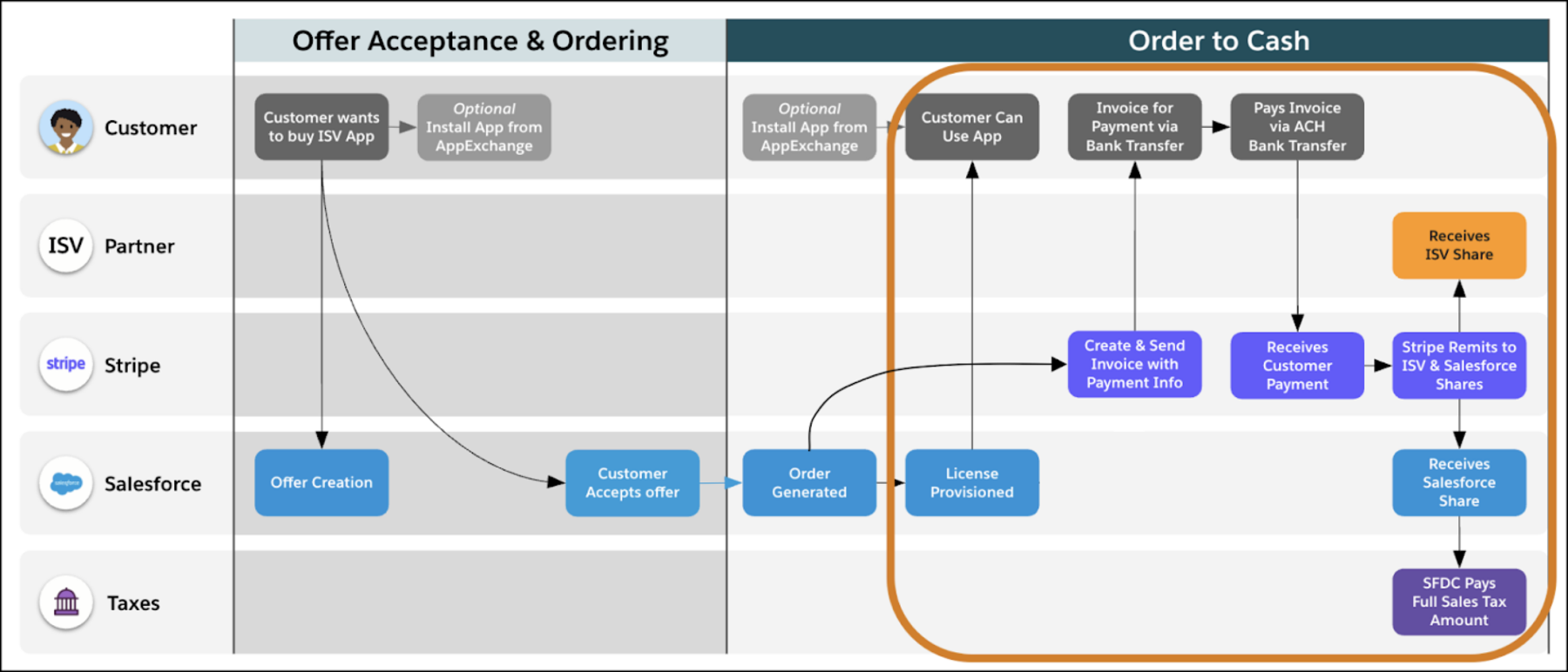
Your customer receives the invoice via email and navigates to Stripe to pay their balance. When the balance is settled, the invoice status moves to Paid. The customer payment is divided into the various buckets, including applicable taxes, the Salesforce revenue share, and partner net proceeds.