Second-Generation Managed Packaging Developer Guide
 j
jNewer Version Available
Develop and Package Agent Templates Using Scratch Orgs
Agent and Agent Template Metadata
To package an agent template, it helps to first understand the metadata types that make up an agent and an agent template.
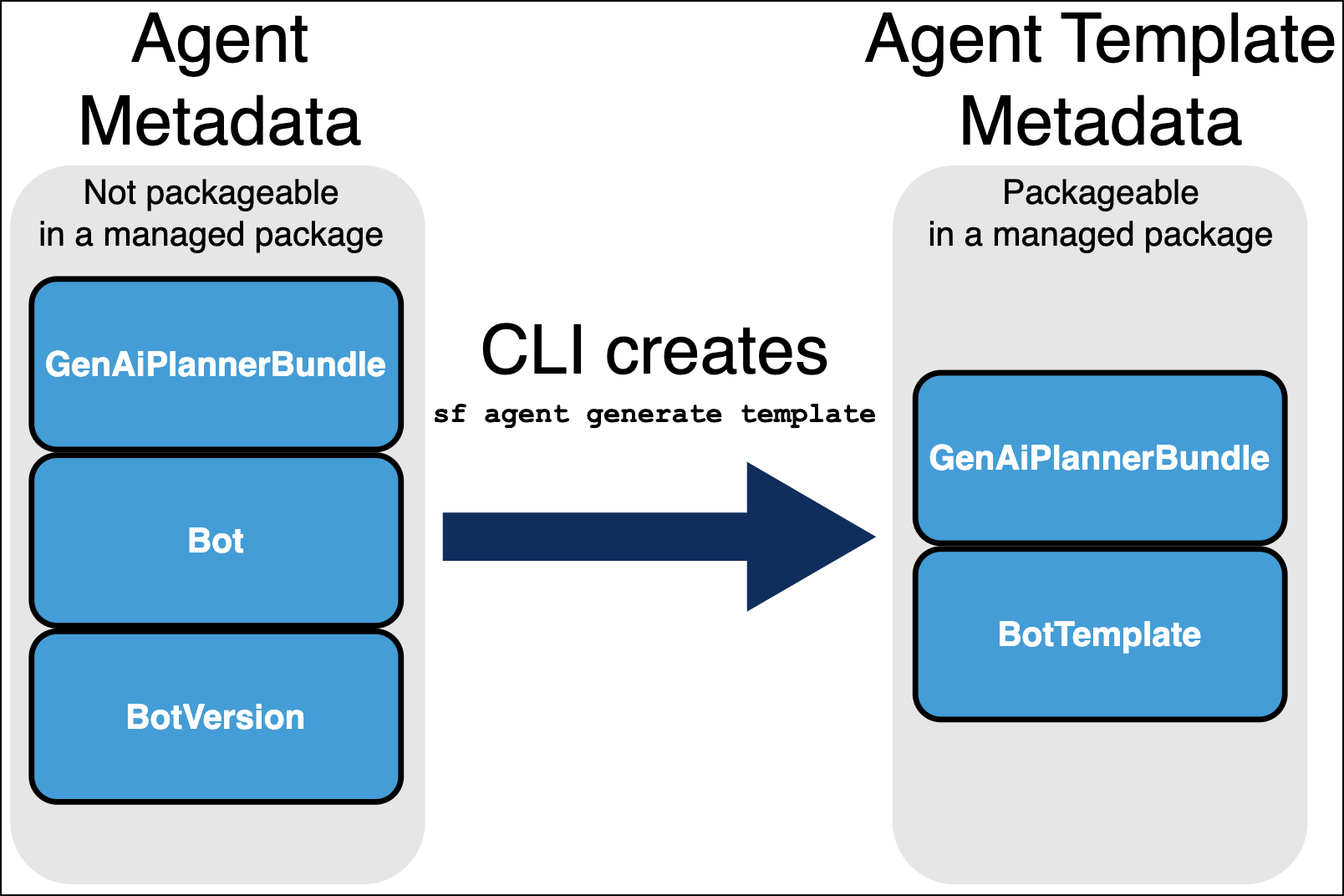
Agents are defined by these major metadata types.
- Bot
- BotVersion
- GenAiPlannerBundle
The GenAiPlannerBundle type in turn defines the agent's actions and subagents. The agent generate template Salesforce CLI command brings together the metadata files for these three types and generates a BotTemplate file for a specific agent (Bot and BotVersion). The command also generates a new GenAiPlannerBundle file, which is different from the original file. Specifically, the new packageable GenAiPlannerBundle file replaces references to the local version of assets (which can't be packaged) with references to their global equivalents.
You then use the BotTemplate file, and the new GenAiPlannerBundle file, to package the agent template in a managed package.
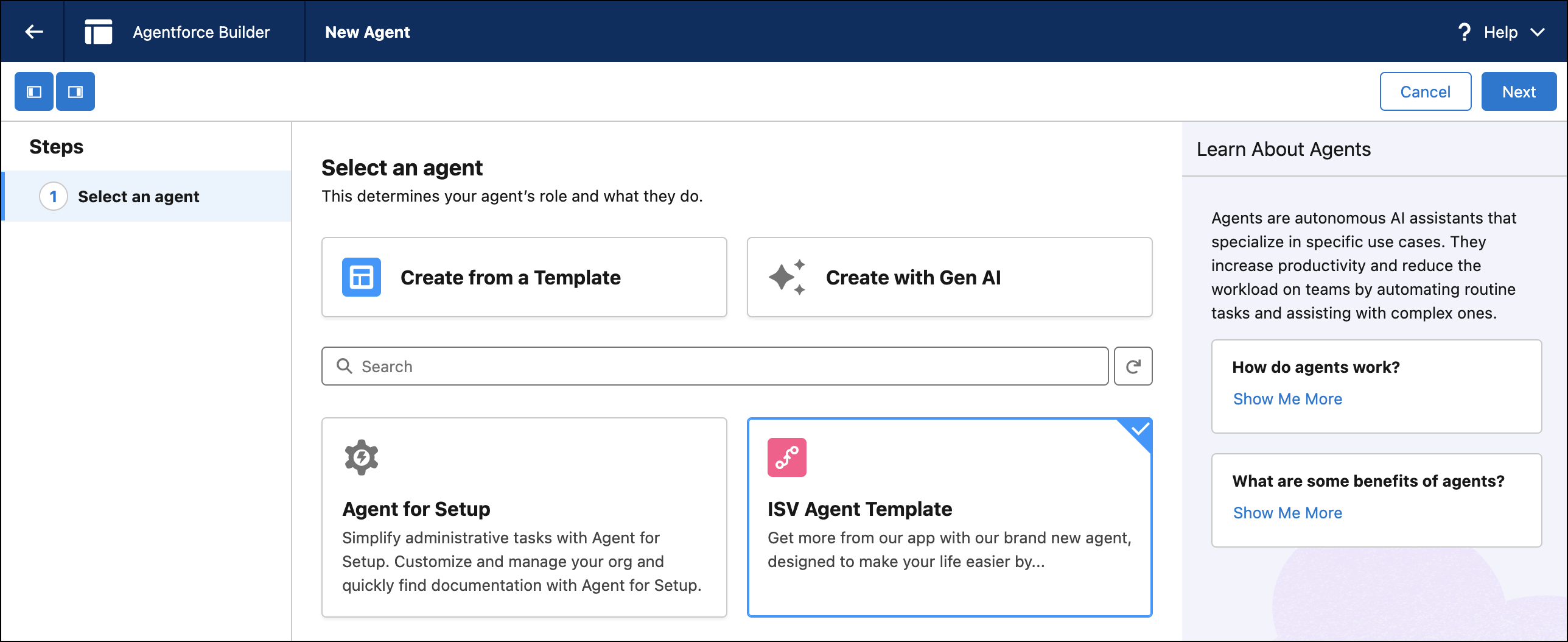
Create an Agent
- Click New Agent, and then select an agent type.
- Follow the guided setup steps, and then click Create.
For more guidance, see the documentation for the agent type you chose. For details about creating an agent, see Set Up Your Agent.
Agentforce-enabled scratch orgs have access to the Agentforce Testing Center. For more detailed information on testing your agents directly in your DX project, see Test an Agent with Agentforce DX in the Agentforce Developer Guide.
Set Up Your Salesforce DX Project and Scratch Org
-
If you’re using an existing Salesforce DX project that contains Apex classes, flows, or
prompt templates for your agent, deploy them to the scratch org.
1sf project deploy start --source-dir force-app --target-org MyNamespacedScratchOrg -
Open the scratch org.
1sf org open
Develop Your Agentforce Package
-
Retrieve the relevant metadata into your Salesforce DX project.
1sf project retrieve start --metadata Agent:My_Awesome_Agent –-target-org MyNamespacedScratchOrg -
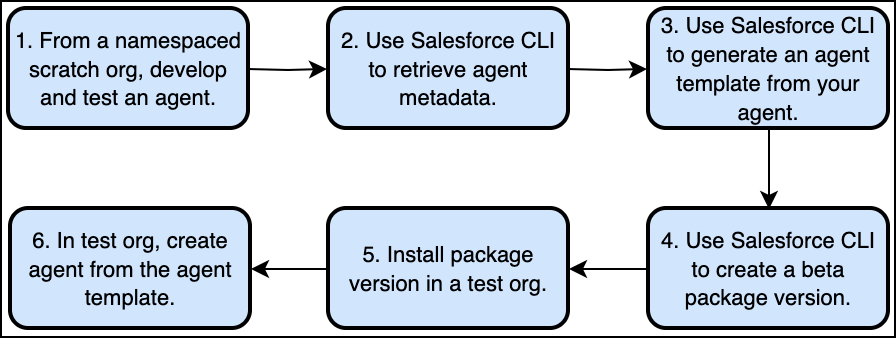
Create an agent template metadata source file.
In this example, we're generating an agent template from a Bot metadata file in your DX project that corresponds to the My_Awesome_Agent agent. A single Bot can have multiple BotVersions. Use the --agent-version flag to specify the version. Set the required --source-org flag to your scratch org.
1sf agent generate template --agent-file force-app/main/default/bots/My_Awesome_Agent/My_Awesome_Agent.bot-meta.xml --agent-version 1 --source-org MyNamespacedScratchOrgFor more details on the agent generate template command, see the Salesforce CLI Reference Guide.
-
Deploy the agent template metadata source file to your scratch org.
1sf project deploy start --source-dir force-app --target-org MyNamespacedScratchOrg - Test your agent template in your scratch org by creating an agent using the template you just deployed. Ensure that the new agent works as you expect.
-
When you're satisfied with your agent template, remove the following metadata from your
package directory.
- The GenAiPlannerBundle file that was part of your original agent. This file was used to create a new, separate GenAiPlannerBundle file for your agent template and is not necessary to package. Remove the GenAiPlannerBundle file that does not have “Template” in the name.
- The Bot and BotVersion. Removing these metadata types prevents errors during packaging, since agents aren’t packageable.
-
Create
a new package version that contains the template and all dependencies. Possible
dependencies include: topics, actions, Apex classes, flows, and prompt templates.
1sf package version create --package "Agentforce App" --installation-key “HIF83kS8kS7C” --definition-file config/project-scratch-def.json --code-coverage --wait 10