Analytics Extended Metadata (XMD) Developer Guide
 j
jNote: This release is in preview. Features described here don’t become generally available until the latest general availability date that Salesforce announces for this release. Before then, and where features are noted as beta, pilot, or developer preview, we can’t guarantee general availability within any particular time frame or at all. Make your purchase decisions only on the basis of generally available products and features.
Change the Label for the Row Count Measure
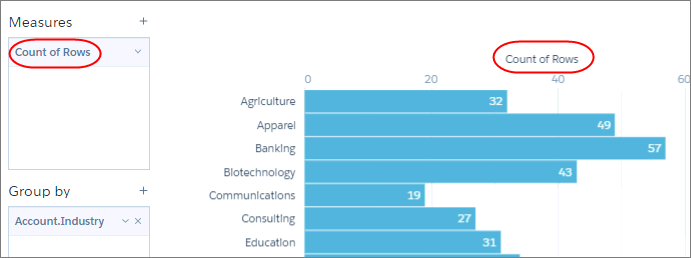
When you add a row count measure, it appears as “Count of Rows” by default. You can
change this label to whatever you want.
Here’s the default label.
You can specify a new label in the derivedMeasures section
of the XMD. Because you’re counting rows and not a particular field, use * as the field name.
1"derivedMeasures": [{
2  "field": "*",
3  "label": "Data Points"
4}],
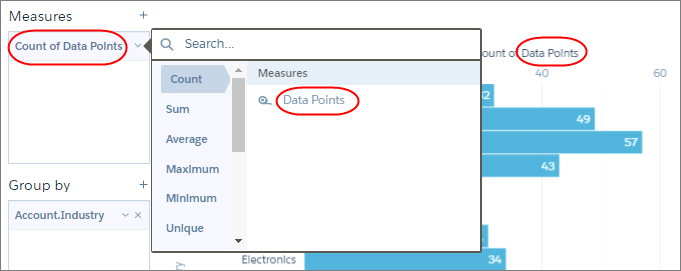
This change yields the following results.