Salesforce Voice with Partner Telephony Developer Guide
 j
jNote: This release is in preview. Features described here don’t become generally available until the latest general availability date that Salesforce announces for this release. Before then, and where features are noted as beta, pilot, or developer preview, we can’t guarantee general availability within any particular time frame or at all. Make your purchase decisions only on the basis of generally available products and features.
Perform a Blind Transfer
With the blind transfer feature, vendors can use the addParticipant Connector API method
to hang up and transfer a call rather than add a caller to an existing conversation.
To enable blind transfer:
- Using the Connector API, set the value of hasBlindTransfer in CapabilitiesResult to true. See getCapabilities().
- Update the implementation of addParticipant() to perform a blind transfer when the isBlindTransfer argument is true. A sample blind transfer is implemented in the demo connector.
- After a transfer voice call is created through addParticipant(), Salesforce fires a HANGUP event for the first call from the base connector. Do not publish a HANGUP event for the first voice call from a partner connector. Wait until the second rep ends the transferred call to publish a HANGUP event. Publishing a HANGUP event for the first voice call from a partner connector causes unintended issues.
To perform a blind transfer:
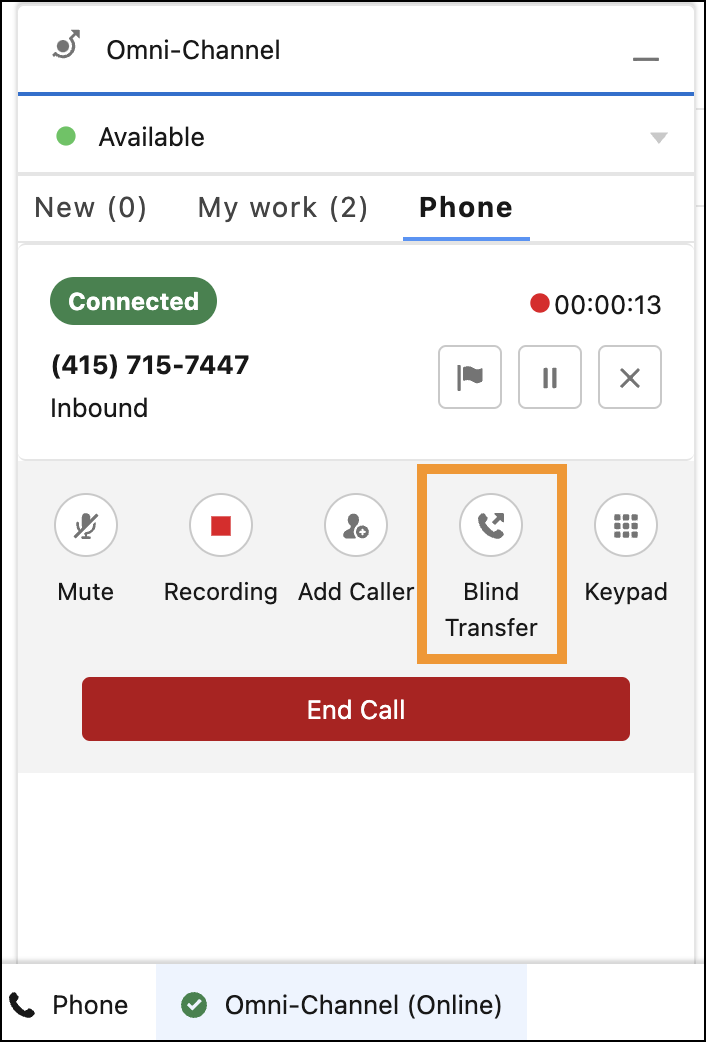
- Using a softphone, when the call is connected, a new button with the label “Blind Transfer” shows up. Click this button to call addParticipant(contact, call, true).
- Using a hardphone, perform a blind transfer and publish the PARTICIPANT_ADDED event.