Mobile SDK Development Guide
 j
jOverview of Application Flow
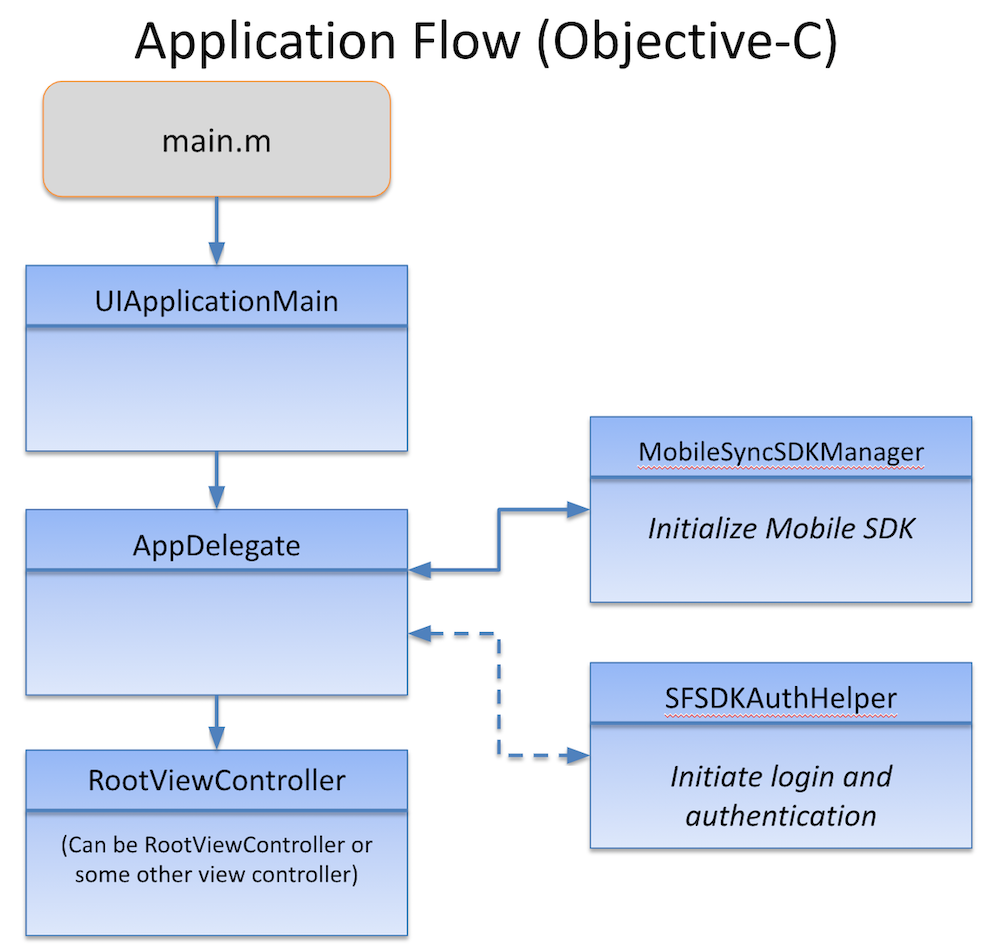
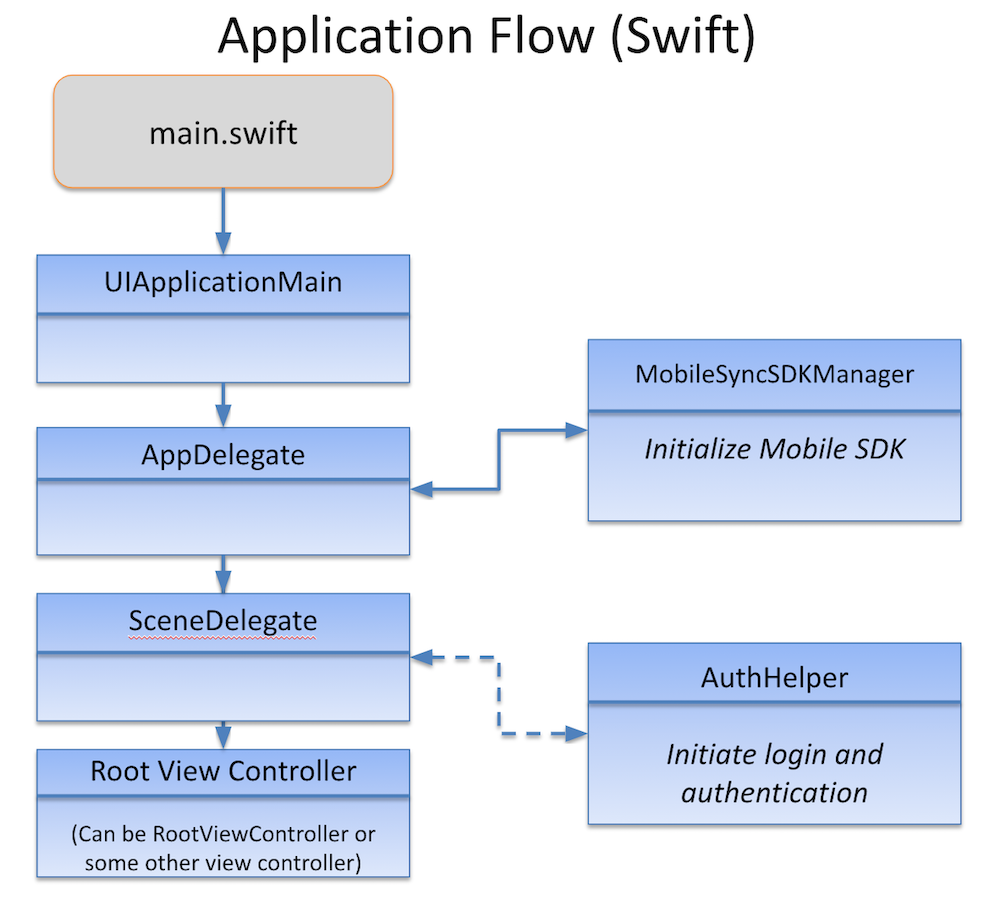
Native iOS apps for Mobile SDK, whether Objective-C and Swift, follow similar designs. The main.swift source file (main.m in Objective-C) creates a UIApplicationMain object that is the root object for the rest of the application. The UIApplicationMain constructor instantiates the Mobile SDK SFApplication object and spawns an AppDelegate object that manages the application lifecycle.
AppDelegate uses a Mobile SDK service object, SalesforceSDKManager, to initialize SDK objects. After successful initialization, the Objective-C and Swift flows diverge slightly.
Swift Flow
The native iOS Swift template for Mobile SDK defines four main classes: AppDelegate, InitialViewController, SceneDelegate, and a root view controller. The AppDelegate object calls SalesforceSDKManager or one of its extensions to initialize the SDK. It then passes control to a SceneDelegate instance. When a new scene is about to enter the foreground, SceneDelegate loads InitialViewController—an empty UIViewController object that’s a container for the Salesforce login and authorization screens. SceneDelegate then calls AuthHelper to begin the authentication process if necessary. After authentication succeeds, SceneDelegate launches your app by passing control to its custom root view controller. For this template, the root view controller is the AccountsListView class.
Objective-C Flow
The Objective-C native iOS template defines three classes: AppDelegate, InitialViewController, and RootViewController. The AppDelegate object calls SFSDKAuthHelper to load InitialViewController for its first view—the login screen. After authentication succeeds, the AppDelegate object displays the view associated with RootViewController as the entry point to your app.