


Embedded Service Chat SDK for Android Developer Guide
 j
jUse Einstein Bots with Chat
Before you can use Einstein Bots in your mobile app, enable and build a bot in your org. To learn more, see Einstein Bots in Salesforce Help. In broad strokes, you must enable Einstein Bots, deploy the bot to your channel, and activate the bot. If you want to learn about building a more robust bot, see the Einstein Bots Developer Cookbook.
Once you've set up your bot and assigned it to your chat button, a chat session automatically starts out as a bot. The menu options, choice buttons, and persistent footer menu that you designed for your bot all appear from within the mobile chat session. These features give your customers direct ways to get what they need—fast.
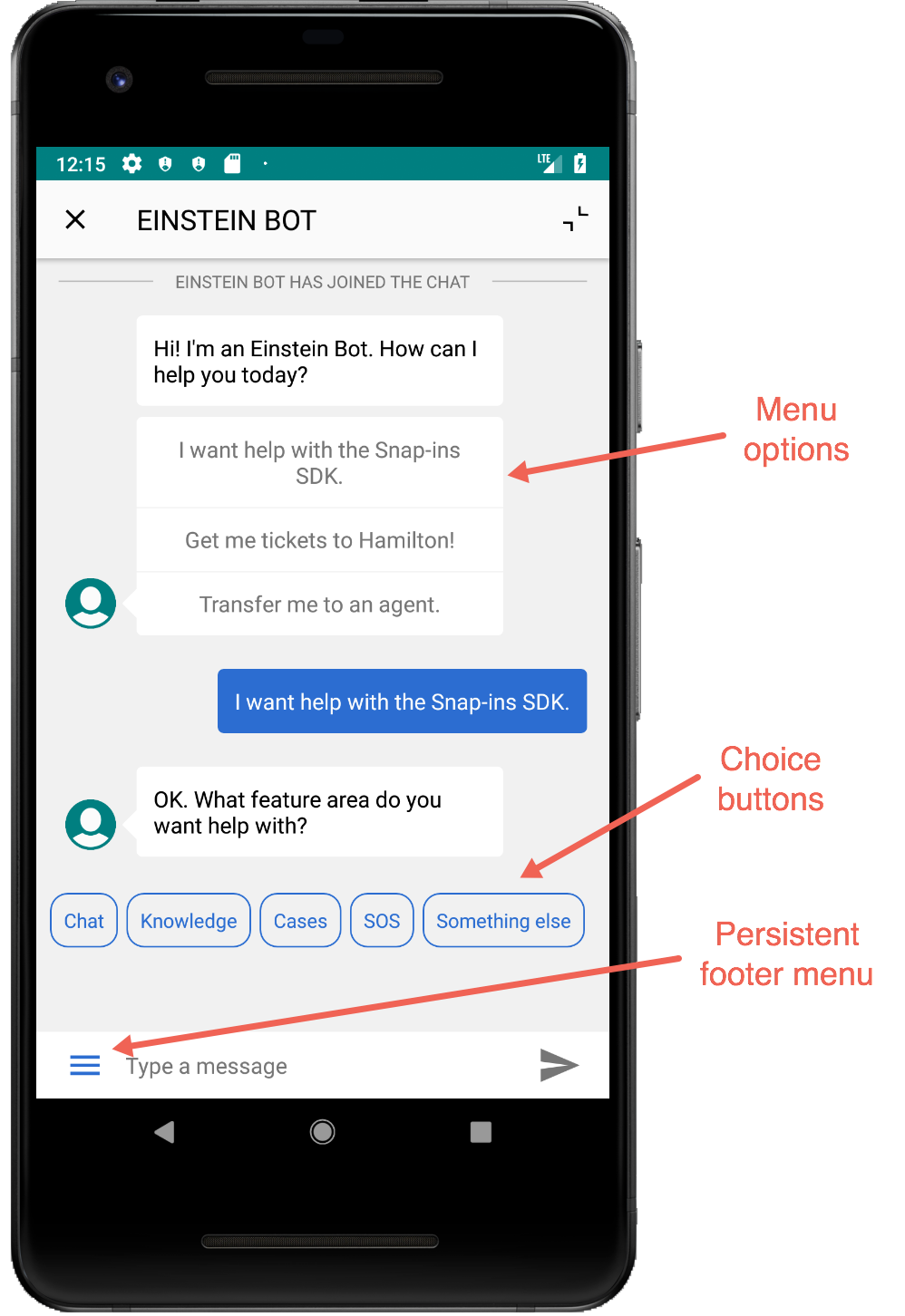
You do have a few ways you can fine-tune the bot from the SDK.
Einstein Bot Avatar
Configure the bot avatar that displays during a session with a bot. To do this, add your Drawable to the ChatUIConfiguration builder using the chatBotAvatar method.
1final ChatUIConfiguration.Builder uiConfigBuilder =
2  new ChatUIConfiguration.Builder();
3uiConfigBuilder.chatBotAvatar(R.drawable.my_chatbot_avatar);
4uiConfigBuilder.build();
Einstein Bot Banner
Configure the banner that displays during a session with a bot. To do this, add your Layout to the ChatUIConfiguration builder using the enableChatBotBanner method.
1final ChatUIConfiguration.Builder uiConfigBuilder =
2  new ChatUIConfiguration.Builder();
3uiConfigBuilder.enableChatBotBanner(R.layout.my_chatbot_banner);
4uiConfigBuilder.build();