Service Cloud チャット開発者ガイド
 j
jチャット Visualforce コンポーネントのコードサンプル
このコードサンプルを使用して、Visualforce コンポーネントがチャットウィンドウのカスタマイズにどのように役立つかをテストおよびプレビューします。
次のコードサンプルでは、次のコンポーネントを使用するチャットウィンドウを示します。
- liveAgent:clientChat
- liveAgent:clientChatMessages
- liveAgent:clientChatEndButton
- liveAgent:clientChatLog
- liveAgent:clientChatInput
1<apex:page showHeader="false">
2<style>
3#liveAgentClientChat.liveAgentStateWaiting {
4// The CSS class that is applied when the chat request is waiting to be accepted
5// See "Waiting State" screenshot below
6}
7#liveAgentClientChat {
8// The CSS class that is applied when the chat is currently engaged
9// See "Engaged State" screenshot below
10}
11#liveAgentClientChat.liveAgentStateEnded {
12// The CSS class that is applied when the chat has ended
13// See "Ended State" screenshot below
14}
15body { overflow: hidden; width: 100%; height: 100%; padding: 0; margin: 0 }
16#waitingMessage { height: 100%; width: 100%; vertical-align: middle; text-align: center;
17display: none; }
18#liveAgentClientChat.liveAgentStateWaiting #waitingMessage { display: table; }
19#liveAgentSaveButton, #liveAgentEndButton { z-index: 2; }
20.liveAgentChatInput {
21height: 25px;
22border-width: 1px;
23border-style: solid;
24border-color: #000;
25padding: 2px 0 2px 4px;
26background: #fff;
27display: block;
28width: 99%;
29}
30.liveAgentSendButton {
31display: block;
32width: 60px;
33height: 31px;
34padding: 0 0 3px;
35position: absolute;
36top: 0;
37right: -67px;
38}
39#liveAgentChatLog {
40width: auto;
41height: auto;
42top: 0px;
43position: absolute;
44overflow-y: auto;
45left: 0;
46right: 0;
47bottom: 0;
48}
49</style>
50<div style="top: 0; left: 0; right: 0; bottom: 0; position: absolute;">
51<liveAgent:clientChat>
52<liveAgent:clientChatSaveButton />
53<liveAgent:clientChatEndButton />
54<div style="top: 25px; left: 5px; right: 5px; bottom: 5px; position: absolute; z-index:
550;">
56<liveAgent:clientChatAlertMessage />
57<liveAgent:clientChatStatusMessage />
58<table id="waitingMessage" cellpadding="0" cellspacing="0">
59<tr>
60<td>Please wait while you are connected to an available agent.</td>
61</tr>
62</table>
63<div style="top: 0; right: 0; bottom: 41px; left: 0; padding: 0; position: absolute;
64word-wrap: break-word; z-index: 0;">
65<liveAgent:clientChatLog />
66</div>
67<div style="position: absolute; height: auto; right: 0; bottom: 0; left: 0; margin-right:
6867px;">
69<liveagent:clientChatInput /><liveAgent:clientChatSendButton />
70</div>
71</div>
72</liveAgent:clientChat>
73</div>
74</apex:page>
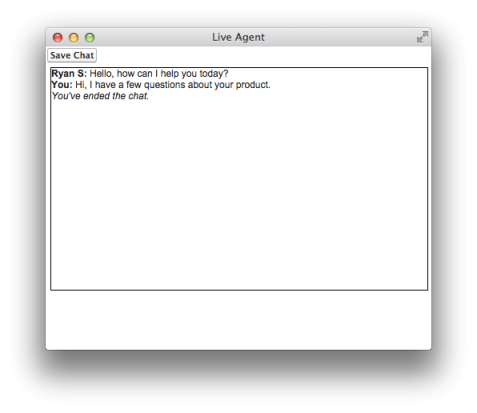
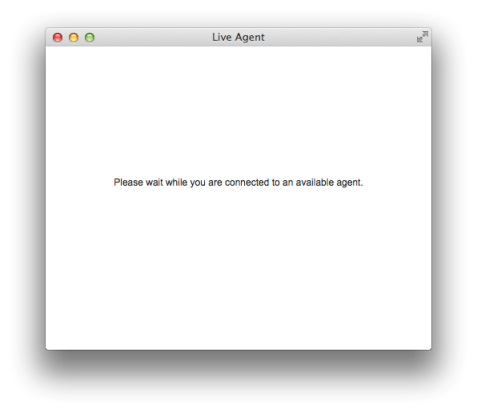
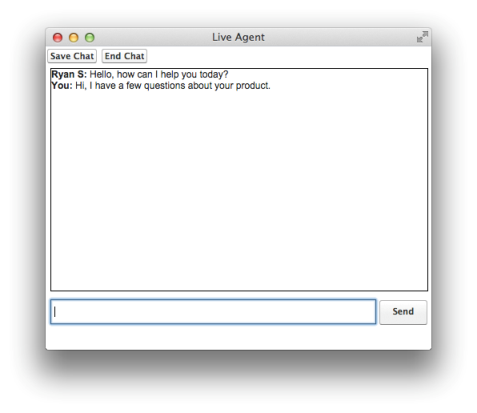
有効なチャットの場合、このコードでは次のようなチャットウィンドウの状態になります。
待機中のチャット
進行中のチャット
終了したチャット