Salesforce プラットフォームのオブジェクトリファレンス
 j
jカスタム Big Object の定義とリリース
| 使用可能なインターフェース: Salesforce Classic および Lightning Experience の両方 |
| 使用可能なエディション: Enterprise Edition、Performance Edition、Unlimited Edition、および Developer Edition (最大 100 万件のレコード)。 |
カスタム Big Object の定義
- object ファイル — オブジェクトごとにファイルを作成し、カスタム Big Object とその項目およびインデックスを定義します。
- permissionset/profile ファイル — permissionset または profile ファイルを作成し、各項目の権限を指定します。これらのファイルは必須ではありませんが、アクセス権をユーザーに付与する場合に必要になります。デフォルトでは、カスタム Big Object へのアクセスは制限されています。
- package ファイル — メタデータ API のファイルを作成し、移行するメタデータのコンテンツを指定します。
カスタム Big Object の命名規則
オブジェクト名は、組織の標準オブジェクト、カスタムオブジェクト、外部オブジェクト、Big Object 全体で一意である必要があります。API では、カスタム Big Object の名前に 2 つのアンダースコアと、そのすぐ後に続く小文字の「b」のサフィックスが含まれます。たとえば、「HistoricalInventoryLevels」という名前の Big Object は、組織の WSDL では HistoricalInventoryLevels__b と表示されます。オブジェクトの表示ラ��ルは、組織のオブジェクト (標準オブジェクト、カスタムオブジェクト、外部オブジェクト、Big Object) 全体で一意にすることをお勧めします。
CustomObject メタデータ
| 項目名 | 項目の型 | 説明 |
|---|---|---|
| deploymentStatus | DeploymentStatus (string 型の列挙) | カスタム Big Object のリリース状況 (すべての Big Object で Deployed) |
| fields | CustomField[] | Big Object の項目の定義 |
| fullName | string | Big Object の一意の API 参照名 |
| indexes | Index[] | インデックスの定義 |
| label | string | UI に表示される Big Object 名 |
| pluralLabel | string | UI に表示される項目の複数形の名前 |
CustomField メタデータ
| 項目名 | 項目の型 | 説明 |
|---|---|---|
| fullName | string | 項目の一意の API 参照名。 |
| label | string | UI に表示される項目名。 |
| length | int | 項目の文字数 (Text と LongTextArea 項目のみ)。1 つのインデックス内のすべてのテキスト項目の文字数の合計が 100 を超えることはできません。この値を増やすには、Salesforce カスタマーサポートにお問い合わせください。 |
| pluralLabel | string | UI に表示される項目の複数形の名前。 |
| precision | int | 数値の桁数。たとえば、数値 256.99 の精度は 5 です (数値項目のみ)。 |
| referenceTo | string | 参照項目の関連オブジェクト種別 (参照項目のみ)。 |
| relationshipName | string | UI に表示されるリレーションの名前 (参照項目のみ)。 |
| required | boolean | 項目が必須かどうかを指定します。インデックスに含まれる項目はすべて必須としてマークする必要があります。 |
| scale | int | 数値の小数点の右側の桁数。たとえば、数値 256.99 のスケールは 2 です (数値項目のみ)。 |
| type | FieldType | データ型。DateTime、Email、Lookup、Number、Phone、Text、LongTextArea、URL がサポートされています。 |
Index メタデータ
| 項目名 | 項目の型 | 説明 |
|---|---|---|
| fields | IndexField[] | インデックスの項目の定義。 |
| label | string | 必須。この名前は、ユーザーインターフェースで Big Object を参照するために使用します。API バージョン 41.0 以降で利用できます。 |
IndexField メタデータ
インデックスを構成する項目、順序、並べ替え方向を定義します。項目を定義する順序によって、インデックスにリストされる項目の順序が決まります。
| 項目名 | 項目の型 | 説明 |
|---|---|---|
| name | string | 必須。インデックスに含まれる項目の API 参照名。この値は、項目セクションの対応する項目の fullName の値と一致していて、必須としてマークされている必要があります。 |
| sortDirection | string | 必須。インデックスの項目の並べ替え方向。有効な値は、ASC (昇順) と DESC (降順) です。 |
リリース用のメタデータファイルの作成
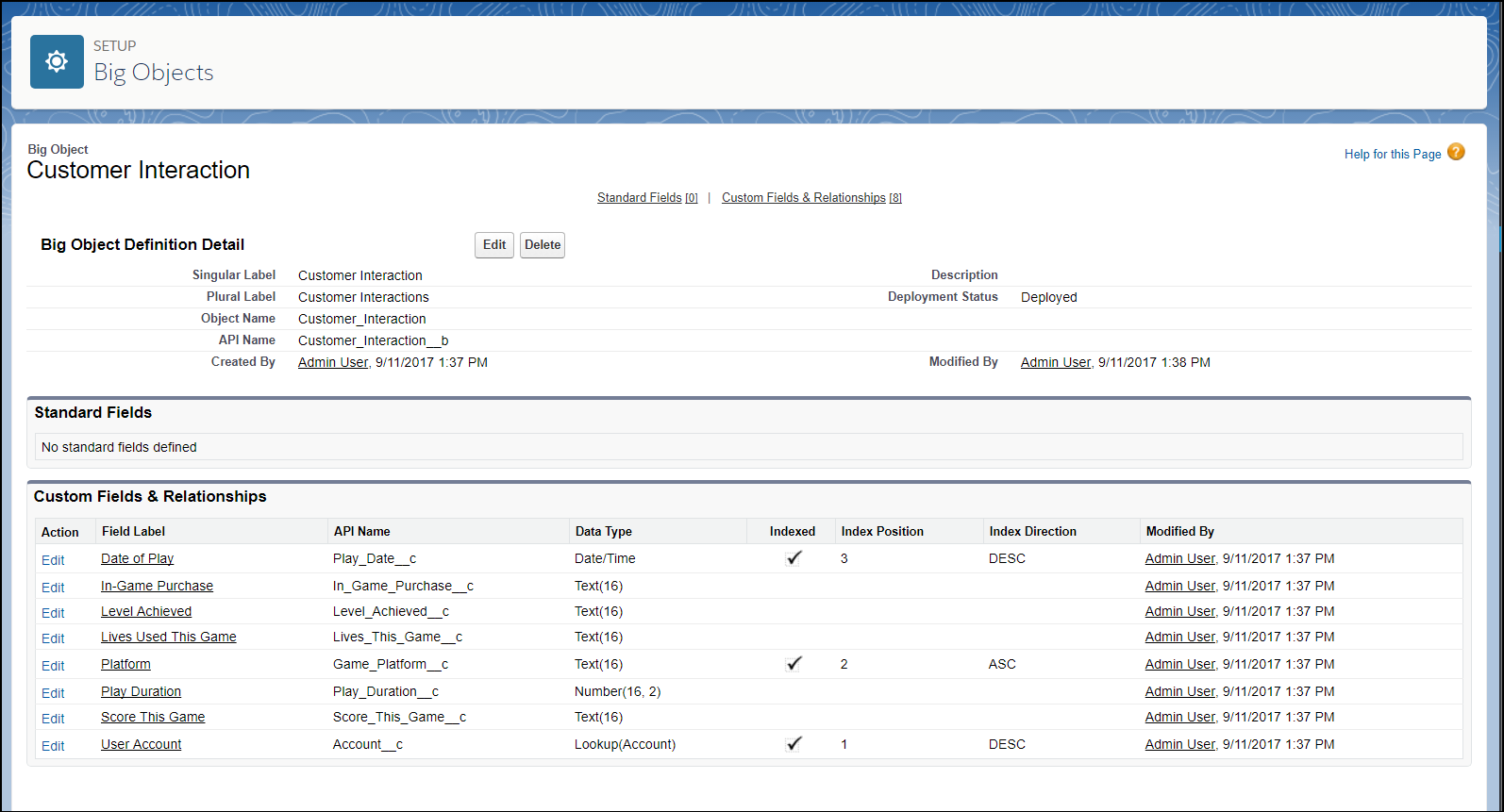
次の XML の抜粋では、リリースできるメタデータファイルを作成しています。各 Customer Interaction オブジェクトは、オンラインビデオゲームの 1 つのセッションの顧客データを表しています。Account__c、Game_Platform__c、Play_Date__c 項目でインデックスが定義され、参照項目によって Customer Interaction オブジェクトが Account オブジェクトに関連付けられています。
- Customer_Interaction__b.object
-
1<?xml version="1.0" encoding="UTF-8"?> 2<CustomObject xmlns="http://soap.sforce.com/2006/04/metadata"> 3 <deploymentStatus>Deployed</deploymentStatus> 4 5 <fields> 6 <fullName>In_Game_Purchase__c</fullName> 7 <label>In-Game Purchase</label> 8 <length>16</length> 9 <required>false</required> 10 <type>Text</type> 11 <unique>false</unique> 12 </fields> 13 14 <fields> 15 <fullName>Level_Achieved__c</fullName> 16 <label>Level Achieved</label> 17 <length>16</length> 18 <required>false</required> 19 <type>Text</type> 20 <unique>false</unique> 21 </fields> 22 23 <fields> 24 <fullName>Lives_This_Game__c</fullName> 25 <label>Lives Used This Game</label> 26 <length>16</length> 27 <required>false</required> 28 <type>Text</type> 29 <unique>false</unique> 30 </fields> 31 32 <fields> 33 <fullName>Game_Platform__c</fullName> 34 <label>Platform</label> 35 <length>16</length> 36 <required>true</required> 37 <type>Text</type> 38 <unique>false</unique> 39 </fields> 40 41 <fields> 42 <fullName>Score_This_Game__c</fullName> 43 <label>Score This Game</label> 44 <length>16</length> 45 <required>false</required> 46 <type>Text</type> 47 <unique>false</unique> 48 </fields> 49 50 <fields> 51 <fullName>Account__c</fullName> 52 <label>User Account</label> 53 <referenceTo>Account</referenceTo> 54 <relationshipName>Game_User_Account</relationshipName> 55 <required>true</required> 56 <type>Lookup</type> 57 </fields> 58 59 <fields> 60 <fullName>Play_Date__c</fullName> 61 <label>Date of Play</label> 62 <required>true</required> 63 <type>DateTime</type> 64 </fields> 65 66 <fields> 67 <fullName>Play_Duration__c</fullName> 68 <label>Play Duration</label> 69 <required>false</required> 70 <type>Number</type> 71 <scale>2</scale> 72 <precision>18</precision> 73 </fields> 74 75 <indexes> 76 <fullName>CustomerInteractionsIndex</fullName> 77 <label>Customer Interactions Index</label> 78 <fields> 79 <name>Account__c</name> 80 <sortDirection>DESC</sortDirection> 81 </fields> 82 <fields> 83 <name>Game_Platform__c</name> 84 <sortDirection>ASC</sortDirection> 85 </fields> 86 <fields> 87 <name>Play_Date__c</name> 88 <sortDirection>DESC</sortDirection> 89 </fields> 90 </indexes> 91 92 <label>Customer Interaction</label> 93 <pluralLabel>Customer Interactions</pluralLabel> 94</CustomObject> - package.xml
-
1<?xml version="1.0" encoding="UTF-8"?> 2<Package xmlns="http://soap.sforce.com/2006/04/metadata"> 3 <types> 4 <members>*</members> 5 <name>CustomObject</name> 6 </types> 7 <types> 8 <members>*</members> 9 <name>PermissionSet</name> 10 </types> 11 <version>41.0</version> 12</Package> - Customer_Interaction_BigObject.permissionset
-
1<?xml version="1.0" encoding="UTF-8"?>
2<PermissionSet xmlns="http://soap.sforce.com/2006/04/metadata">
3
4    <label>Customer Interaction Permission Set</label>
5
6    <fieldPermissions>
7        <editable>true</editable>
8        <field>Customer_Interaction__b.In_Game_Purchase__c</field>
9        <readable>true</readable>
10    </fieldPermissions>
11
12    <fieldPermissions>
13        <editable>true</editable>
14        <field>Customer_Interaction__b.Level_Achieved__c</field>
15        <readable>true</readable>
16    </fieldPermissions>
17
18    <fieldPermissions>
19        <editable>true</editable>
20        <field>Customer_Interaction__b.Lives_This_Game__c</field>
21        <readable>true</readable>
22    </fieldPermissions>
23
24
25    <fieldPermissions>
26        <editable>true</editable>
27        <field>Customer_Interaction__b.Play_Duration__c</field>
28        <readable>true</readable>
29    </fieldPermissions>
30
31    <fieldPermissions>
32        <editable>true</editable>
33        <field>Customer_Interaction__b.Score_This_Game__c</field>
34        <readable>true</readable>
35    </fieldPermissions>
36
37
38</PermissionSet>
メタデータ API を使用したカスタム Big Object のリリース
メタデータ API と Ant 移行ツールを使用してリリースします。ファイルを構築してカスタム Big Object をリリースする場合、object ファイルが objects というフォルダーにあり、permissionset ファイルが permissionsets というフォルダーにあることを確認します。package.xml ファイルは、サブフォルダーではなく、ルートディレクトリに配置します。
[設定] でのカスタム Big Object の表示
リリースしたカスタム Big Object を表示するには、組織にログインして、[設定] から [クイック検索] ボックスに「Big Object」と入力し、[Big Object] を選択します。
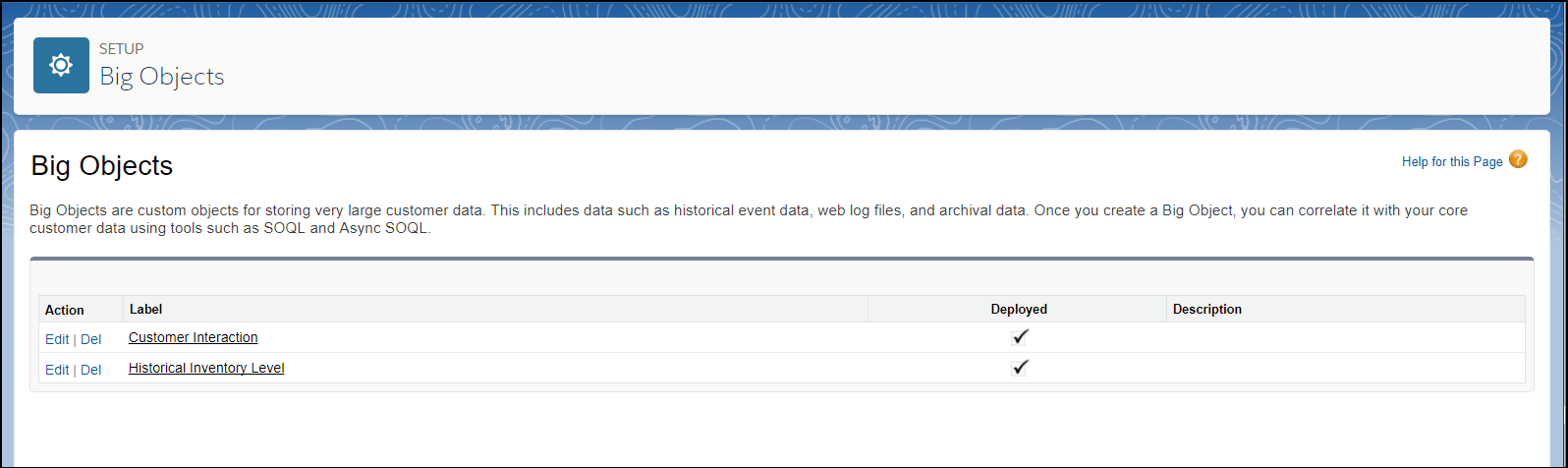
その項目とリレーションを確認するには、Big Object の名前をクリックします。