Using Labels
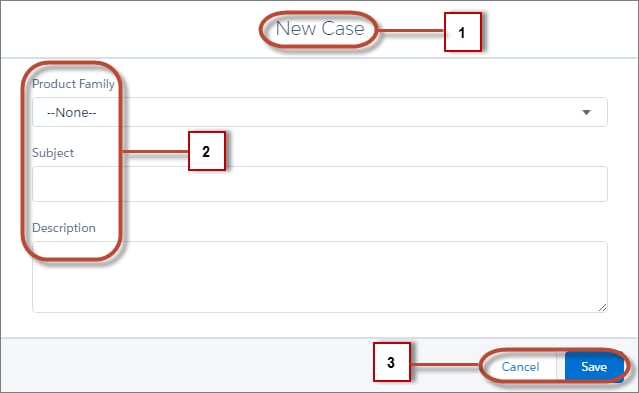
Labels are text that presents information about the user interface, such as in the header (1), input fields (2), or buttons (3). While you can specify labels by providing text values in component markup, you can also access labels stored outside your code using the $Label global value provider in expression syntax.
This section discusses how to use the $Label global value provider in these contexts:
-
The label attribute in input components
-
The format() expression function for dynamically populating placeholder values in labels
-
Using Custom Labels
Custom labels are custom text values that can be translated into any language that Salesforce supports. To access custom labels in Aura components, use the $Label global value provider.
-
Input Component Labels
A label describes the purpose of an input component. To set a label on an input component, use the label attribute.
-
Dynamically Populating Label Parameters
Output and update labels using the format() expression function.
-
Getting Labels in JavaScript
You can retrieve labels in JavaScript code. Your code performs optimally if the labels are statically defined and sent to the client when the component is loaded.
-
Getting Labels in Apex
You can retrieve label values in Apex code and set them on your component using JavaScript.
-
Setting Label Values via a Parent Attribute
Setting label values via a parent attribute is useful if you want control over labels in child components.


 j
j