Determine the developer name and group name for your experience variation targets when using Connect REST API or Metadata API to personalize your Experience Builder site.
For the Target Input request body of Connect Rest API or the PersonalizationTargetInfo subtype of the Audience metadata type, you must specify:
The target group name in the groupName property
The target developer name in the targetValue property
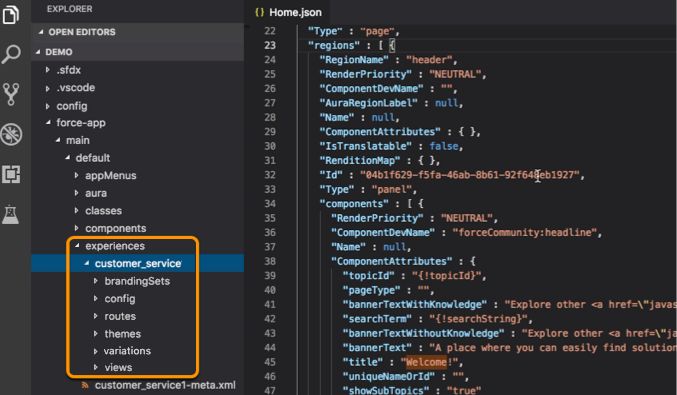
To determine these names, you have to copy property values from several JSON files in the site’s ExperienceBundle folders.
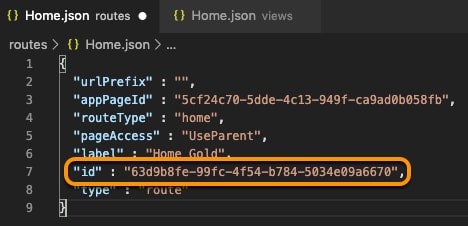
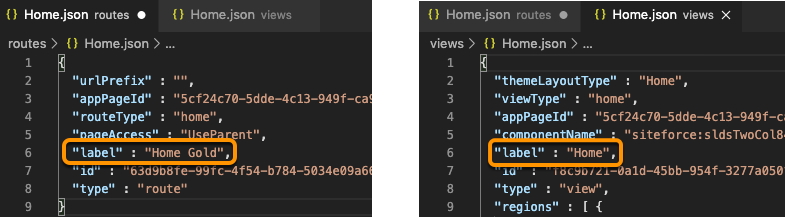
To determine the group name and developer name for a page variation, open the relevant route file and the corresponding view file. For example, open the Home.json file in the routes folder and the Home.json file in the views folder.
Group Name
Format:route.id, where route.id is the id property of the route JSON file.
Example:63d9b8fe-99fc-4f54-b784-5034e09a6670
Developer Name
Format:route.label_view.label_Page, where:
route.label is the label property of the route JSON file.
view.label is the label property of the view JSON file.
Example:Home_Gold_Home_Page
Branding Sets
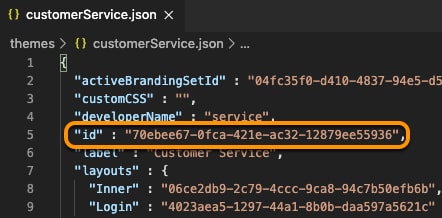
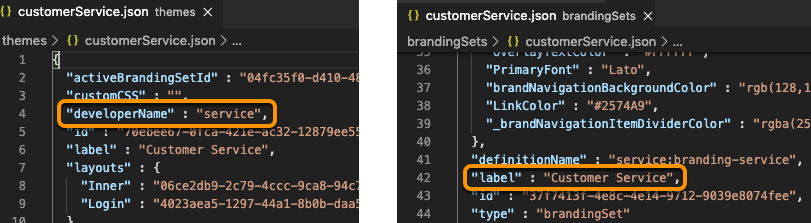
To determine the group name and developer name for a branding set, open the relevant branding set file and the corresponding theme file. For example, in a Customer Service site, open the customerService.json file in the themes folder and the customerService.json file in the brandingSets folder.
Group Name
Format:theme.id$#$Branding, where theme.id is the id property of the theme JSON file.
theme.developerName is the developerName property of the theme JSON file.
brandingSet.label is the label property of the branding set JSON file.
Example:service_Customer_Service_Branding
Component Visibility
To determine the group name and developer name for component visibility, open the view file that contains the component. For example, open the Home.json file in the views folder.
Group Name
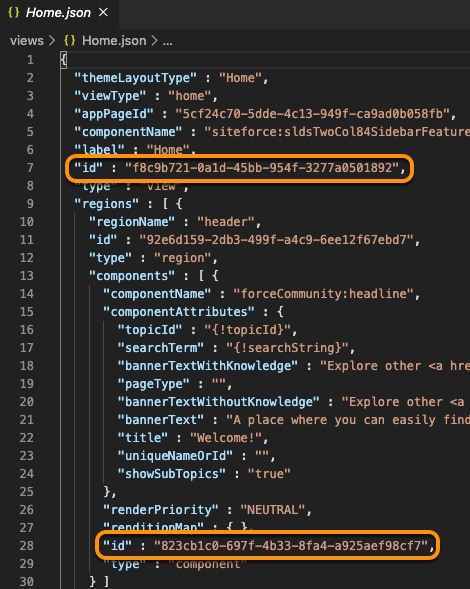
Format:view.id$#$component.id, where:
view.id is the id property of the view JSON file.
component.id is the id property of the component in the view JSON file.
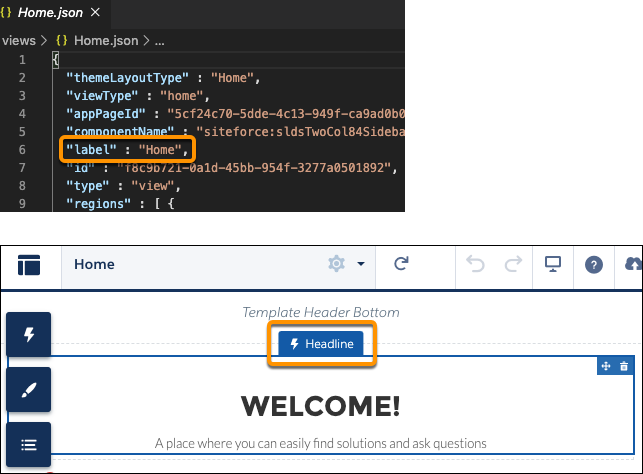
view.label is the label property of the view JSON file.
componentName is the name of the component in Experience Builder (not in the JSON file).
Example:Home_Headline_Component
If necessary, you can add a numeric value to the developer name to make it unique. For example, Home_Page_Rich_Content_Editor_Component1.
Note
Component Attributes
For component attributes, the group and developer names vary depending on whether the component is in the view body or in the header or footer of a theme layout.
Components in the View Body
To determine the group and developer names for a component in the view body, open the view file that contains the component. For example, open the Home.json file in the views folder.
Group Name
Format:view.id$#$component.id, where:
view.id is the id property of the view JSON file.
component.id is the id property of the component in the view JSON file.
view.label is the label property of the view JSON file.
componentName is the name of the component in Experience Builder (not in the JSON file).
Example:Home_Headline_Component_Properties
If necessary, you can add a numeric value to the developer name to make it unique. For example, Home_Page_Rich_Content_Editor_Component1.
Note
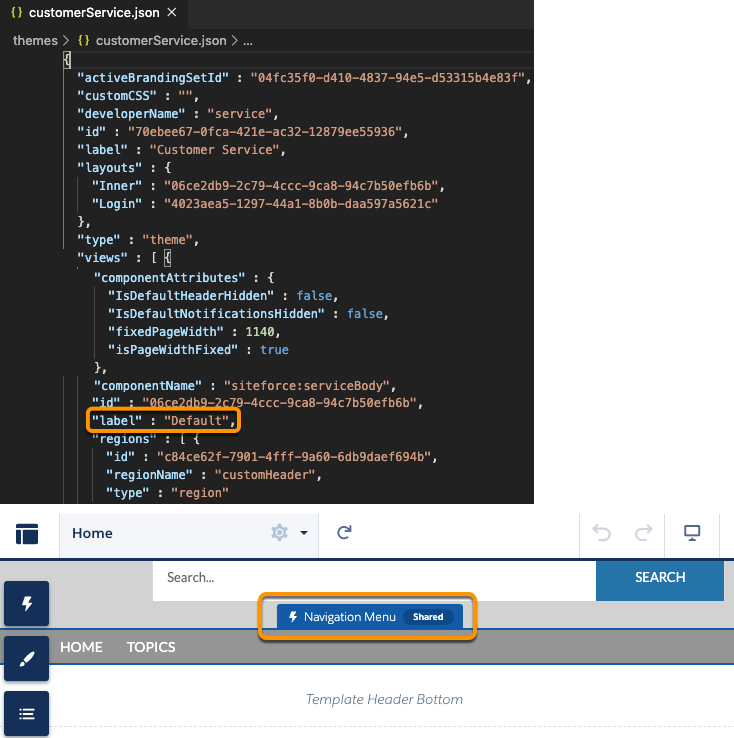
Components in the Header or Footer
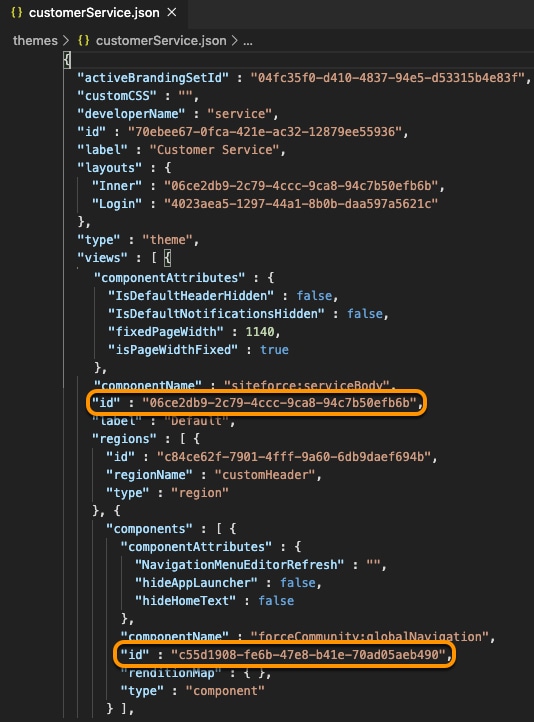
To determine the group and developer names for a component in the header or footer of a theme layout, open the theme file that contains the component. For example, in a Customer Service site, open the customerService.json file in the themes folder.
Group Name
Format:themeLayout.id$#$component.id, where:
themeLayout.id is the id property of the layout that contains the component.
component.id is the id property of the component in the layout.


 j
j