


 j
jLimit Declarative Access
Sample Code Without Sharing: Give Guest Users Access to Create Records and Read Them Later
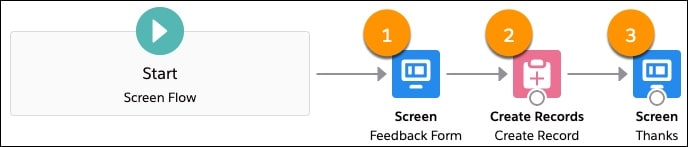
Sample Flow: Give Guest Users Access to Create Records
Sample Code Without Sharing: Give Guest Users Access to Create and Read Records in the Same Transaction
Sample Flow Without Sharing: Give Guest Users Access to Create and Read Records in One Flow
Sample Code Without Sharing: Give Guest Users Access to Create Records and Update Them Later
Limit Access to Apex Classes
Flow Security
SOQL Injection
Add Pardot Tracking to Your Experience Builder Site
Use a CMS with Your Experience Builder Site
Avoid Deployment Issues When Moving to Enhanced LWR Sites
Considerations for Deploying Authenticated LWR Sites
ExperienceBundle for Experience Builder Sites
Previous Versions