To understand how your customers are using your managed packages and components, create App Analytics recipes. Each App Analytics recipe produces a CRM Analytics lens and is a key performance indicator (KPI). Use CRM Analytics dashboards to visualize your KPIs and gain deeper insights.
Required Editions
Available in: both Salesforce Classic and Lightning Experience
Available in: Enterprise, Performance, Unlimited, and Developer Editions
AgentExchange App Analytics is subject to certain usage restrictions as described in the ISV Program Policies. To request and retrieve package usage logs and subscriber snapshots, activate App Analytics on your security-reviewed managed package by logging a support case in the Salesforce Partner Community. For product, specify Partner Programs & Benefits. For topic, specify ISV Technology Request. You can access package usage summaries without activation.
Note
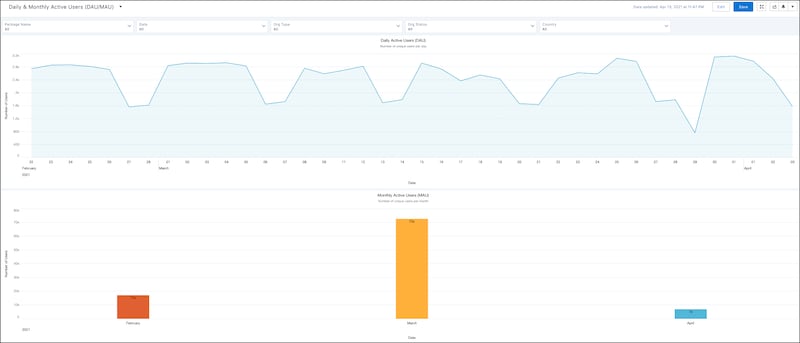
For example, to analyze a wide range of daily and monthly package usage metrics, build Daily and Monthly Active User App Analytics recipes.
Understanding how your customers use your custom objects is critical to managing the lifecycle of your managed package and its custom objects. Start by measuring custom object usage by create, read, update, and delete (CRUD) operations.


 j
j