



 j
jWorkflow for Second-Generation Managed Packages
Components Available in Second-Generation Managed Packages
Editable Properties After Package Promotion or Installation
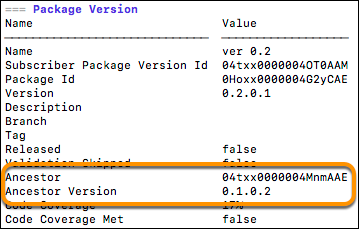
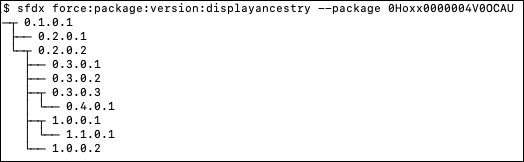
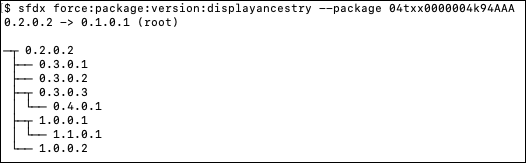
Understanding Package Upgrades with Ancestry
View Package Ancestry
Patch Versions for Second-Generation Managed Packages
Create Dependencies Between Second-Generation Managed Packages
Considerations for Promoting Packages with Dependencies
Advanced Project Configuration Parameters for Second-Generation Managed Packages
Second-Generation Managed Packaging Keywords
Target a Specific Release for Your Second-Generation Managed Packages During Salesforce Release Transitions
Use Branches in Second-Generation Managed Packaging
Specify Unpackaged Metadata or Apex Access for Package Version Creation Tests for Second-Generation Managed Packages
Package IDs and Aliases for Second-Generation Managed Packages
Avoid Namespace Collisions in Second-Generation Managed Packages
Delete a Second-Generation Managed Package or Package Version
Frequently Used Packaging Operations for Second-Generation Managed Packages
Contact Salesforce Partner Support to Enable Specific Packaging Features
Best Practices for Second-Generation Managed Packages
Gaps Between First-Generation and Second-Generation Managed Packaging
Previous Versions