Apex Type Provider
Implement custom integration logic via Apex by using the Apex Type Provider. This provider requires an Apex Integration Developer to implement a custom Apex adapter interface.
Use a custom Apex adapter to:
- Include and use integration parameters in adapter implementations such as timeouts, credentials, and path.
- Generate and transform requests and responses via Omnistudio Integration Procedures or Extract, Transform, Load (ETL) libraries.
- Enable asynchronous interaction pattern.
- Enable request and response logging by implementing a specific Apex interface.
- Handle errors, and integrate with fallout rules.
To configure the callout settings for Apex Type Provider, see Configuration Steps.
Implement the industriesintegrationfwk.ProcessIntegrationProvider Apex interface. Use the industriesintegrationfwk.ApexProviderAttr class to define and access the attribute values in the integration provider definition.
This sample shows how to pass errors from response to orchestration via the IntegrationResponse interface in the Apex provider implementation. See ProcessIntegrationProvider Interface.
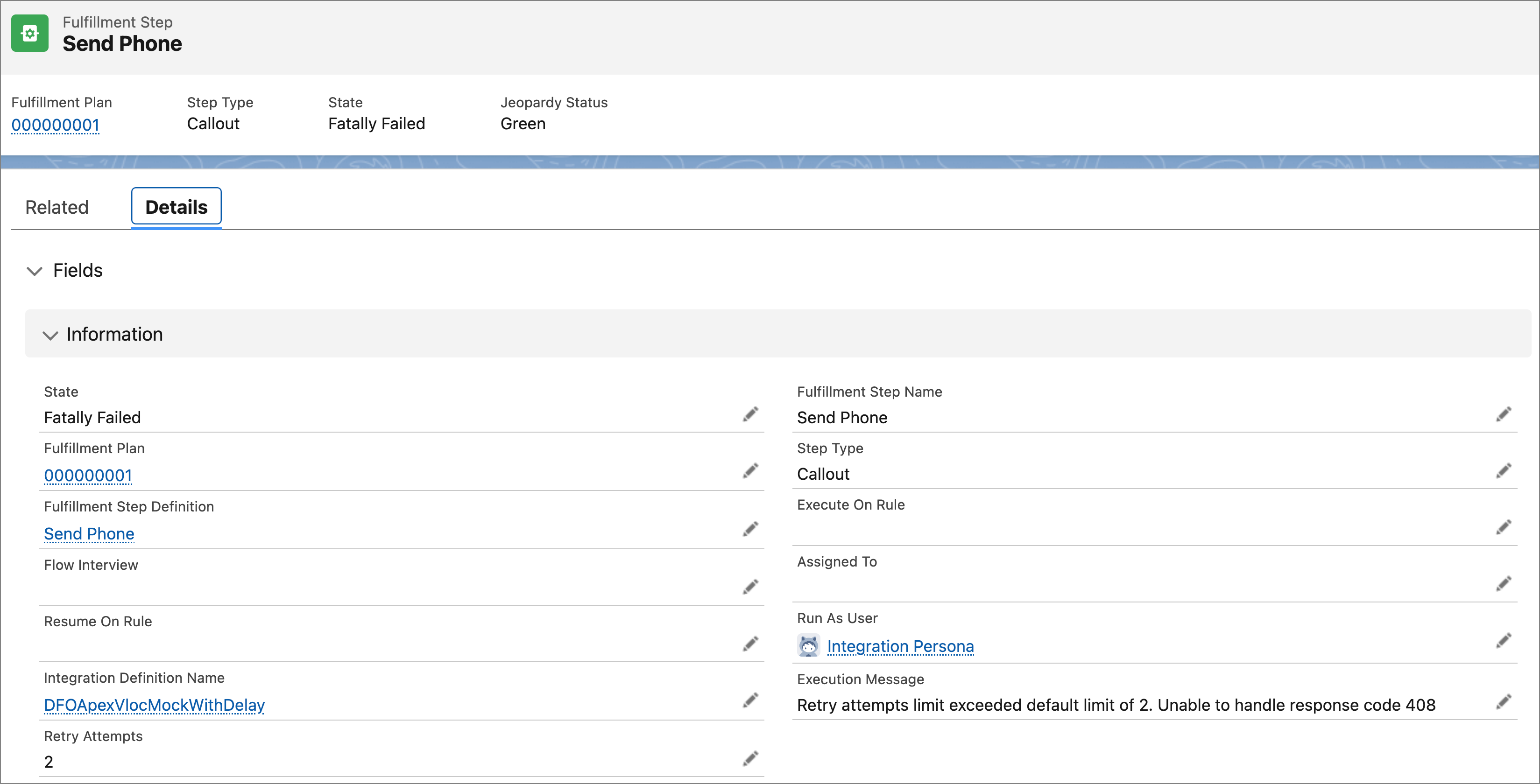
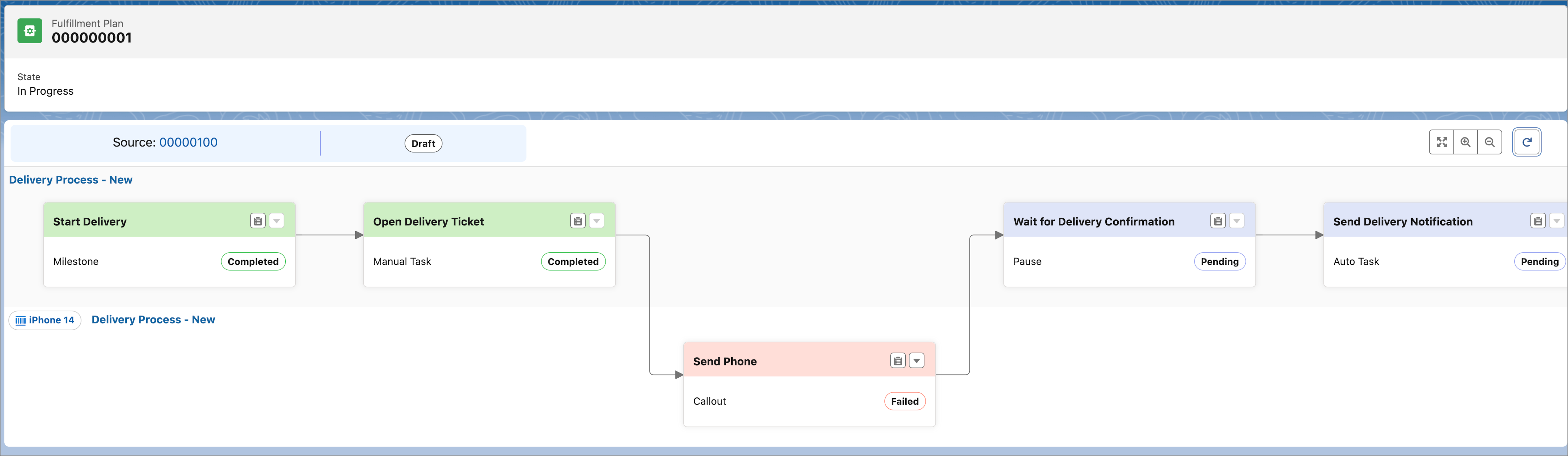
The fulfillment step state changes to Fatally Failed, and the error message is saved in the Execution Message field.
To use advanced features such as logging, the Apex provider must implement the Apex Provider Advanced interface. You must use the HttpBaseProvider client for HTTP requests.
This example shows a sample of the ProcessIntegrationProviderAdvanced Apex interface implementation.
Select the Save the request and response as attachments to the record checkbox for the integration definition to save request and response payloads as attachments to the Integration Provider Execution record. Content publish limits apply when saving request and response payloads as attachments. Use Shield Platform Encryption for secure storage of sensitive information.
See Create an Integration Definition.
Integration Provider execution records are created on every request and associated with the fulfillment step. The referenced object identifier is set to order item or fulfillment order line item ID. SeeIntegrationProviderExecution.
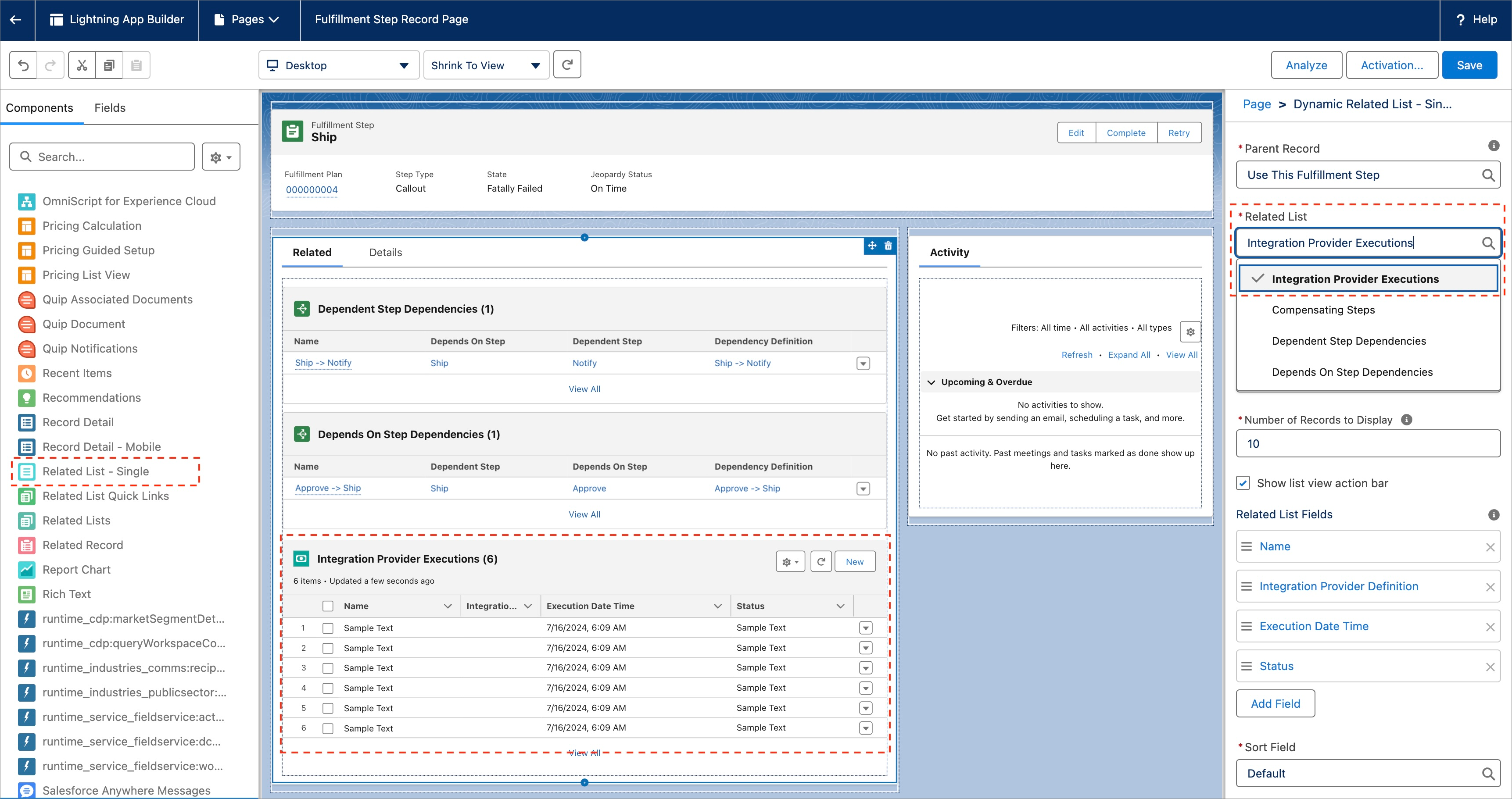
To view the Integration Provider execution records, configure the Fulfillment Step record page to include the Integration Provider Executions related list by using Lightning App Builder. See Lightning App Builder.