Asynchronous Interaction Pattern
To specify an asynchronous request, you must add the callback URI to the integration definition for Standard Fulfillment Provider or Apex Type Provider as an optional attribute.
-
Provide the callback URI in the integration definition to accept the callback.
-
Use these steps to set up the async callout.
-
-
Use the
ResponseUrikey to retrieve the Callback URI value from the payload. -
Use the
StepIdkey to retrieve the Fulfillment Step value from the payload. If order item ID is returned instead of Fulfillment Step ID, useCorrelationIdkey to extract the value of the step ID. For example,callout:13Wxx0000004CAf:. -
Pass the StepId value to the callback URI endpoint. Return 202 response code to ensure the Fulfillment Step is in
Runningstate. Otherwise, the 200 response code completes the step.Here’s a sample payload.
-
-
-
Extract the step ID from the request. Find the Fulfillment Step ID in the org by using the extracted step ID and update the Fulfillment Step state to
Completed.
-
Provide the callback URI in the integration definition to accept the callback.
-
Set up the async callout by using Apex Type Provider.
-
-
Create an Apex class that implements the
ProcessIntegrationProviderinterface.Here’s a sample that shows the addition of a callback URI to the provider attribute for Apex Type Provider.
-
Specify the Fulfillment Step ID as the value of the
requestGuidparameter of theexecuteCalloutmethod. You can also extract the Step ID from theCorrelationIdkey value. For example,"callout:13Wxx0000004CAf:".Here’s a sample payload that assigns the provider attribute values.
-
-
Set response code to 202 to indicate that the callout is asynchronously executed and in
Processingstate.Here’s a sample payload that sets the response code.
-
The callback URI is visible in the integration definition.
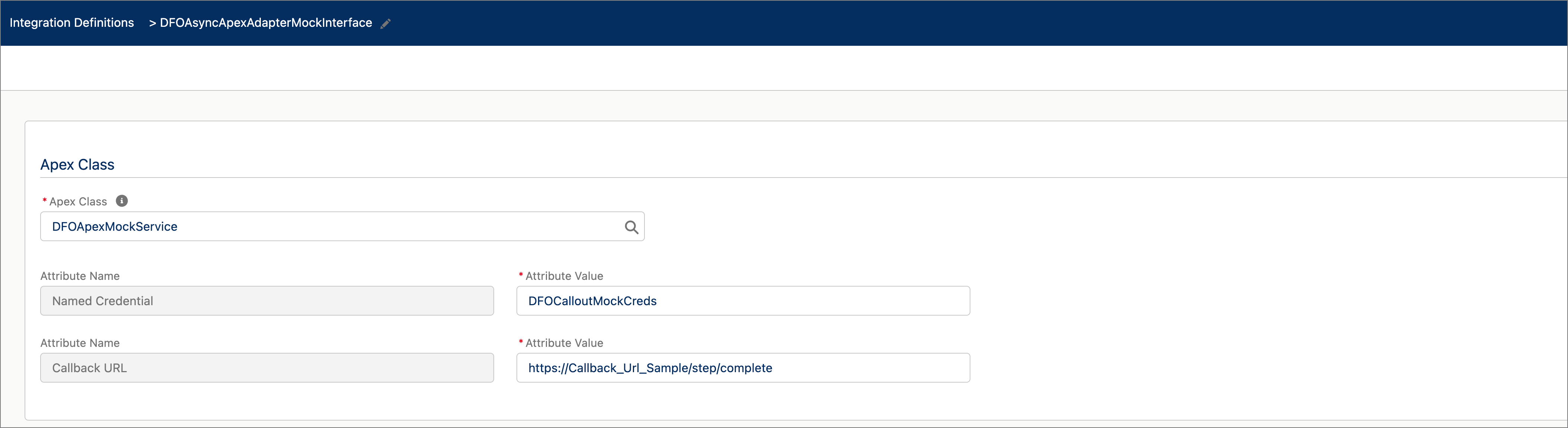
-
-
Extract the step ID from the request. Find the Fulfillment Step ID in the org by using the extracted step ID and update the Fulfillment Step state to
Completed.