


 j
jUsing Background Utility Items
Using Events with the Lightning Console JavaScript API
Use Page Context in the Utility Bar API
Using Page References to Open Console Workspace Tabs and Subtabs
Debugging
Previous Versions
In both Lightning console apps and standard navigation apps, utilities can respond to the context of the current page. For a Lightning web component, use the CurrentPageReference wire adapter. For an Aura component, specify implements="force:hasRecordId" to access the recordId of the record a user is viewing.
The CurrentPageReference wire adapter provides the page reference that describes the current page.
1import { LightningElement, wire } from "lwc";
2import { CurrentPageReference } from "lightning/navigation";
3
4export default class UtilityBarRecordExample extends LightningElement {
5    recordId;
6
7    @wire(CurrentPageReference)
8    wireCurrentPageReference(currentPageReference) {
9        if (currentPageReference?.type === "standard__recordPage") {
10            this.recordId = currentPageReference.attributes?.recordId;
11        } else {
12            this.recordId = undefined;
13        }
14    }
15}
The component displays the record ID when the utility bar is loaded on a record page.
1<template>
2    <div class="slds-var-m-around_medium">
3        <p lwc:if={recordId}>You are viewing record: {recordId}</p>
4    </div>
5</template>
For more information about working with the page reference, see the Lightning Web Components Developer Guide.
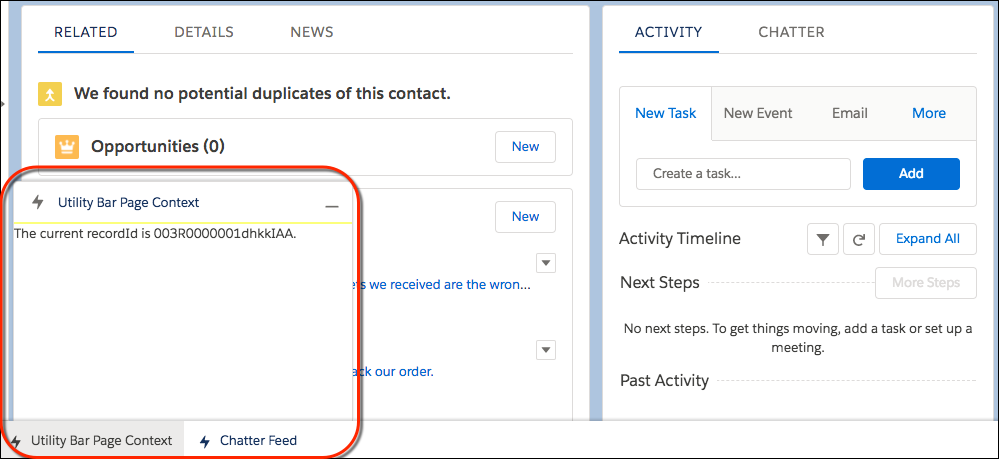
This simple component implements force:hasRecordId and listens for changes to the record being viewed. When this component is added to a utility bar, it displays the recordId of the record currently being viewed.
1<aura:component implements="force:hasRecordId,flexipage:availableForAllPageTypes"
2access="global">
3    <aura:handler name="change" value="{!v.recordId}" action="{!c.onRecordIdChange}"/>
4    <div>
5            <p>The current recordId is {!v.recordId}.</p>
6    </div>
7</aura:component>
The component’s controller listens for changes to the recordId, and prints the new recordId to the developer console upon a change.
1({
2    onRecordIdChange : function(component, event, helper) {
3        var newRecordId = component.get("v.recordId");
4        console.log(newRecordId);
5    }
6})
This image shows what the component looks like in the utility bar of a Lightning console app.
j