Improve Amazon Transcribe’s Transcription Accuracy with Custom Vocabulary and Filters
Use a custom vocabulary to ensure that your transcript displays terms with the correct spelling and capitalization. Use vocabulary filters to filter or mask unwanted content, like profanity.
| Ease of Implementation | Easy |
| Estimated Time to Implement | 30 minutes |
To implement this use case, you need either the AWS root user or AWS administrator credentials.
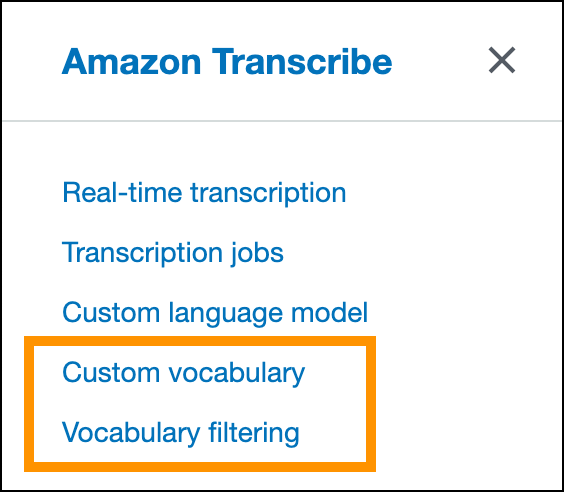
- To process speech more accurately, set up your custom vocabulary in Amazon Transcribe. This feature is useful for domain-specific terminology.
- To mask or remove words that you don’t want to appear in the transcription, set up vocabulary filtering in Amazon Transcribe.
Be sure to record the name of the custom vocabulary and the name of the filter for the next step.
The kvsConsumerTrigger Lambda function, which is installed with Salesforce Voice, requires information about your vocabulary changes. This function starts the transcription process and is used by both inbound and outbound flows. Update these flows with additional parameters.
To update your flows, perform the following steps on all contact flows that use transcription:
-
Find and edit any contact flow block that runs the kvsConsumerTrigger Lambda function. This block should have the title Invoke AWS Lambda function.
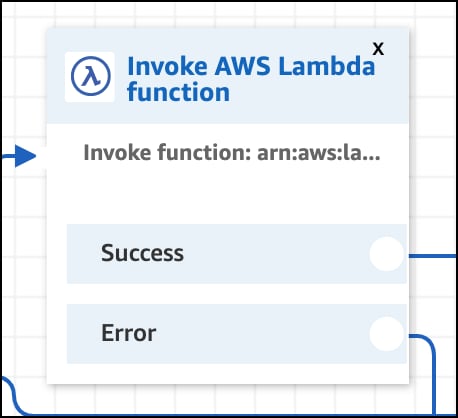
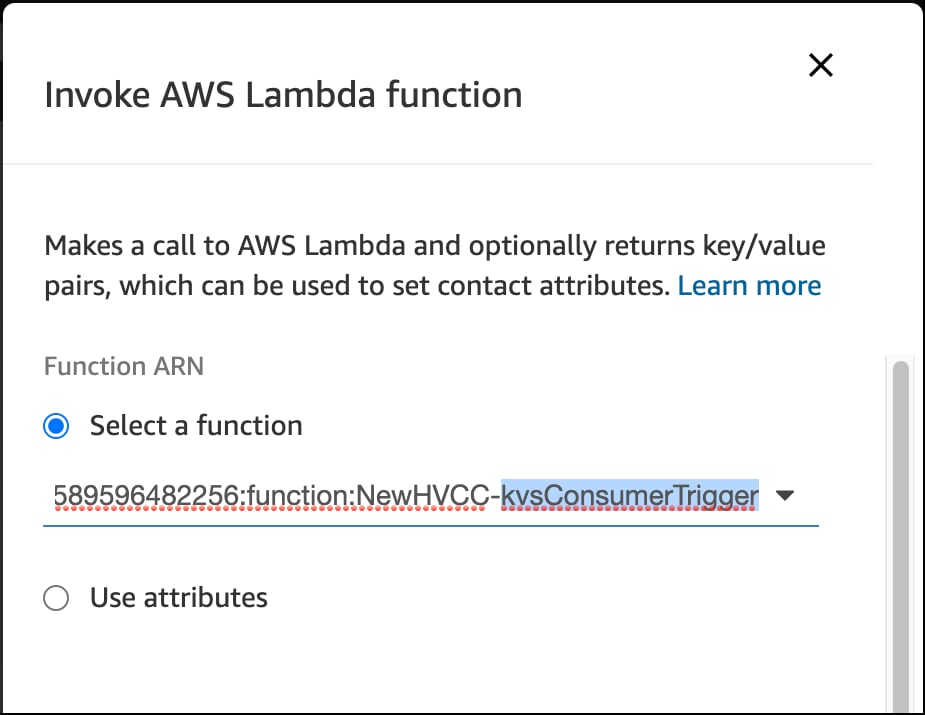
To verify that you’ve selected the correct block, check that it ends with the string kvsConsumerTrigger.
-
If you have a custom vocabulary, add a
vocabularyNameparameter to this block with the name of your custom vocabulary that you created earlier.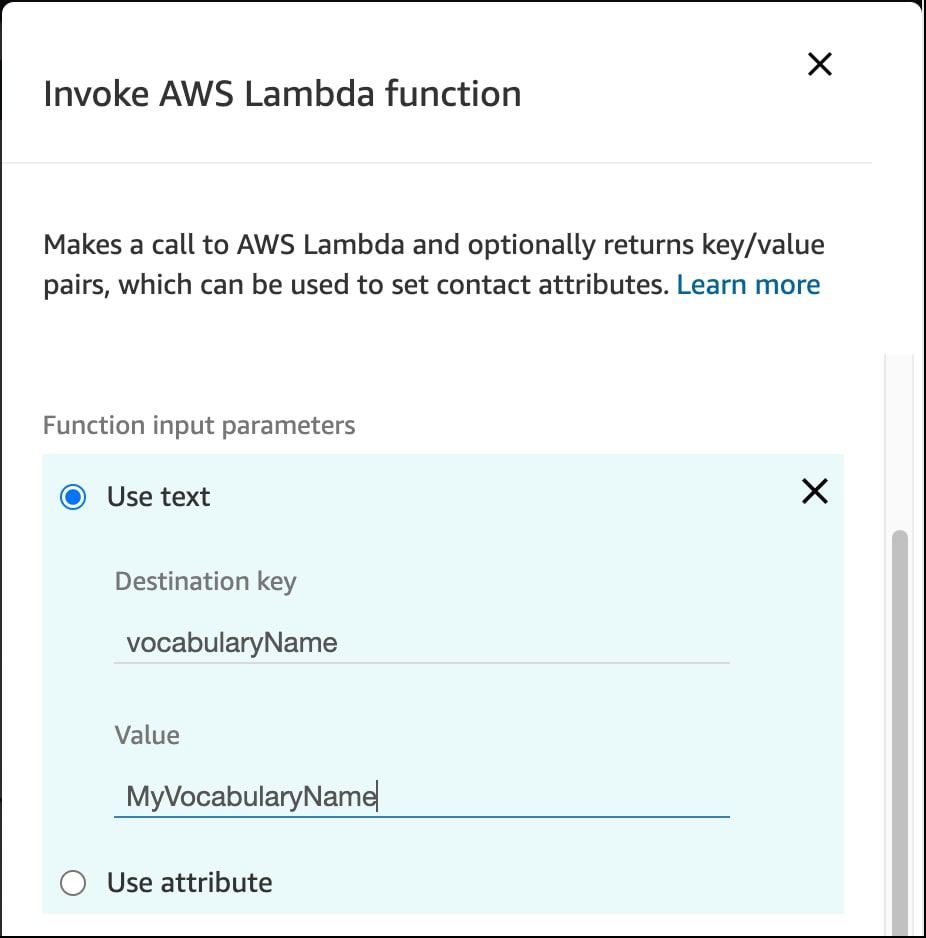
-
If you have vocabulary filtering in place, add a
vocabularyFilterNameparameter to this block with the name of your vocabulary filter that you created earlier. Also, add avocabularyFilterMethodparameter with one of the following values:maskorremove.maskreplaces the term with asterisks.removeremoves the term from the transcript. If novocabularyFilterMethodparameter is provided, the behavior defaults tomask.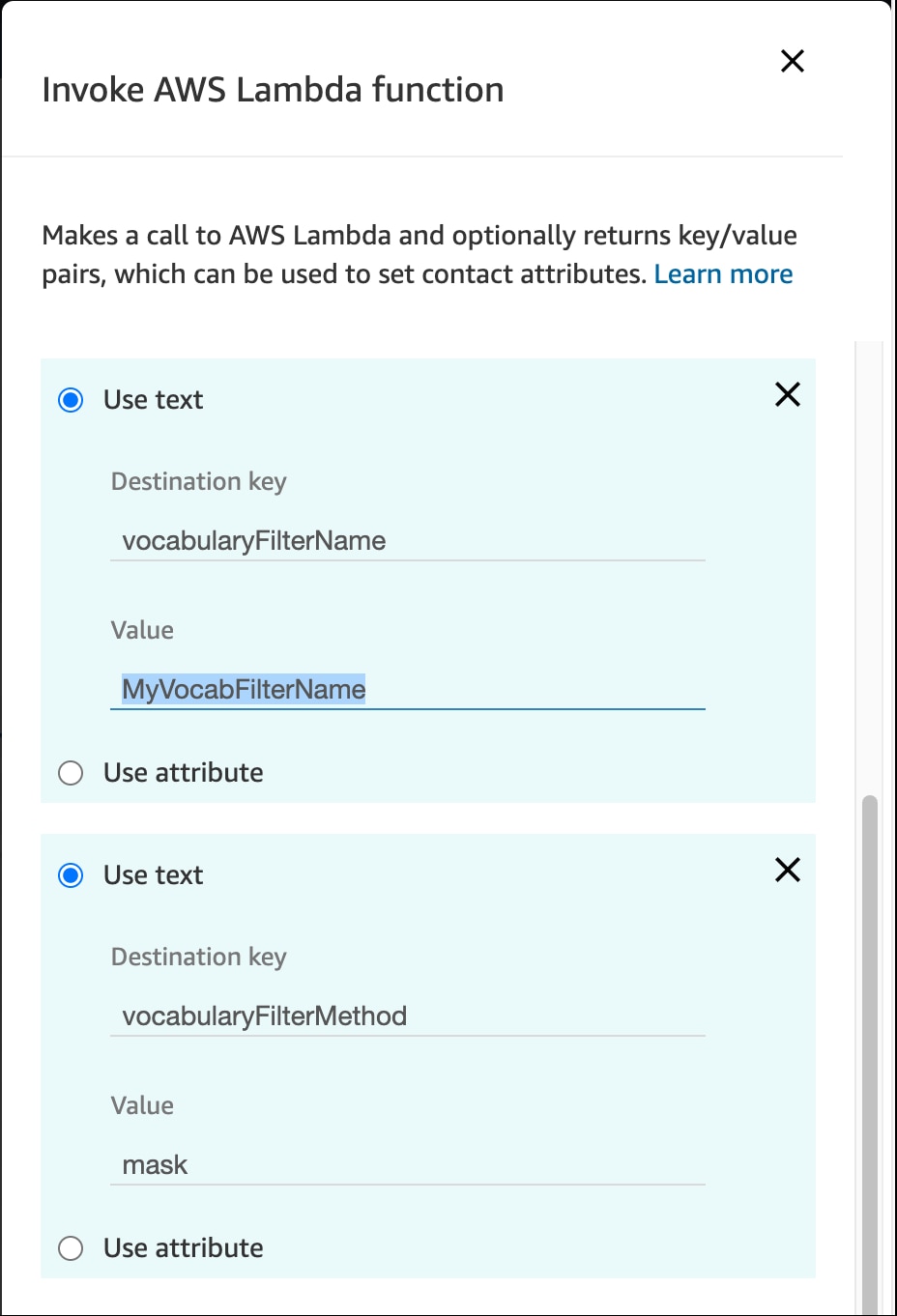
-
Save the block and contact flow, and then publish your contact flow.
To test this example, perform an inbound call and review the transcript that appears. The transcript should reflect your filters and custom vocabulary.
See Also