This Lambda function calls the Salesforce REST API. You can place this Lambda function within a contact flow to create, update, or query Salesforce records.
Configuration: This function is available to Salesforce Voice with Amazon Connect and Salesforce Voice with Partner Telephony from Amazon Connect customers who are using an Amazon Connect instance that’s provided by Salesforce. This function uses OAuth, which requires an external client app or associated connected app in your org. This app is automatically set up for you when you enable Voice.
Starting in the Summer ‘26 release, connected apps can no longer be created. New contact centers use external client apps (ECA) for single sign-on (SSO). Contact centers created before the Summer ‘26 release will continue to use their connected apps for SSO.
This Lambda function uses the environment variable SALESFORCE_REST_API_ENDPOINT_BASE to point to the Salesforce org API endpoint. (For example, https://MY_DOMAIN.my.salesforce.com/services/data/v50.0.) This variable is automatically created when you set up Salesforce Voice. However, if you get a response of { success: false }, verify that this Lambda environment variable is correct.
Sample Contact Flows That Use This Function: Sample_SCV_REST_Check_For_Open_Cases, Sample_SCV_REST_Link_Call_To_Case. To download these flows, visit our Sample Contact Flows folder in GitHub.
A list of the selected fields. Each attribute contains a different field. Regardless of your query, only the first resulting record is returned.
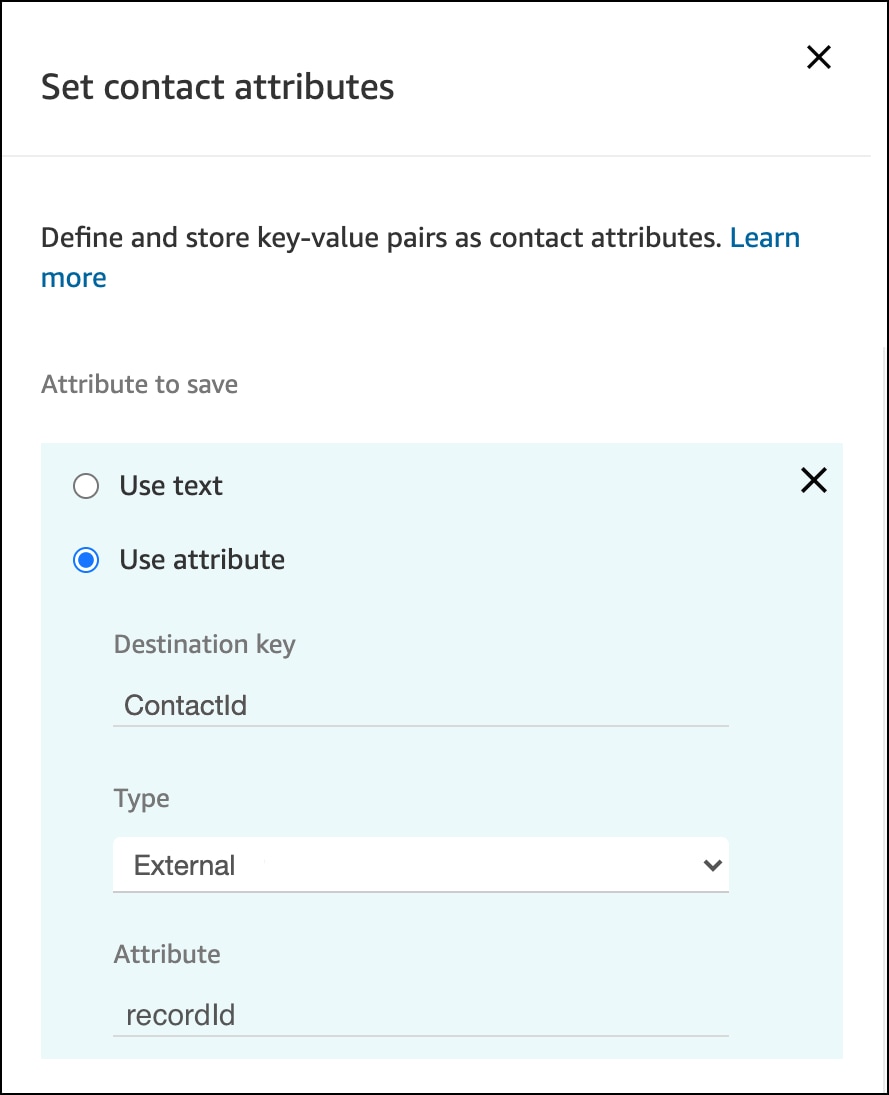
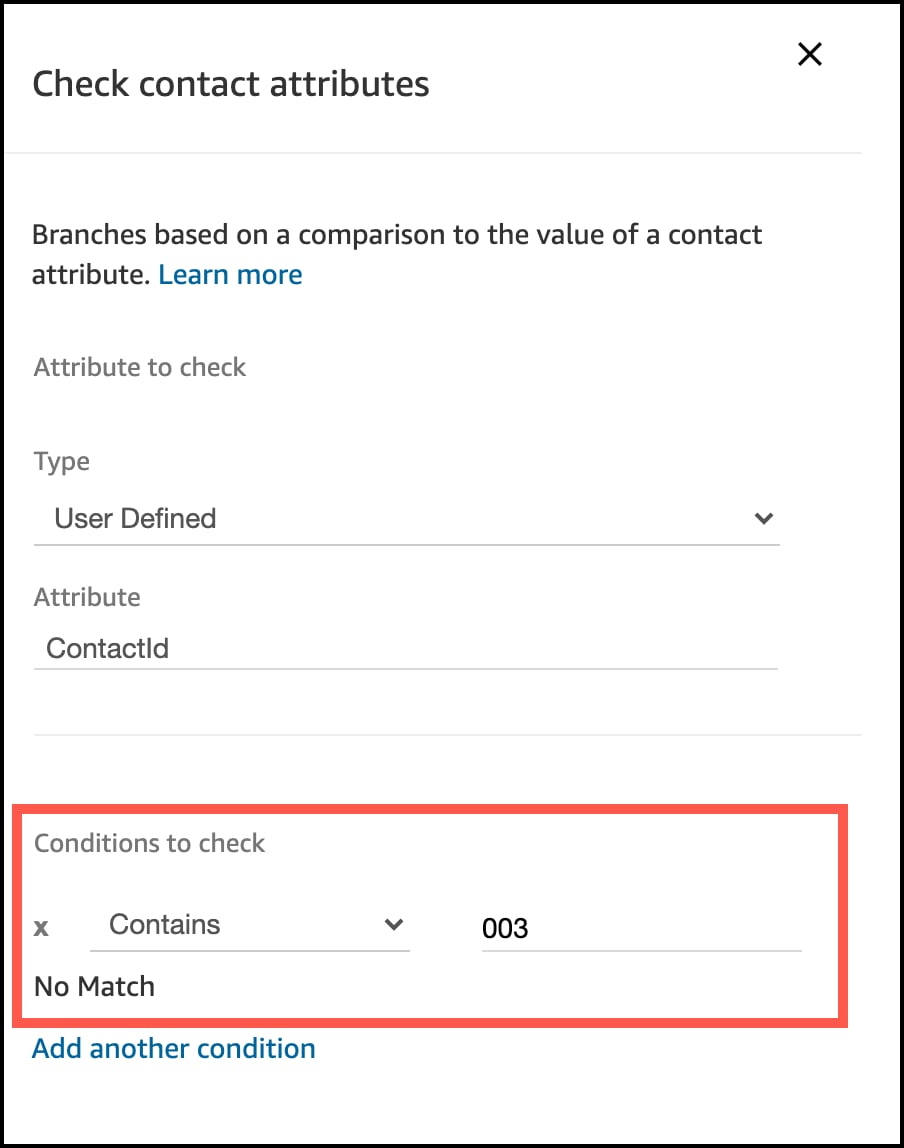
TIP: To check that the function returned information successfully, add a condition to a Check contact attributes block to check an output attribute based on some detail you expect to see in the result. For instance, let’s say you’re creating a contact record. A contact ID always contains “003” in the ID value, so you can use that information to check the success or failure of the call. The first step is to store the return attribute in a user-defined attribute by using a Set contact attributes block:
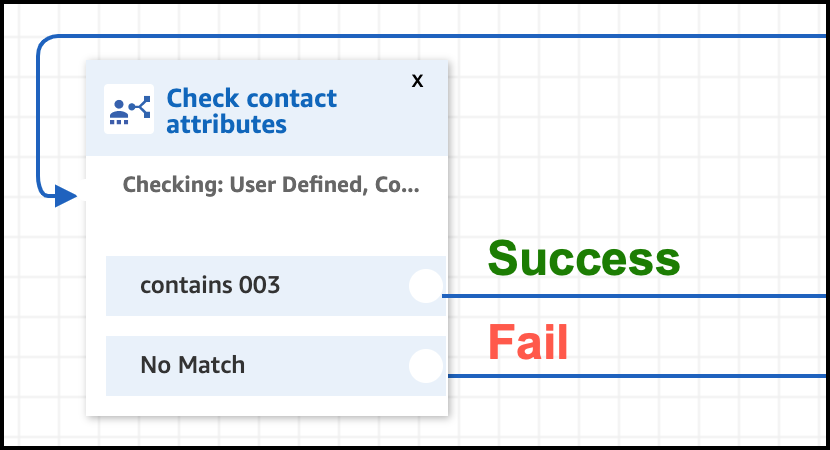
And then you can use a Check contact attributes block to access this user-defined attribute:
Build your contact flow logic based on this result.
Query for a Salesforce record
1SELECT Id FROM Contact
2WHERE Phone = '$.Attributes.MY_CONTACT_ATTRIBUTE'


 j
j