


 j
jPrerequisites
Generate Files
Verify Files
Limits
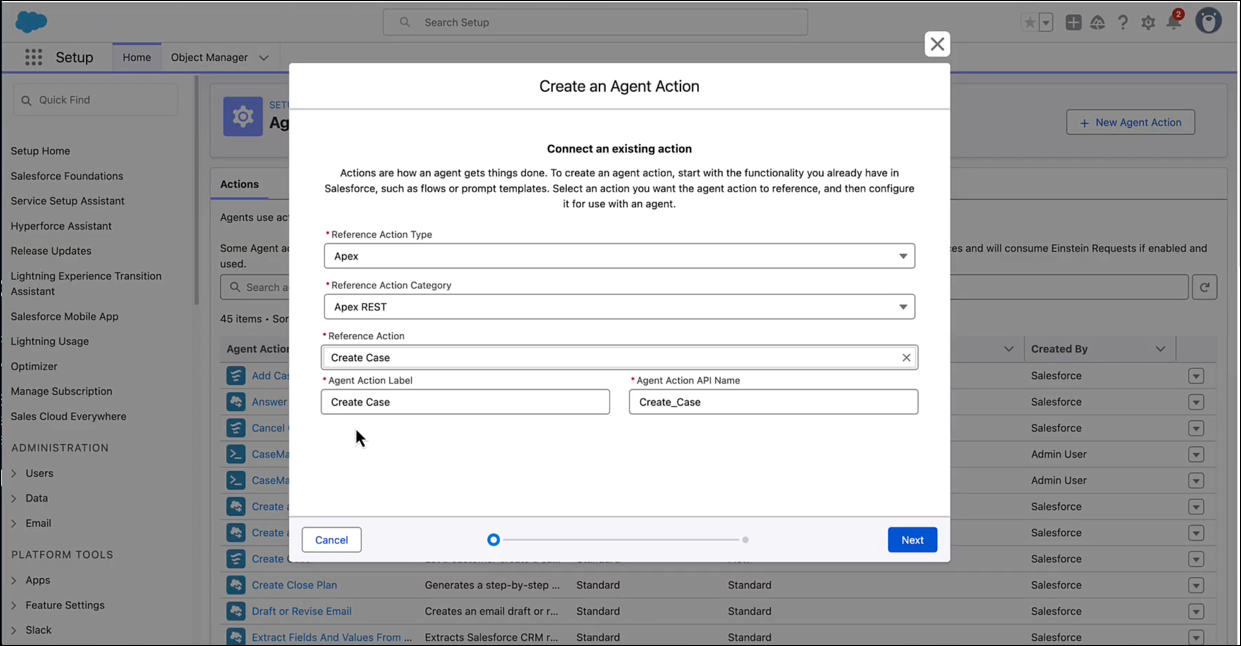
Create Actions from Named Queries
Create Custom Actions Using Apex InvocableMethod
Provide Global Copy to Action Responses
Cite Agent Responses with Apex
Follow these steps to create your first OpenAPI document. Use the sample Apex REST class and the generated files that we’re providing to quickly learn about the workflow. If you prefer, you can use one of the Apex REST classes you retrieved.
CaseManager.CaseManager.cls file that you just created.1@RestResource(urlMapping='/apex-rest-examples/v1/Cases/*')
2global with sharing class CaseManager {
3 @HttpGet
4 global static Case getCaseById() {
5 RestRequest request = RestContext.request;
6 // grab the caseId from the end of the URL
7 String caseId = request.requestURI.substring(
8 request.requestURI.lastIndexOf('/')+1);
9 Case result = [SELECT CaseNumber,Subject,Status,Origin,Priority
10 FROM Case
11 WHERE Id = :caseId];
12 return result;
13 }
14
15 @HttpPost
16 global static ID createCase(String subject, String status,
17 String origin, String priority) {
18 Case thisCase = new Case(
19 Subject=subject,
20 Status=status,
21 Origin=origin,
22 Priority=priority);
23 insert thisCase;
24 return thisCase.Id;
25 }
26
27 @HttpDelete
28 global static void deleteCase() {
29 RestRequest request = RestContext.request;
30 String caseId = request.requestURI.substring(
31 request.requestURI.lastIndexOf('/')+1);
32 Case thisCase = [SELECT Id FROM Case WHERE Id = :caseId];
33 delete thisCase;
34 }
35
36 @HttpPut
37 global static ID upsertCase(String subject, String status,
38 String origin, String priority, String id) {
39 Case thisCase = new Case(
40 Id=id,
41 Subject=subject,
42 Status=status,
43 Origin=origin,
44 Priority=priority);
45 // Match case by Id, if present.
46 // Otherwise, create new case.
47 upsert thisCase;
48 // Return the case ID.
49 return thisCase.Id;
50 }
51
52 @HttpPatch
53 global static ID updateCaseFields() {
54 RestRequest request = RestContext.request;
55 String caseId = request.requestURI.substring(
56 request.requestURI.lastIndexOf('/')+1);
57 Case thisCase = [SELECT Id FROM Case WHERE Id = :caseId];
58 // Deserialize the JSON string into name-value pairs
59 Map<String, Object> params = (Map<String, Object>)JSON.deserializeUntyped(request.requestbody.tostring());
60 // Iterate through each parameter field and value
61 for(String fieldName : params.keySet()) {
62 // Set the field and value on the Case sObject
63 thisCase.put(fieldName, params.get(fieldName));
64 }
65 update thisCase;
66 return thisCase.Id;
67 }
68}externalServiceRegistration folder.<ApexClass>.yaml, and <ApexClass>.externalServiceRegistration-meta.xml.
The description that appears in your org’s API catalog comes from the top-level description mapping in the YAML file, not the <description> element of the XML file.
Note
If the MuleSoft for Agentforce Extension Pack is installed, then SFDX: Validate OpenAPI Document isn’t available. Use the governance rules in the MuleSoft for Agentforce Extension Pack to validate your OpenAPI document. For details, see Verify Metadata and OpenAPI Specification Documents.
Note
CaseManager.cls class , or the class you’re working with, to your org.You can regenerate an OpenAPI document if you modify the Apex class associated with it:
<ApexClass>_<timestamp>.externalServiceRegistration-meta.xml and
<ApexClass>_<timestamp>.yaml.These files are located in the esr_files_for_merge folder in the root directory of your Salesforce project.You may encounter API Catalog limits when deploying. See Limits.
Note
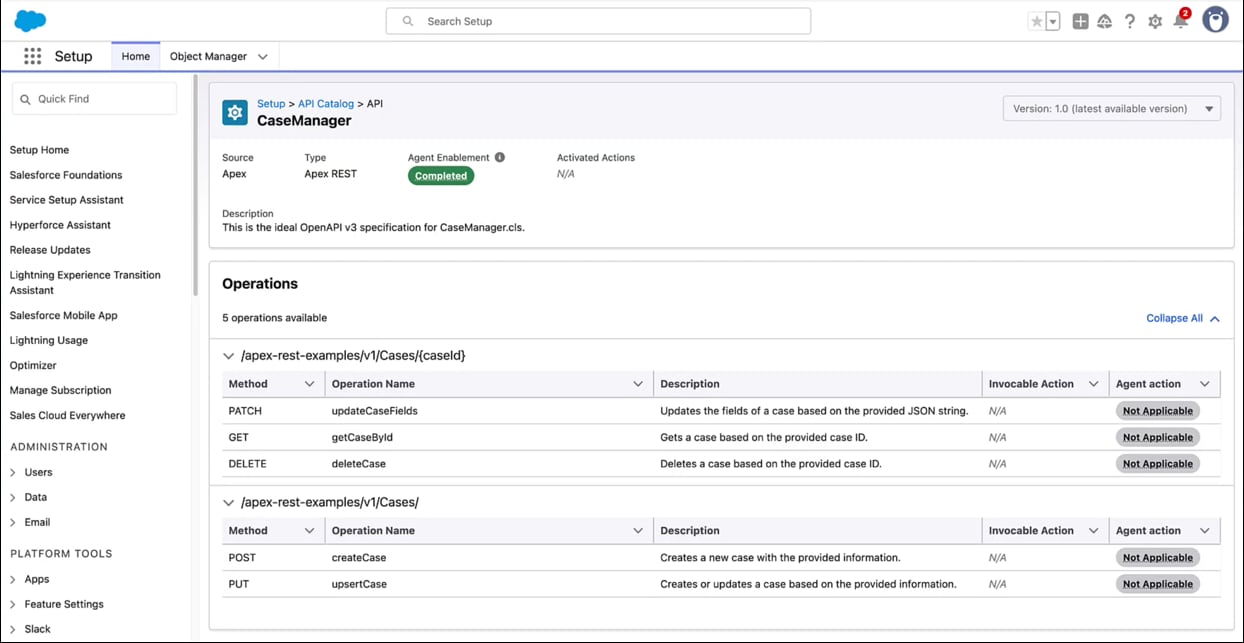
Once deployed, your API and its operations are available in your org’s API catalog.
 j
j