


Force.com Canvas Developer's Guide
 j
j
No Results
Search Tips:
- Please consider misspellings
- Try different search keywords
Newer Version Available
Making an App a Canvas Personal App
You (the app’s developer) can enable an app as a canvas personal app when you first
create it, or make your existing canvas app a canvas personal app. This process involves
ensuring that an organization preference is active, and activating a setting on the app’s Detail
page.
In order for you to make an app a canvas personal app:
- The administrator for the app’s destination organization must enable canvas personal apps in that organization, from .
- You need to enable the app as a canvas personal app, as follows.
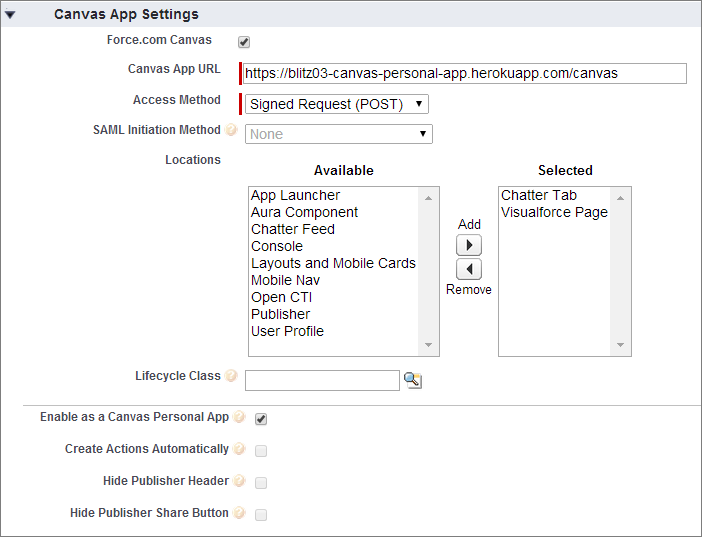
- In the Locations field, select Chatter Tab. If this is a canvas personal app, Chatter Tab is the only location where a canvas personal app can appear.
- Under Canvas App Settings, select the Enable as a Canvas Personal
App checkbox. This setting is available only when Chatter
Tab is selected as the app’s location.
After you’ve created the canvas personal app and provided a link to it, end users can access the app and install it themselves.