


Canvas Developer Guide
 j
jNewer Version Available
Making an App a Canvas Personal App
You (the app’s developer) can enable an app as a canvas personal app when you first
create it, or make your existing canvas app a canvas personal app. This process involves
ensuring that an organization preference is active, and activating a setting on the app’s Detail
page.
In order for you to make an app a canvas personal app:
- The administrator for the app’s destination organization must enable canvas personal apps in that organization. To do so, from Setup, enter Connected Apps in the Quick Find box, then select the option for managing connected apps.
- You need to enable the app as a canvas personal app, as follows.
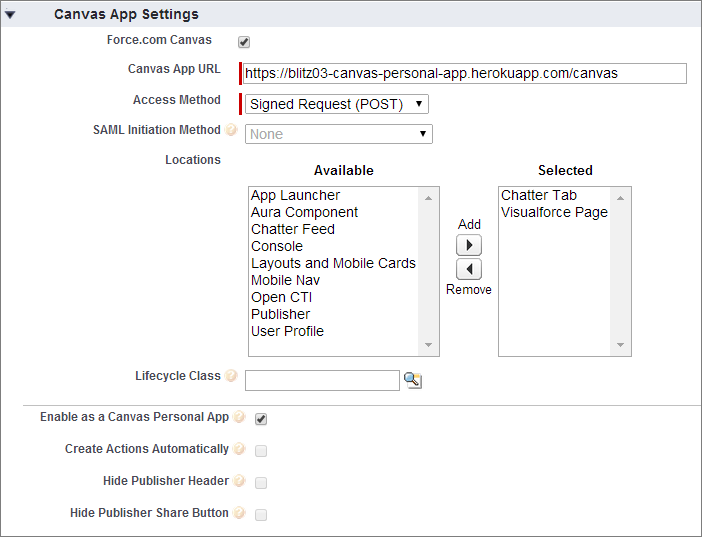
- In the Locations field, select Chatter Tab. If this is a canvas personal app, Chatter Tab is the only location where a canvas personal app can appear.
- Under Canvas App Settings, select the Enable as a Canvas Personal
App checkbox. This setting is available only when Chatter
Tab is selected as the app’s location.
After you’ve created the canvas personal app and provided a link to it, end users can access the app and install it themselves.