


Canvas Developer Guide
 j
jNewer Version Available
Making an App a Canvas Personal App
You can enable an app as a canvas personal app when you first create it, or make your
existing canvas app a canvas personal app. This process involves ensuring that an org preference
is active, and activating a setting on the app's Detail page.
You can enable an existing connected app as a Canvas Personal app.
Before you begin, the admin for the app's destination org must enable canvas personal apps in that org. From Setup, enter Connected Apps in the Quick Find box, then select the option for managing connected apps.
-
Open the connected app's Detail page in Setup.
Enter Connected Apps in the Quick Find box and select the app you want to make a canvas personal app.
-
In the Locations field, select Chatter
Tab.
Chatter Tab is the only location where a canvas personal app can appear.
-
Under Canvas App Settings, select the Enable as a Canvas Personal
App checkbox.
This setting is available only when Chatter Tab is selected as the app's location.
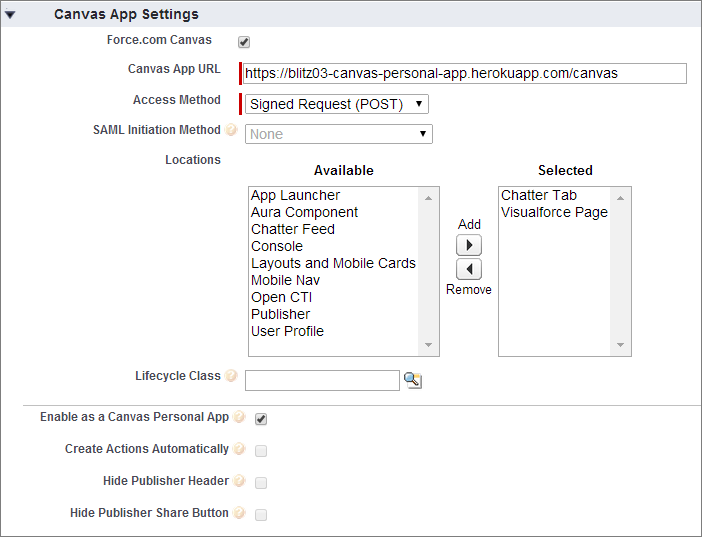
After you've created the canvas personal app and provided a link to it, end users can access the app and install it themselves.