


Salesforce App Developer Guide
 j
jTest Out the Object-Specific Quick Action
When you create an action, assign it to a page layout, and customize its action layout, as we did, the changes are reflected in Salesforce immediately.
- Open Salesforce on your mobile device.
-
Tap
 to access the
navigation menu.
to access the
navigation menu.
- In the Recent section, tap Accounts.
- Tap Barbary Coast Wireless.
-
In the action bar, tap
 to access the action menu.
Create a Case, and the other actions we added, are now in the action menu.
to access the action menu.
Create a Case, and the other actions we added, are now in the action menu.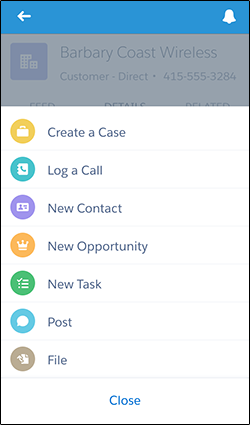
- Tap the Create a Case action.
- Tap the Contact Name field.
- Tap Lloyd Benjamin to assign him to the case.
- Leave its status as New.
- Assign the case a low priority.
- Tap Product, and select the first one on the list.
- Enter a subject and description.
- Tap Save.
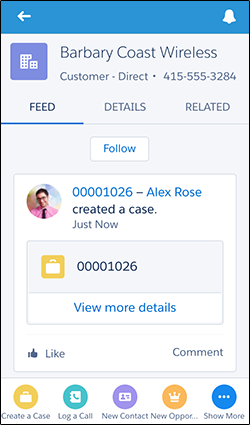
OK, we’re back on the account record detail page. Tap Feed, and you should see a new feed item for the case you just created.
Nice work!