Lightning Communities Developer Guide
 j
jNewer Version Available
Add CMS Header and Footer Components to Your Community
Once you've set up your CMS connection and added a header and footer, you're ready to
add components to your pages.
Before you can add CMS headers and footers, set up your CMS connection.
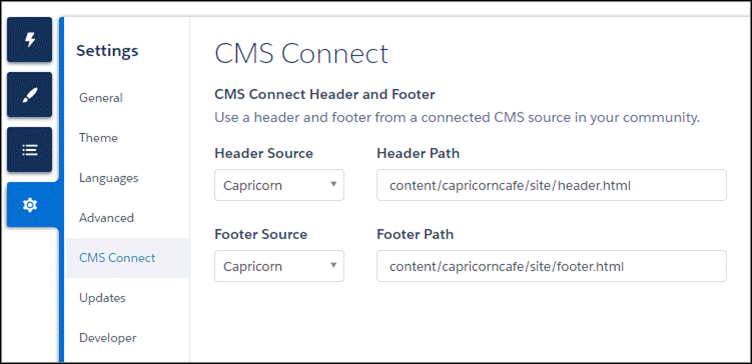
- From Experience Builder, go to Settings.
- Click CMS Connect.
- Select a header source and enter a header path.
- Select a footer source and enter a footer path.