


 j
jRelease Notes
Example: Generate a Lifecycle-Managed Asset
Example: Change a Lifecycle-Managed Asset
Example: Cancel a Lifecycle-Managed Asset
Recommendations
Salesforce Files
Retired Resources
PDF Archive
Review an example of using Connect REST API to amend an asset after a new lifecycle event.
On 10/01, your customer wants to increase number of licenses by 10 from October through December. They make an amendment order that creates the following order product.
ID: 1237
Date of Sale: 10/01/20 2:00:00pm PST
Start Date: 10/01/20 9:00:00am PST
End Date: 12/31/20 8:59:59am PST
Amount: $600
Quantity: 10
Build an integration that calls the Change Asset resource and passes an asset action source, asset action, and two asset state periods. The first asset state period represents the period from 07/01 through 09/30, with a license quantity of 20. The second asset state period represents the period from 10/01 through 12/31, with a license quantity of 25. The asset action provides information on what type of change took place, when the change occurred, and the change in quantity, amount, and/or monthly recurring revenue.
/services/data/v50.0/asset-management/assets/02iB00000007bZ6IAI/actions/change
1{
2  "assetStatePeriods": [
3    {
4      "startDate": "2020-07-01T09:00:00+08:00",
5      "endDate": "2020-09-30T08:59:59+08:00",
6      "quantity": 20.0,
7      "mrr": 200.0,
8      "amount": 600.0
9    },
10    {
11      "startDate": "2020-10-01T09:00:00+08:00",
12      "endDate": "2020-12-31T08:59:59+08:00",
13      "quantity": 25.0,
14      "mrr": 250.0,
15      "amount": 750.0
16    }
17  ],
18
19  "assetAction": {
20    "category": "Upsells",
21    "actionDate": "2020-10-01T14:00:00+08:00",
22    "quantityChange": 5.0,
23    "mrrChange": 50.0,
24    "amount": 150.0
25  },
26
27  "assetActionSources": [
28    {
29      "transactionDate": "2020-10-01T14:00:00+08:00",
30      "startDate": "2020-10-01T09:00:00+08:00",
31      "endDate": "2020-12-31T08:59:59+08:00",
32      "quantity": 5.0,
33      "productAmount": 150.0,
34      "referenceEntityItem": "1WLB00000003geJOAQ"
35    }
36  ]
37}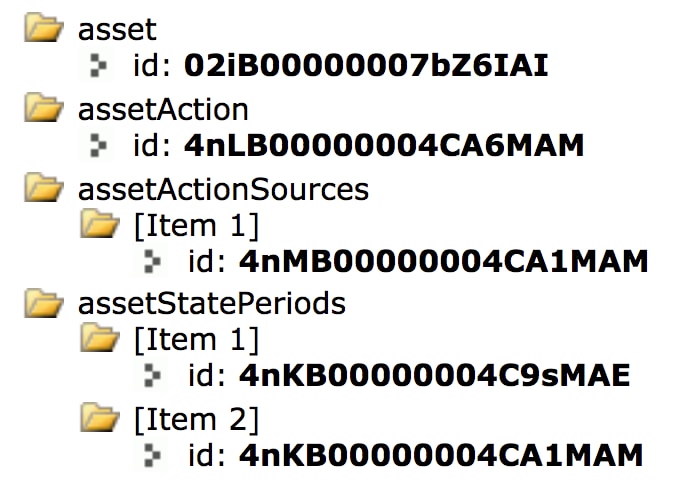
j