Visualforce Developer Guide
 j
jNewer Version Available
Example Using a Related List
Dynamic Visualforce components are best used when you don’t know the type of object you want to reference, as opposed to dynamic Visualforce bindings, which are best used when you don’t know the fields you want to access.
The following scenario for using dynamic Visualforce constructs a simple, reusable page with a known set of fields you want to access. The page and its custom object are placed into an unmanaged package and distributed throughout the same organization.
- Click New under Custom Fields & Relationships.
- Select Master-Detail Relationship, then click Next.
- Select Classroom from the drop-down list, then click Next.
- Continue to click Next, leaving all the default values intact.
- A new Student named Johnny Walker, and a new Teacher named Mister Pibb, both assigned to Science 101.
- Another new Student named Boont Amber, and a new Teacher named Doctor Pepper, both assigned to Math 201.
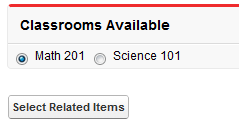
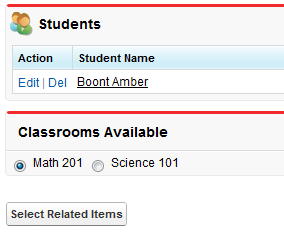
After assembling the controller extension and these pages, navigate to
/apex/dynVFClassroom in your organization. You’ll see a
sequence similar to the following: