


ISVforce Guide
 j
jNewer Version Available
Check the Status of an AppExchange Security Review
Find the status of your security review in the AppExchange Partner Console. Status
updates appear after you submit the solution for review.
| User Permissions Needed | |
|---|---|
| To access the AppExchange Partner Console: | Manage Listings |
- Log in to the Salesforce Partner Community.
- To launch the Partner Console, click Publishing.
- Click .
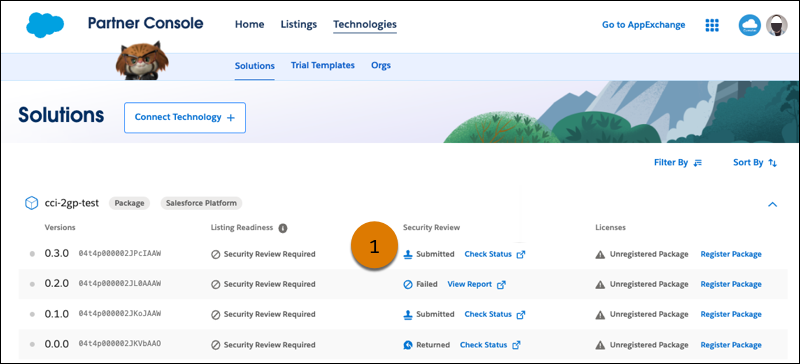
- Locate the security review column. If your solution isn’t subject to security review, the column is omitted.
-
View the review status (1).
-
To see additional status information for an in-progress review, click
Check Status.
The security review wizard’s Overview page loads. It contains detailed status, feedback from the review teams, and recommended action items.