Salesforce Voice with Partner Telephony Developer Guide
 j
jNote: This release is in preview. Features described here don’t become generally available until the latest general availability date that Salesforce announces for this release. Before then, and where features are noted as beta, pilot, or developer preview, we can’t guarantee general availability within any particular time frame or at all. Make your purchase decisions only on the basis of generally available products and features.
Set Up Single Sign-On
Set Up the SSO External Client App and Salesforce with Identity Provider (IdP)
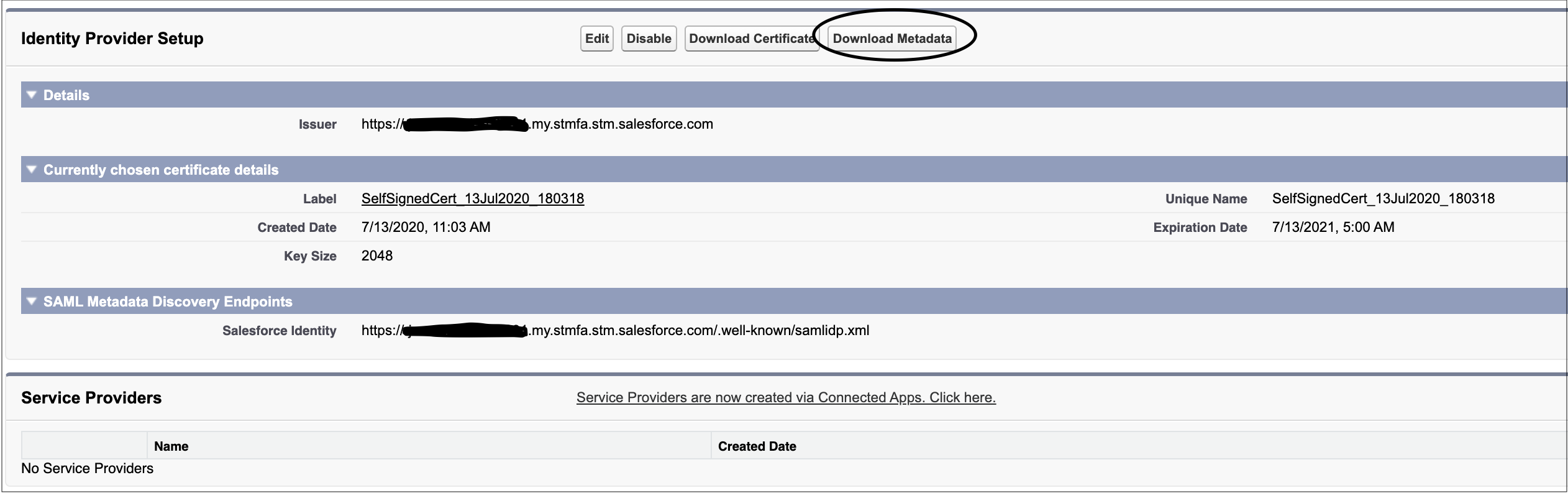
- From Setup, enter Identity Provider in the Quick Find box, then select Identity Provider and enable it.
- To download the certificate and metadata file for using Salesforce as an IdP, under
Identity Provider Setup, click Download Metadata.
- Create an external client app (ECA) to use for authentication.
- Create an external client app and set Distribution State set to Local.
- To enable and configure SAML, configure the external client app's SAML 2.0 settings and policies.
- To allow access to the app, update the ECA App policies.
- From Setup, enter External Client App Manager in the Quick Find box. Select your external client app.
- Click Edit.
- On the Policies tab, under App Policies, select profiles for users who need access to SSO login or select permission sets that you’re using for Salesforce Voice.
- Save your changes.
- To test the IdP SSO login, in the Policies tab under SAML Policies, expand SAML Login Info, and click the IdP-Initiated Login URL.
Perform Headless SSO
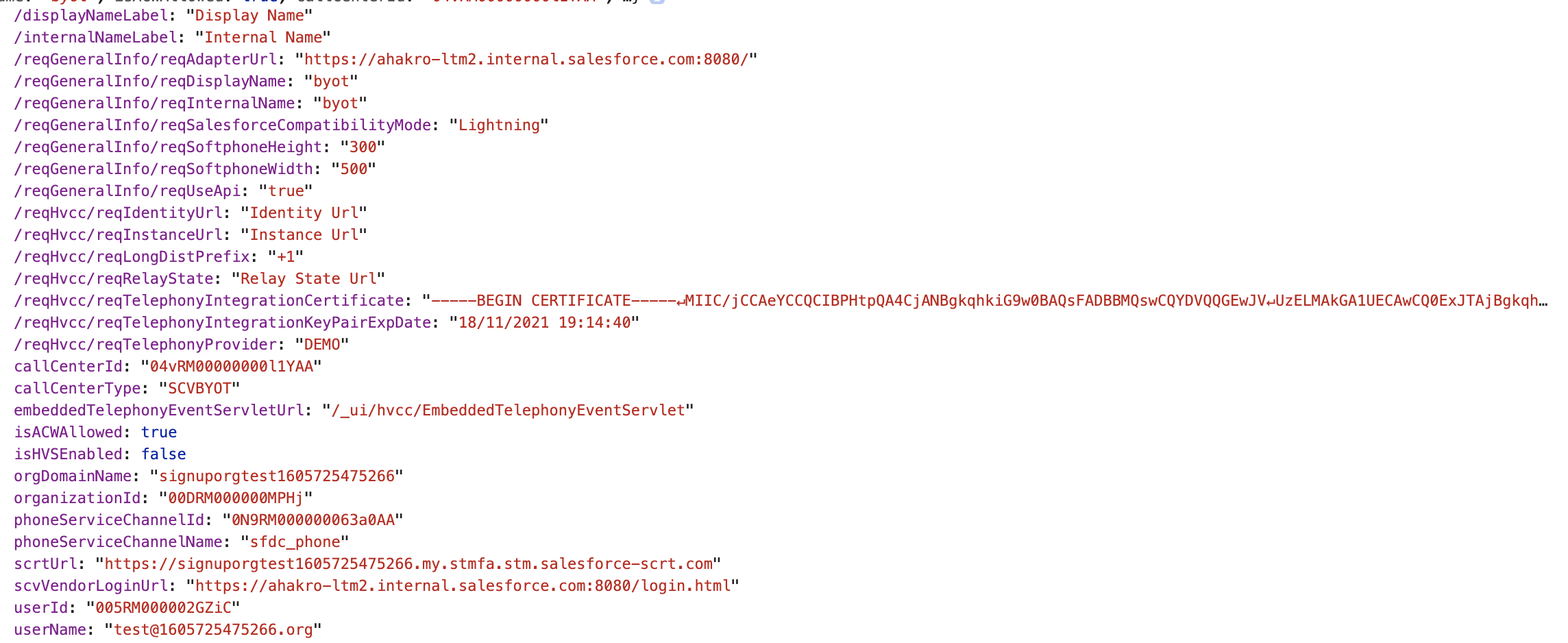
If a telephony system login page isn’t needed, you can use a headless single sign-on (SSO) to your service. Salesforce sends a message to the connector iFrame with the entire contact center configuration as defined in {contactCenterName}.callCenter. Use these details to allow SSO, and notify Salesforce by returning a fulfilled Promise with a value of type InitResult when the Promise is successful or rejected.
To set up single sign-on (SSO), configure your Salesforce org as the SAML identity provider. For help, see:
- Set Up SSO External Client App and Salesforce with Identity Provider
- Salesforce as an Identity Provider
Here’s a sample contact center configuration sent from Salesforce during connector init:
1init(ssoConfig) {
2  const ssoResult = pbx.performSSO(ssoConfig)
3  if (ssoResult.success) {
4    return Promise.resolve(new InitResult({}));
5  } else {
6    return Promise.reject("Failed to login");
7  }
8}
If SSO is successful, the SSO dialer is enabled to allow the rep to make outbound calls.