


Salesforce Voice with Partner Telephony Developer Guide
 j
jNote: This release is in preview. Features described here don’t become generally available until the latest general availability date that Salesforce announces for this release. Before then, and where features are noted as beta, pilot, or developer preview, we can’t guarantee general availability within any particular time frame or at all. Make your purchase decisions only on the basis of generally available products and features.
Develop a Telephony System Login Page
If needed, create a telephony system login page that appears in the Omni-Channel utility
in the Lightning service console.
Complete this step if your telephony provider doesn’t support SSO, meaning that reps must log into a telephony system to make and receive calls. The telephony system must maintain the duration and validity of the login session.
-
In your ConversationVendorInfo file, include a login URL in the customLoginUrl field.
1<?xml version="1.0" encoding="UTF-8"?> 2<ConversationVendorInfo xmlns="http://soap.sforce.com/2006/04/metadata" xmlns:xsi="http://www.w3.org/2001/XMLSchema-instance"> 3... 4 <customLoginUrl>https://YOUR_SERVER_LOGIN_URL</customLoginUrl> 5... 6</ConversationVendorInfo> - In the response to init(), set showLogin to true and include an optional number for loginFrameHeight in the InitResult object.
-
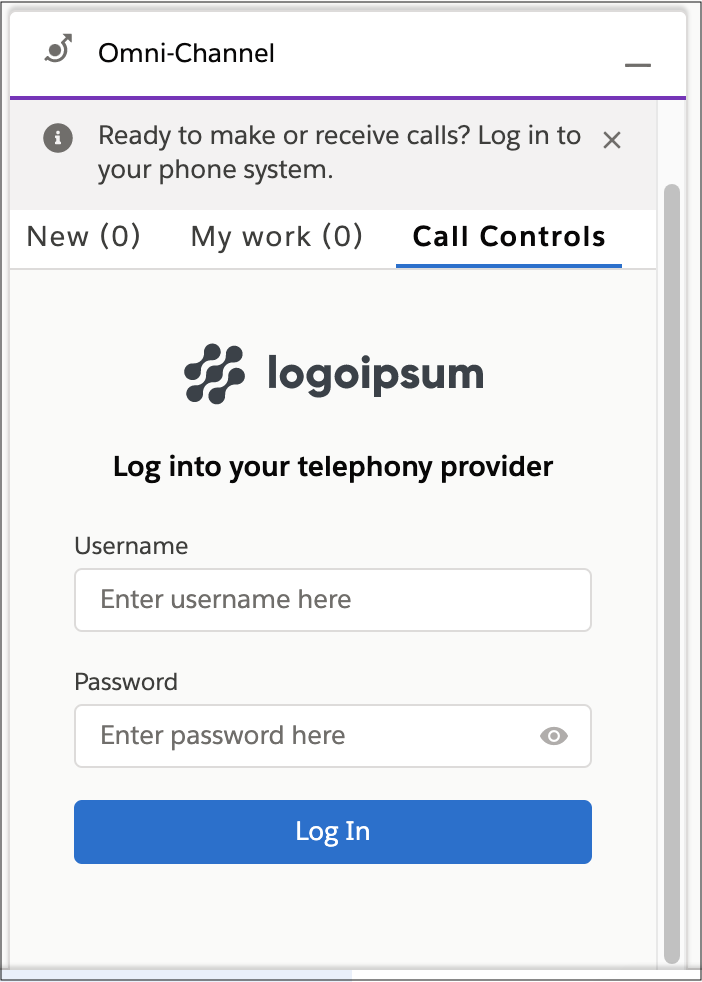
Upon initialization, the Omni-Channel utility shows an iframe that is populated with the
URL specified in the scvVendorLoginUrl field of customSettings in the
callCenter file:
-
Publish a Connector API event with the login result to show either a login failure or the dialer.
1publishEvent({ 2 eventType: Constants.SHARED_EVENT_TYPE.LOGIN_RESULT, 3 payload: new GenericResult({ success: true }) 4}); -
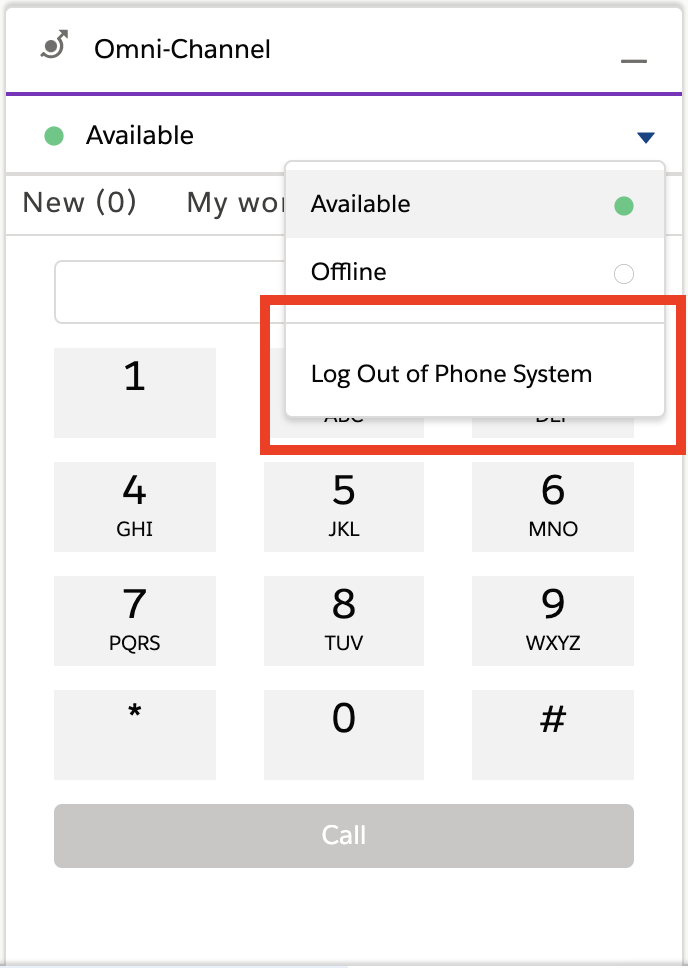
The rep can now log out from Omni-Channel.
-
In the event of a session timeout, the telephony vendor can trigger a logout from the Connector API and use
the Connector API publishEvent method. The vendor can provide a loginFrameHeight for the login iframe. If no value is
provided, a default value of 350 is used.
1publishEvent({
2  eventType: Constants.SHARED_EVENT_TYPE.LOGOUT_RESULT,
3  payload: new LogoutResult({ success: true, loginFrameHeight: 350 })
4})