


 j
jAnnouncements
Storefront Next Release Notes
Managed Runtime Release Notes
Browser Compatibility
Create an Environment in Business Manager
Connect an Existing Storefront to B2C Commerce
CLI Reference
B2C Commerce Release Notes
Ask the Community
For storefronts not created in Business Manager, such as PWA Kit storefronts and Storefront Next created via Managed Runtime API or CLI commands, connect them to B2C Commerce to use them in Page Designer and Storefront Preview. Connecting those storefronts also protects access while they’re in development and syncs their site preferences to the Managed Runtime (MRT) data store. The storefront connection makes the MRT environment and storefront data available so that Page Designer and Storefront Preview can identify which environment to associate with the storefront and site.
Business Administrator role in Account Manager or a role for the Business Manager Module and Organization context with read-write access to storefronts. See Create a Role in B2C Commerce in Salesforce Help.
To connect a storefront to B2C Commerce:
In Business Manager, click App Launcher  and then select Administration > Sites > Storefronts > Connect Existing.
The available Managed Runtime (MRT) projects appear.
Select one or more projects to connect.
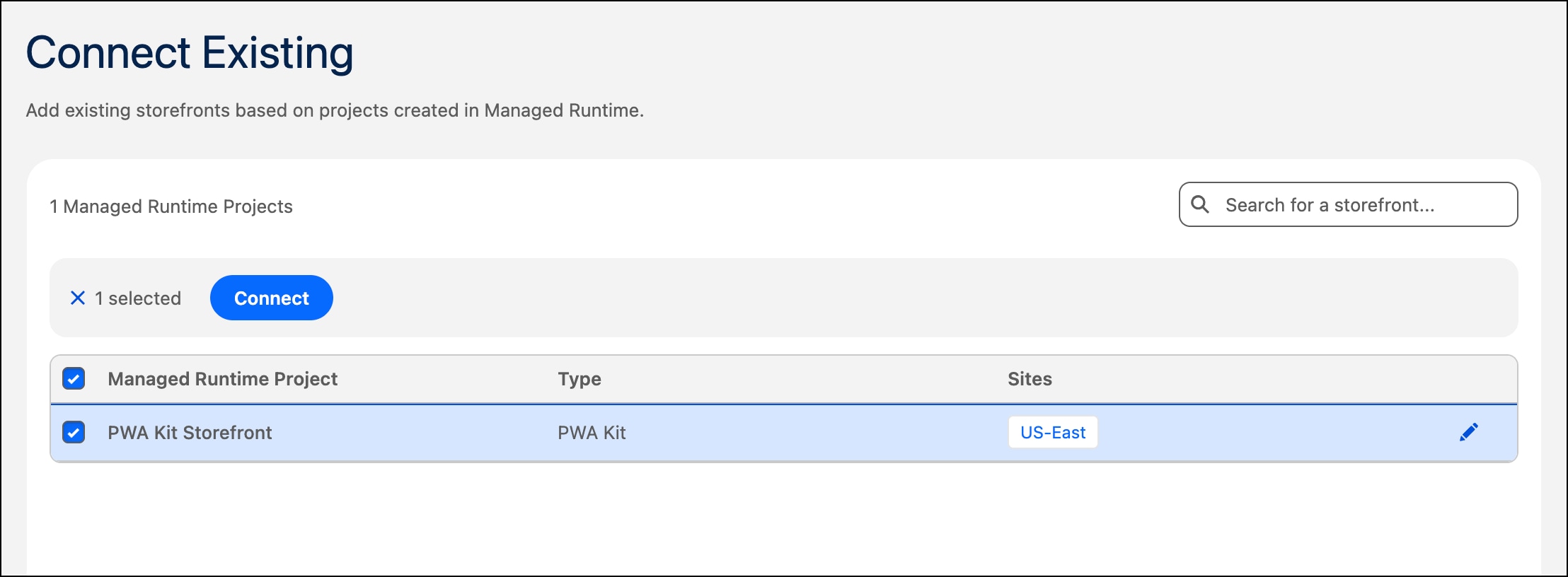
Optionally, edit the storefront name and the sites associated with it.
Click Connect.
j