


Data Streams: Bulk Disable Salesforce CRM Fields
Business Goal: Keep your Salesforce CRM connector data streams healthy by removing fields that are inaccessible or no longer needed.
Source fields can become unavailable when a standard field deprecates, a custom field is deleted, or the Platform Integration User (PIU) loses field-level access. When these cases occur, Data 360 repeatedly attempts to extract the field and fails. Disabling the field stops these attempts.
Disabling fields one at a time triggers a separate deploy cycle per field, during which no other field operations can proceed. Bulk disabling processes all fields in a single deploy cycle regardless of how many fields you select.
Use Case: A data stream is in error state because of missing permission or fields in the corresponding CRM org. A data engineer uses the Connect API to identify which fields are affected, then disables them in a single operation. In this example, the engineer disables one standard field (Annual Revenue) and one custom field (Is Enrolled).
For limit information, see Data 360 Limits and Guidelines.
Considerations for Field Disablement
- Don’t disable these critical fields: Id, SystemModstamp, SfdcOrganizationId, DataSource, DataSourceObject, and cdp_sys_PartitionDate.
- Before you disable a field, determine whether you can restore field access. For example, check field existence in your source org.
- When you disable a field, new data stops populating it. Downstream consumers such as data model object (DMO) mappings, transforms, segments, and activations receive null or stale values.
- To re-enable Salesforce CRM disabled fields, use the UpdateDataStream endpoint.
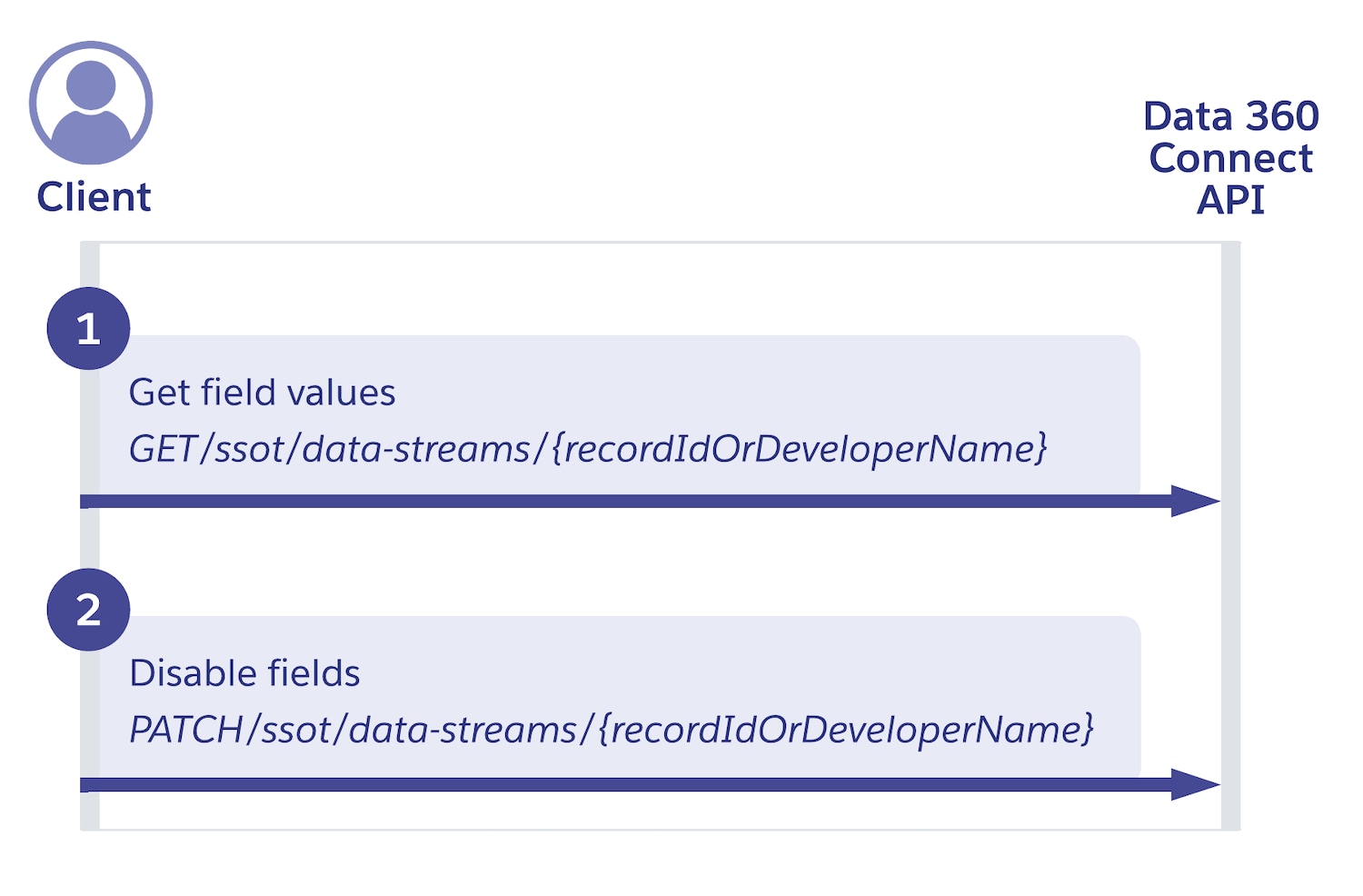
Step 1: Get field name values
Find the name value of the fields you want to disable.
Request
Use the get data stream endpoint to get a list of all fields in your data stream. Pass the record ID or developer name of the data stream in the URL.
1GET https://{dne_cdpInstanceUrl}/services/data/v67.0/ssot/data-streams/0dkRM000000001XYAQResponse
The API call lists all your data stream fields. To find the name property for the relevant fields, open the dataLakeObjectInfo section, and then the fields section. Under fields, note the name property value for each field you want to disable. Use this value to bulk disable the fields on Step 2.
For standard fields like IsEnrollmentRequired, the name value has no suffix. For custom fields like customField, it ends in _c.
1{
2  "advancedAttributes": {},
3  "capabilities": {},
4  "connectorInfo": {},
5  "dataAccessMode": "INGEST",
6  "dataLakeObjectInfo": {
7    "capabilities": {},
8    "category": "Other",
9    "dataLakeFieldInfoRepresentation": [],
10    "dataSpaceInfo": [],
11    "fields": [
12      {},
13      {
14        "dataType": "Text",
15        "isPrimaryKey": false,
16        "label": "IsEnrollmentRequired",
17        "name": "IsEnrollmentRequired"
18      },
19      {},
20      {},
21      {},
22      {
23        "dataType": "Text",
24        "isPrimaryKey": false,
25        "label": "customField",
26        "name": "customField_c"
27      }
28    ]
29  }
30}
Step 2: Disable data stream fields
Use the update data stream endpoint to disable one or more fields in a single operation.
Request
For each field, include the name value you obtained in Step 1 as targetFieldName, and set transformationFormula as null. For custom fields, include the _c suffix. In this example, one standard field IsEnrollmentRequired and one custom field customField_c are disabled.
1PATCH https://{dne_cdpInstanceUrl}/services/data/v67.0/ssot/data-streams/0dkRM000000001XYAQ1{
2 "datastreamType": "SFDC",
3 "mappings": [
4 {
5 "targetFieldName": "IsEnrollmentRequired",
6 "transformationFormula": null
7 },
8 {
9 "targetFieldName": "customField_c",
10 "transformationFormula": null
11 }
12 ]
13}Response
The API returns the updated data stream. The data lake object (DLO) field count remains unchanged. The API removes only the source field link and sets the formula as null. Disabled fields are tagged as Disabled in the Data 360 UI.
1{
2 "dataLakeObjectInfo": {
3 "capabilities": {},
4 "category": "Other",
5 "dataLakeFieldInfoRepresentation": [],
6 "dataSpaceInfo": [],
7 "fields": []
8 },
9 "id": "0g0SB1234B6y3R0ZAI",
10 "label": "Promotion_Home",
11 "name": "Promotion_Home__dll",
12 "recordModifiedFieldName": "SystemModstamp",
13 "status": "PROCESSING",
14 "recordId": "1dsSB1234567CPuoYAG"
15} j
j