Document Reader Mappings (POST)
Retrieve the mappings between the values of the keys extracted from the document to the Salesforce object fields with respect to a given template.
To use this resource, you must have the Intelligent Document Reader feature enabled in your Salesforce organization.
Use the corresponding template ID and the scan result ID for the OCR document scan result (ODSR) record of the document from which you want to fetch the values. Using the values from the document and field mapping from the template, you get the mapping between values and target field based on the key in both the document and template.
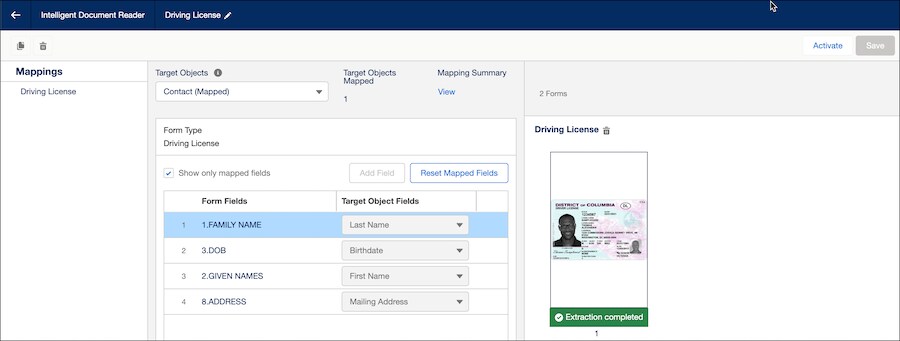
Here’s a sample of how the Salesforce UI displays mapping of form types to objects:
55.0
No
POST
See Also
| Name | Type | Description | Required or Optional | Available Version |
|---|---|---|---|---|
| isExactMatch | Boolean | Indicates whether the mapping between values and target field must be returned only when the key matches in both the document and template (true) or not (false).Default value is true. | Optional | 55.0 |
scanResultId | String | The ID of the OCR document scan result. The scan result contains the contents of a document after optical character recognition (OCR) processing. | Required | 55.0 |
templateId | String | The ID of the OCR template. This represents the details of the mapping between a document and a Salesforce object using Intelligent Document Reader. | Required | 55.0 |