


Run Your Query
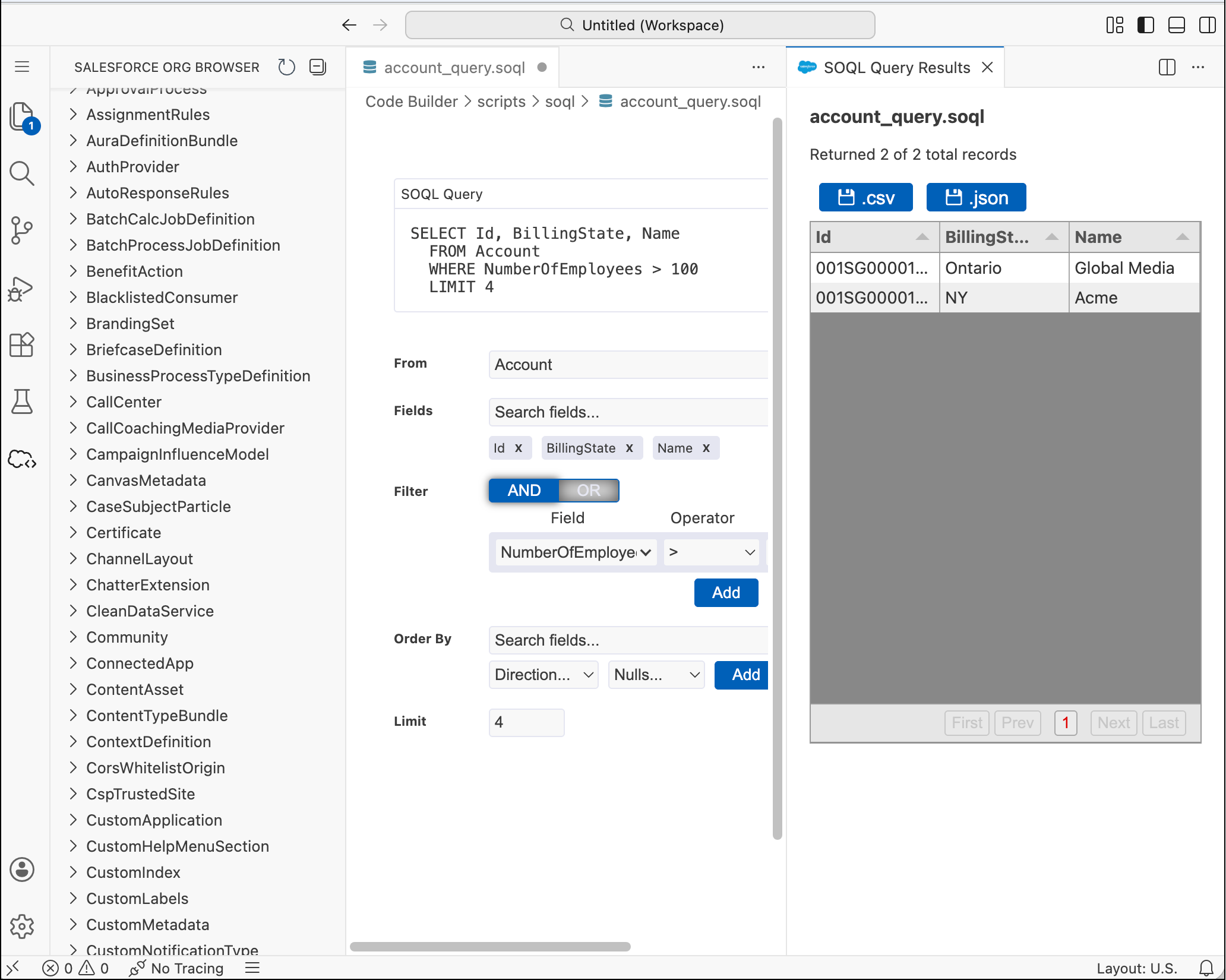
To run your query in the Salesforce Object Query Language (SOQL) Builder, click Run Query. The results appear in a grid format. You can save these results in a CSV or JSON format. The files are stored under the <project-folder>/.sfdx/data directory.
To run your query from a text editor:
-
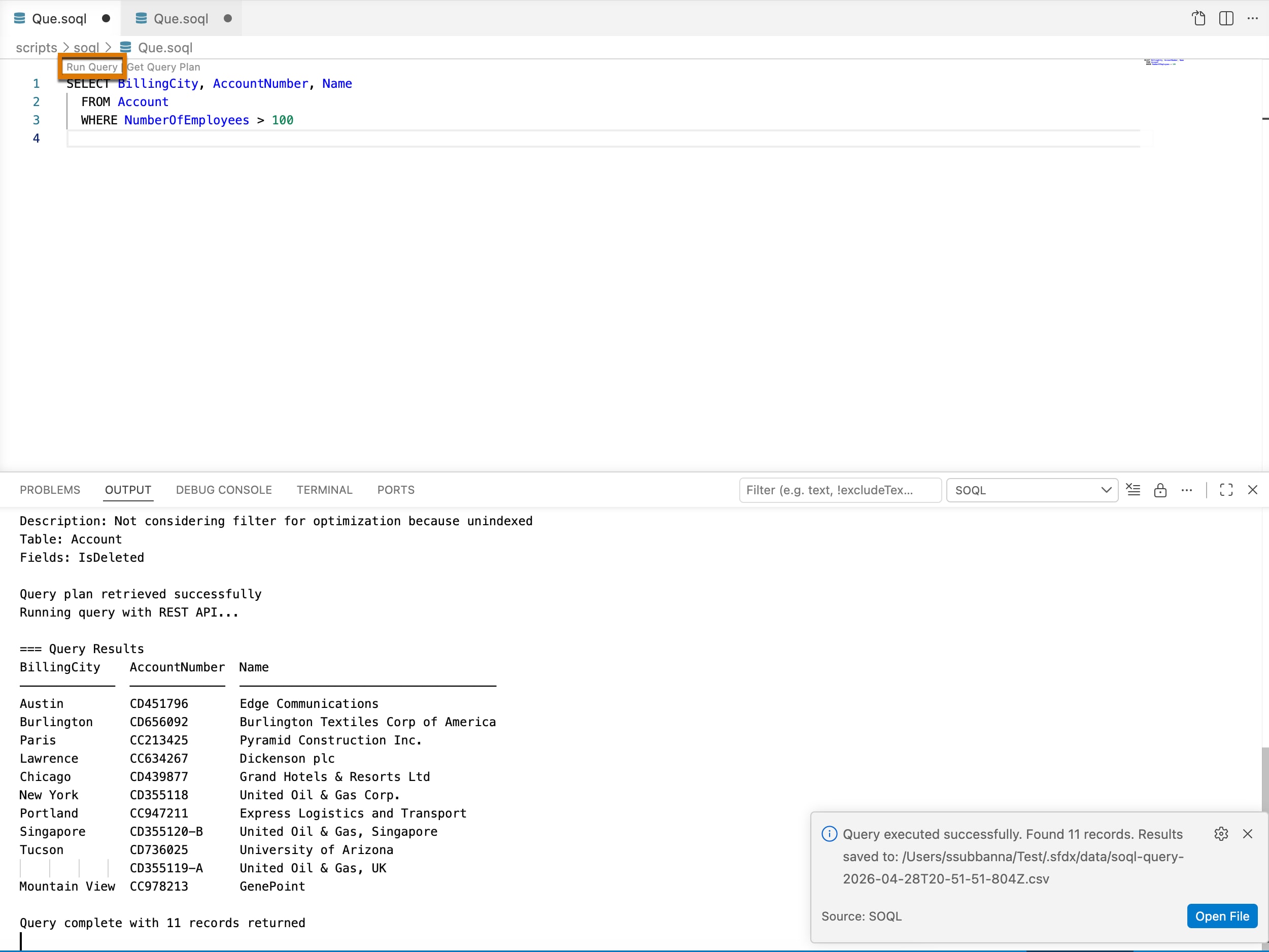
Click the Run Query text above the query text.
-
Select one of these options depending on what your query does.
- REST API: Performs operations on your org’s data, such as creating an account or searching for contacts
- Tooling API: Performs metadata and development-lifecycle tasks, such as getting test results or reading debug logs
-
The query results display in the output panel and a CSV file is created.
Run Query From Command Palette
- To run the entire query, open the Command Palette and type SFDX: Execute SOQL Query with Current File. If you want to run a portion of your query, select a part of the query and type SFDX: Execute SOQL query with Currently Selected Text in the Command Palette.
- Select one of these options depending on what your query does.
- REST API: Performs operations on your org’s data, such as creating an account or searching for contacts
- Tooling API: Performs metadata and development-lifecycle tasks, such as getting test results or reading debug logs
- The query results display in the output panel and a CSV file is created.
 j
j