Customize Synced Contact Record Fields Using CTRDataSyncFunction
Although the provided CTRDataSyncFunction Lambda automatically syncs many of the fields between Amazon’s contact record (previously called contact trace record or CTR) and a VoiceCall record, you can customize this function to sync additional fields.
The CTRDataSyncFunction Lambda documentation lists all the fields that are automatically synced with a VoiceCall record. Use these instructions to sync more fields.
-
In your Salesforce org, create a custom field on the VoiceCall object for the desired attribute in the CTR data model.
-
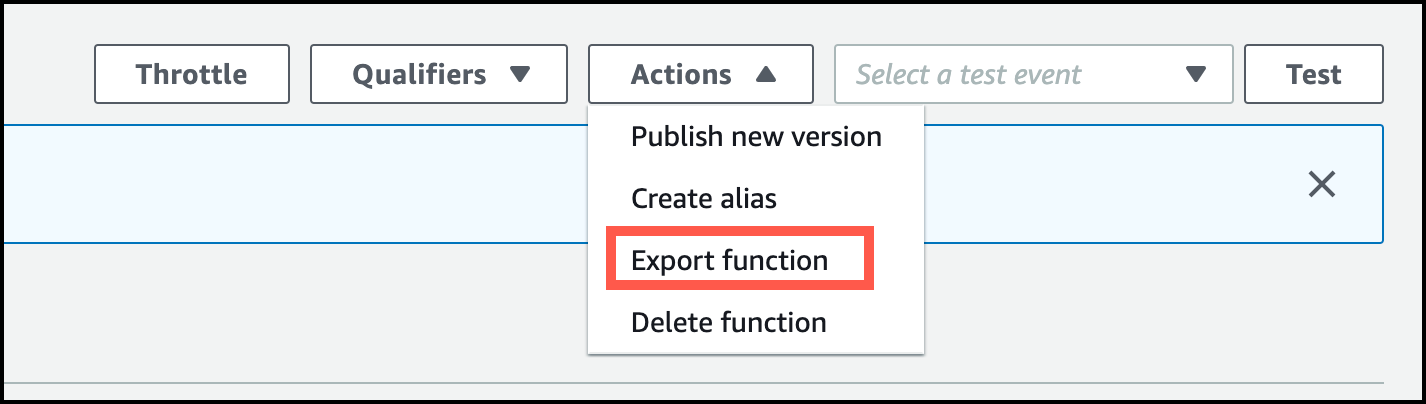
In Amazon Connect, select the CTRDataSyncFunction Lambda function. From the menu select Actions | Export function so that you can get access to the function source code. If you already have the source code for this function, you don’t need to perform this step.
-
In the
utils.jsfile for the CTRDataSyncFunction Lambda, update the end of the transformCTR(ctr) function (where there’s a comment toAdd custom fields here).In that location, you can add any custom attributes to the callAttributes object. Add this code before the JSON.stringify(callAttributes) line. Your custom attributes are synced along with the automatically-synced attributes. The following example adds two fields to the list of synced fields:
-
Deploy the new version of the Lambda function in your Amazon Connect instance.
To learn more about managing Lambda function versions, see Lambda function versions in the AWS Lambda Developer Guide.
In subsequent calls, the new data is synced.
See Also