


Salesforce Voice with Partner Telephony Developer Guide
 j
jNote: This release is in preview. Features described here don’t become generally available until the latest general availability date that Salesforce announces for this release. Before then, and where features are noted as beta, pilot, or developer preview, we can’t guarantee general availability within any particular time frame or at all. Make your purchase decisions only on the basis of generally available products and features.
Hide Call Controls
You can hide many of the call control buttons that appear to the rep in the
Omni-Channel widget. These buttons can be hidden or shown for each call. By default, buttons
are visible.
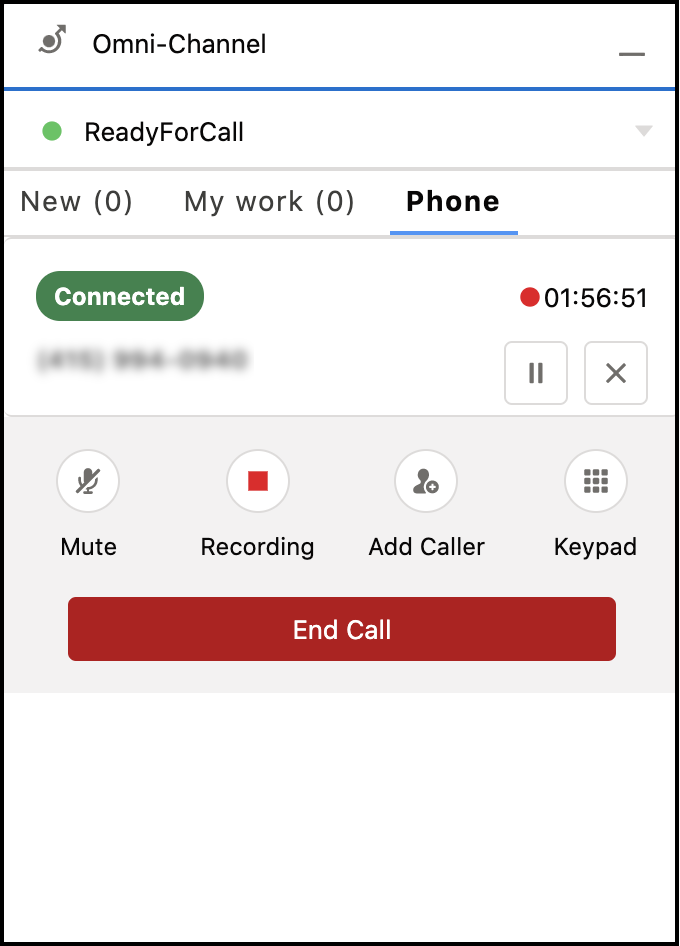
These buttons can be hidden from view.
- Mute
- Record (or Recording)
- Add Caller
- Blind Transfer
- Merge
- Swap
The keypad is always displayed.
To hide a button, specify false for the show method in the CallInfo object. For instance, use showAddCallerButton to hide or show the add caller button. The CallInfo object is used by the PhoneCall object for methods such as acceptCall.