
Appearance
Exercise 4: Dive Deeper Into Your Accounts
In this exercise, you'll go beyond the CRM records of Meridian Cold Storage: you'll look at its revenue potential, map its stakeholders, prepare for a customer call, and check the overall health of the account.
The records tell you what happened. To plan your next move, you also need to know what's likely to happen, who influences the decision, and where the relationship is at risk. Skills combine the data across records into that bigger picture.
Step 1: Forecast the Account's Revenue Potential
You want to understand the account's revenue potential: its revenue so far and how likely future deals are, based on your CRM data.
In your AI assistant, open your chat about Meridian Cold Storage from Exercise 3 in the chat history.
Enter the following prompt:
txt/forecast-narrative Meridian Cold StorageTIP
Looking for a skill?
- Claude: Type
/in the chat box to see the list of skills. - AIforce Playground: Click the skills button next to Tools · Auto below the chat box. A skill you pick there stays selected for your next prompts, so typing the skill name is often simpler. For prompts without a skill name, the Playground may also pick a skill automatically and mark it Auto-selected.
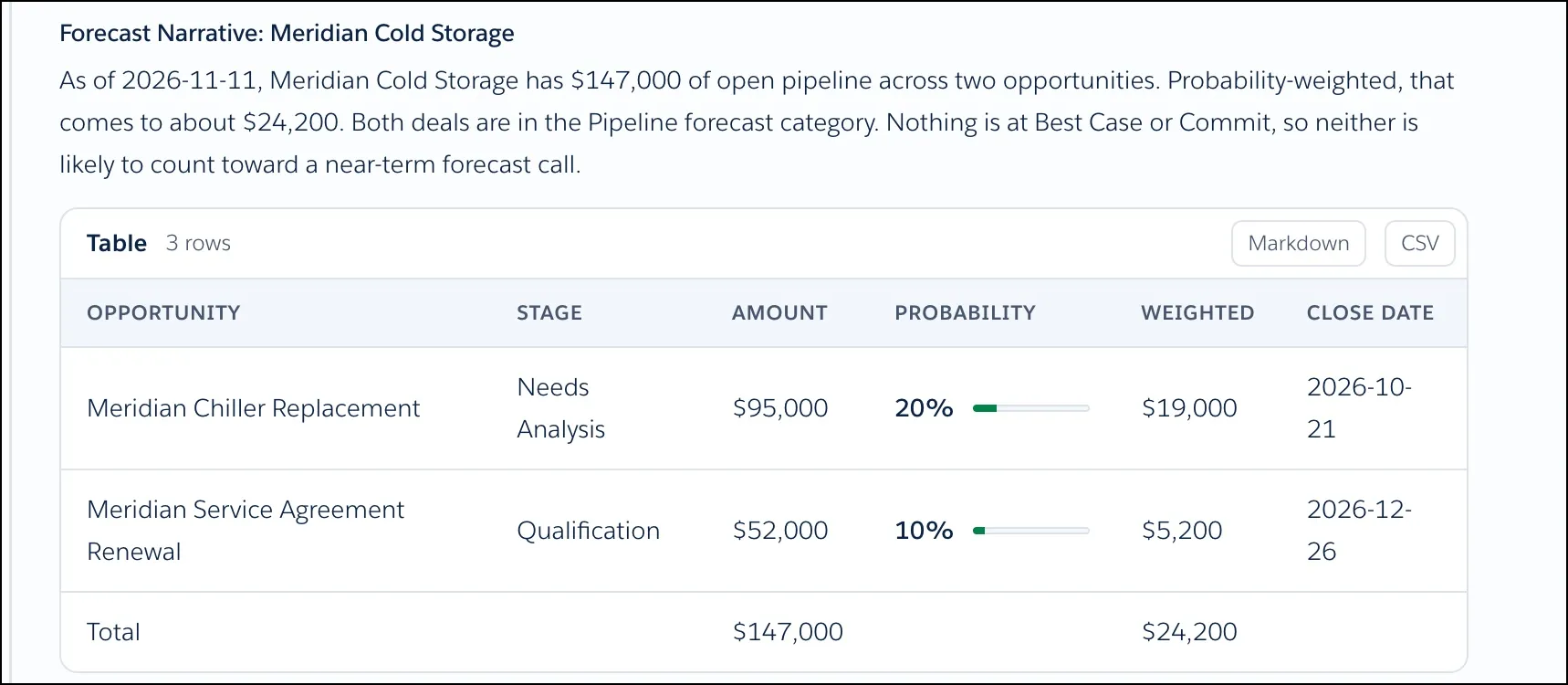
Your AI assistant summarizes the account's revenue in a table and explains it in a short narrative.
- Claude: Type
Review the narrative and think about the next steps you'd take with this account.
Step 2: Identify Stakeholders by Influence and Stance
You want to know the key people at the account, so you can engage the right people at the right time.
Enter the following prompt:
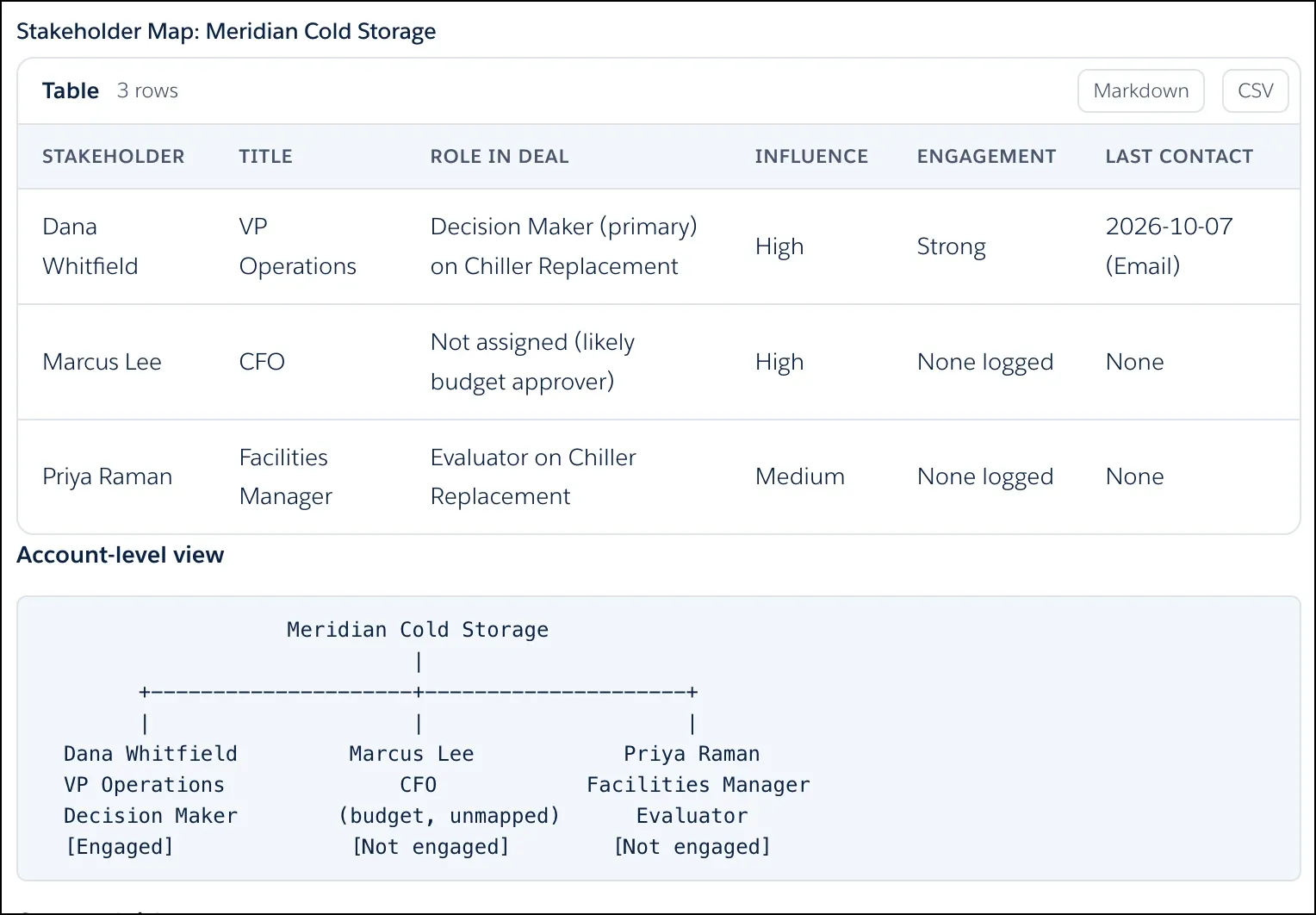
txtCreate a stakeholder map for Meridian Cold Storage.Your AI assistant plots the account's contacts by influence and stance and explains what that means for the deal. If your CRM holds no stance data for a contact, its stance may show as Unknown. Your results should look similar to this:
Enter the following prompt:
txtCreate a task with the subject Call for Marcus Lee, to set up a budget meeting about the chiller replacement.If your AI assistant shows a draft and asks you to confirm, reply
yes. Your AI assistant then creates the task for Marcus Lee on the Meridian Chiller Replacement opportunity.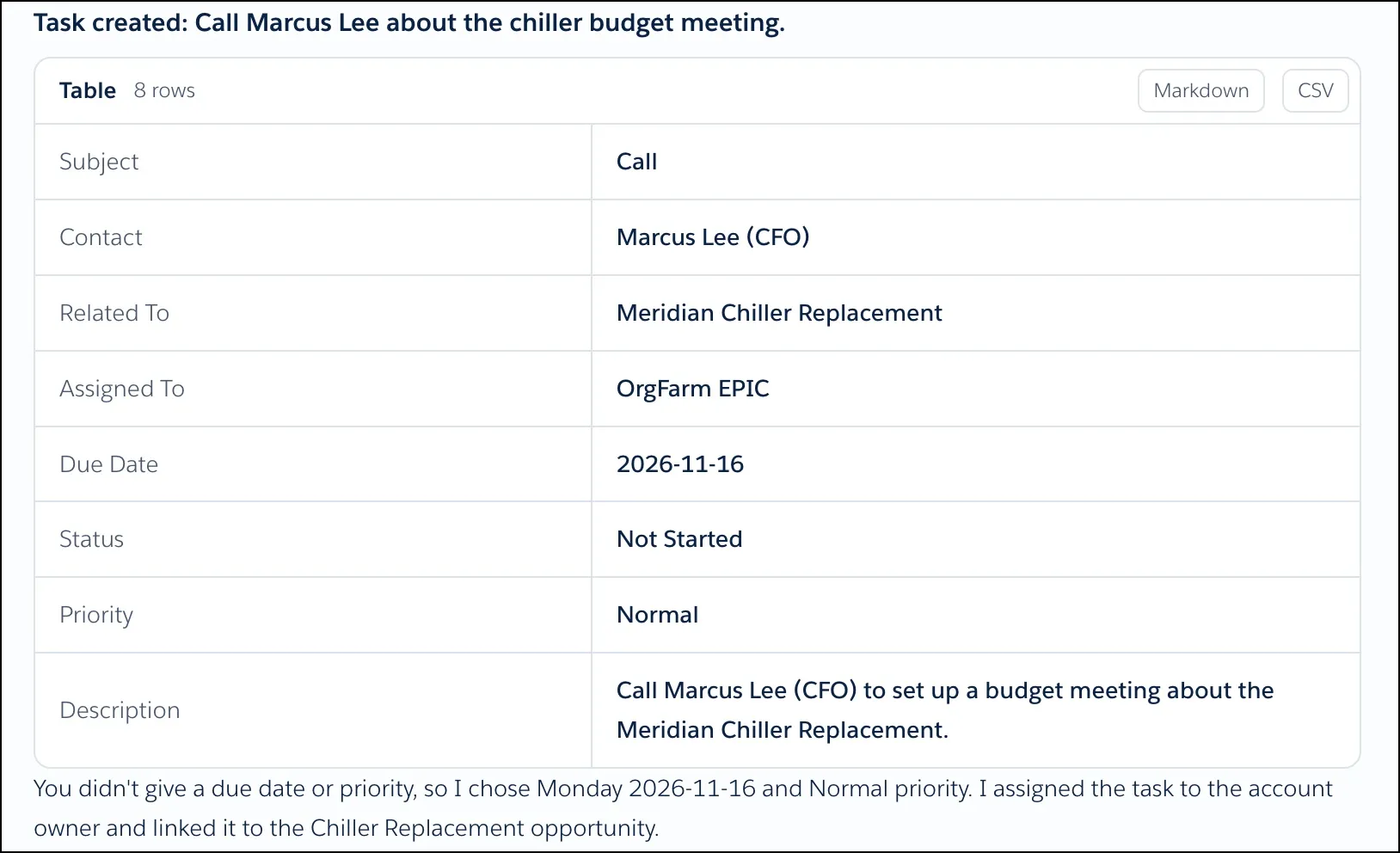
TIP
Task subject changed to Call? When your AI assistant creates a task, it can only use the standard subjects, such as Call or Email. Your AI assistant may switch the subject to Call automatically and move the rest of the wording into the description. If it shows an error instead, ask it to use the subject Call.
Step 3: Prepare for Your Customer Call
You want to go into your next customer conversation with clear goals and talking points.
Enter the following prompt:
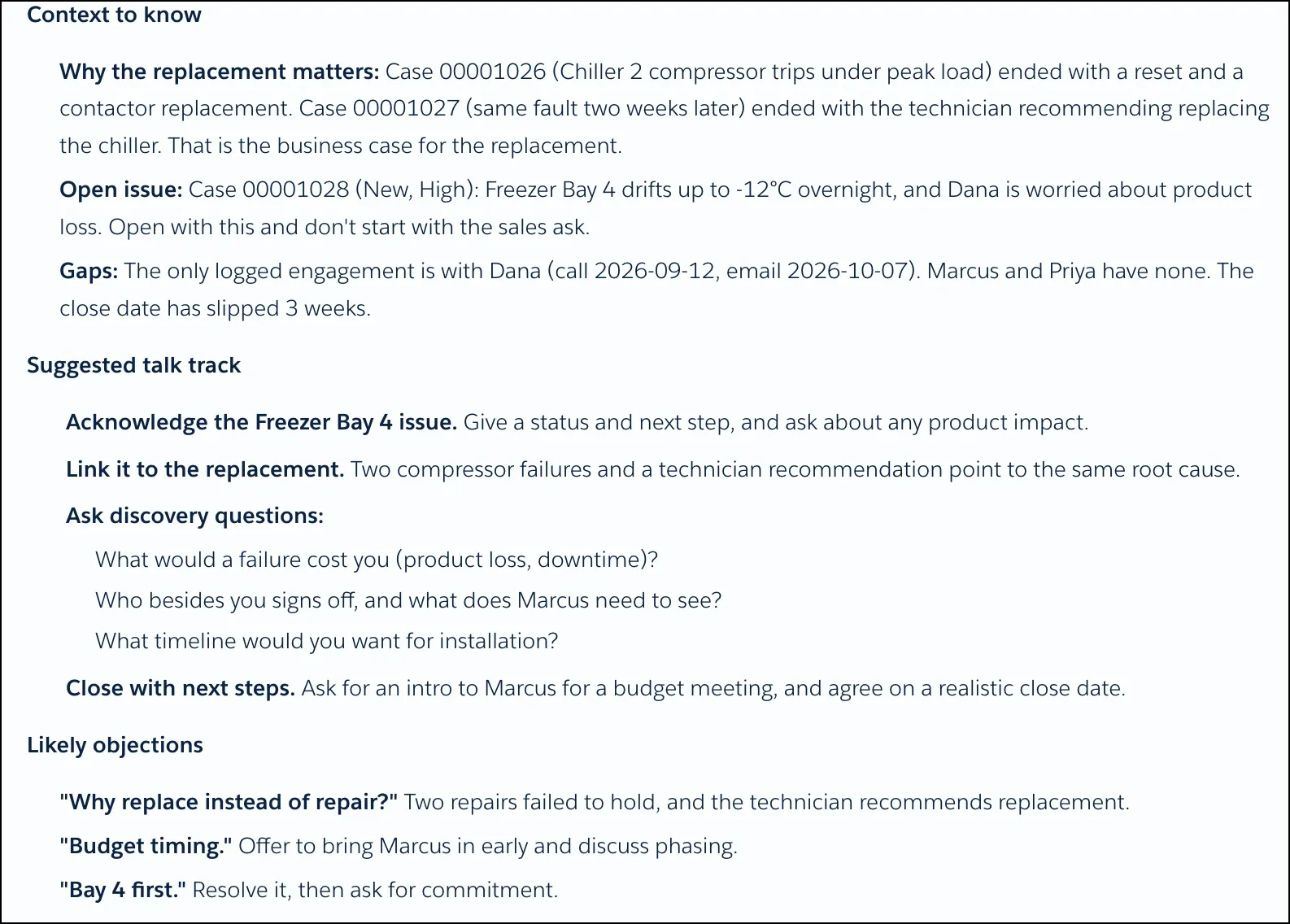
txt/call-prep Meridian Cold StorageYour AI assistant uses what it knows about the account to suggest goals for the call, talking points or questions, and watch-outs. Your results should look similar to this:
Imagine you've had the call. Log it with the following prompt, or add your own details:
txtLog a call with Dana Whitfield on the chiller replacement opportunity. Dana confirmed that replacing the Freezer Bay chillers is still a priority before summer. She wants Marcus Lee to join the next meeting and asked for an updated proposal by the end of the month.Your AI assistant uses the
log-activityskill to draft the call and asks Ready to log this to Salesforce? Review the draft and replyyesto log the call on the opportunity.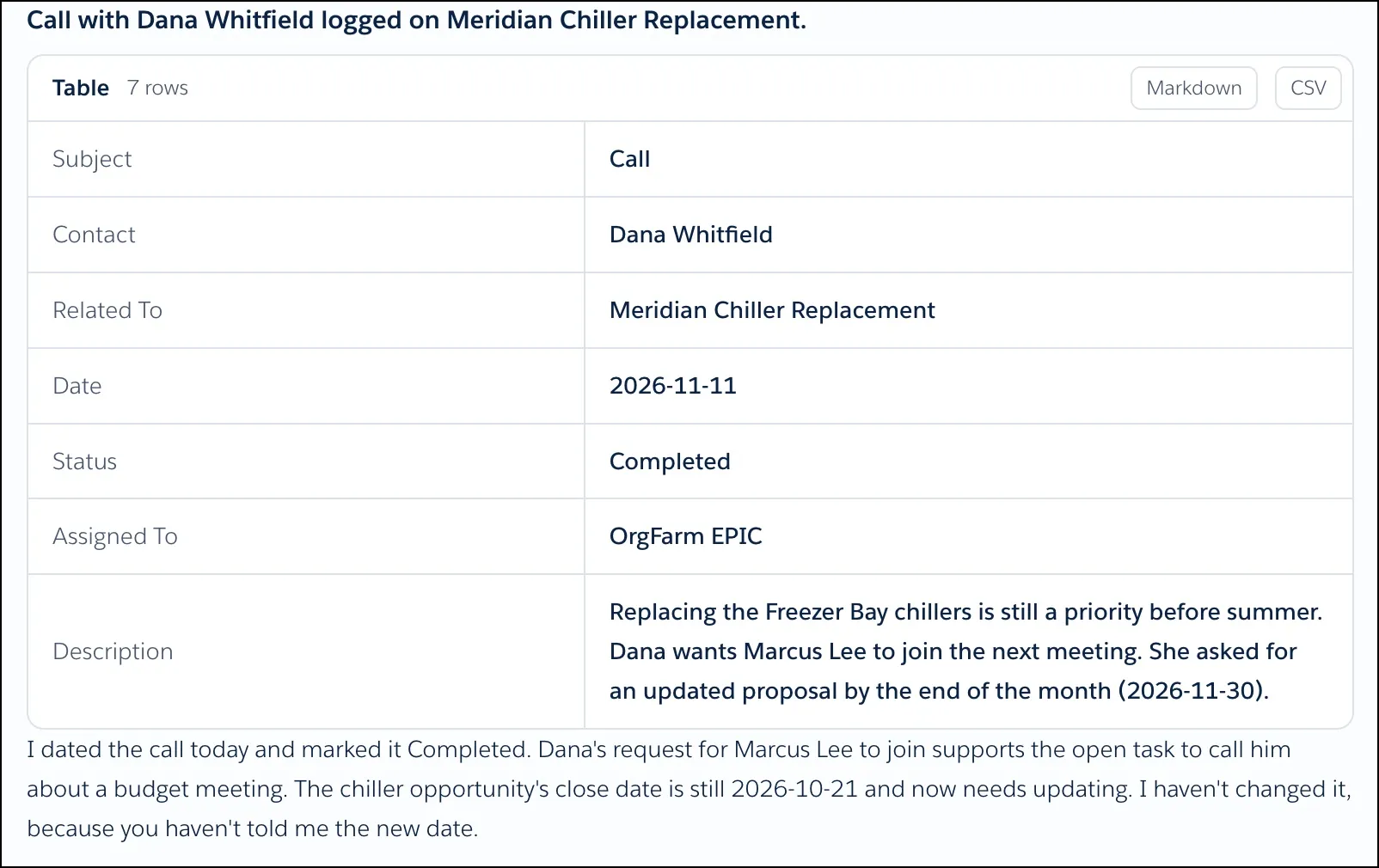
Step 4: Check the Overall Health of the Account
You want a complete picture of the account's health after a week of follow-ups.
Enter the following prompt:
txt/customer-healthYour AI assistant rates the account in categories such as support, commercial, relationship, and engagement, and combines them into an overall health score.
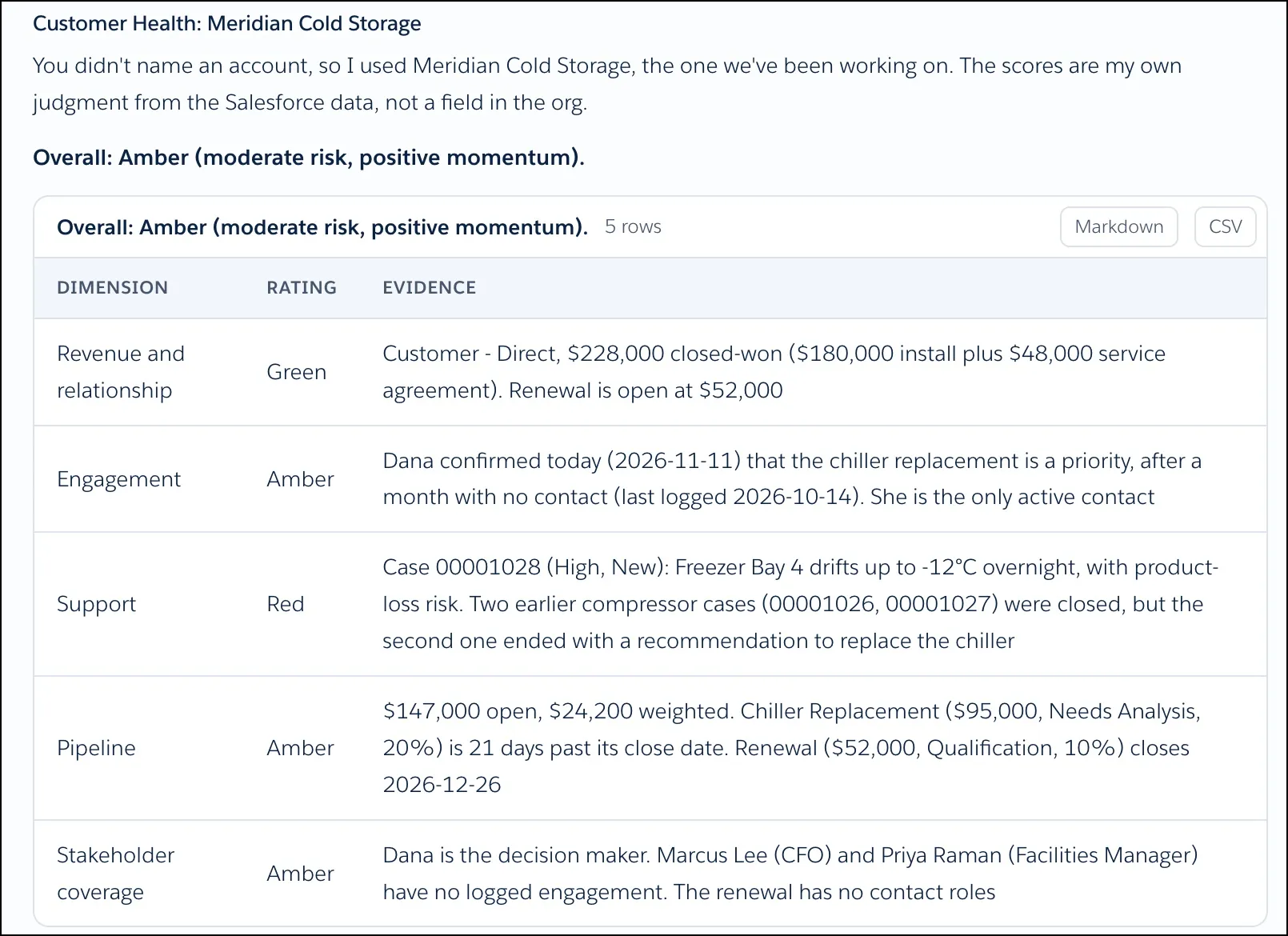
To see what's behind the ratings, enter the following prompt:
txtShow me the full activity timeline for Meridian Cold Storage.Your AI assistant lists the account's completed calls, emails, and tasks in chronological order, including the call you logged in Step 3. Open tasks don't appear in the timeline. Some entries, such as emails, may show the type Task.
TIP
Want to share the results with your team? Ask your AI assistant to
Export this health summary as a PDF.
Summary
- You generated a revenue forecast narrative using the
forecast-narrativeskill. - You mapped stakeholders by influence and stance using the
stakeholder-mapskill. - You created a task to bring the economic buyer, Marcus Lee, into the deal.
- You prepared for a customer call using the
call-prepskill. - You logged a call using the
log-activityskill. - You reviewed the account's overall health using the
customer-healthskill.
You now know the account well, but its open deal is still stuck. Next, you'll find out what it takes to move that deal forward.