
Appearance
Exercise 5: Keep Your Deals Moving Forward
In this exercise, you'll take the stalled Meridian Chiller Replacement deal and work out how to close it: where it stands, what's missing, how to get to a signature, and how to answer the customer's objections.
Knowing an account well doesn't close a deal. You need to know which gaps block the next stage, which risks could stop the deal, and what to say when the customer pushes back. Skills turn the deal's data into a plan you can act on.
Step 1: Review Where the Deal Stands
You want a clear view of the deal: its key details, the activity history, and the risks and gaps that could keep it from closing.
Why a new chat, for the same account? Your previous chat is about the whole account. A new chat keeps your AI assistant focused on this one deal.
Start a new chat with the Salesforce connection turned on:
Claude: Click New chat. Click + in the chat box, select Connectors, and turn on Salesforce.
AIforce Playground: On the Chat tab, click New chat.
Enter the following prompt:
txtFind my open chiller replacement opportunity for Meridian Cold Storage.The result should be the Meridian Chiller Replacement opportunity. The response may also mention other open opportunities for the account, such as Meridian Service Agreement Renewal.
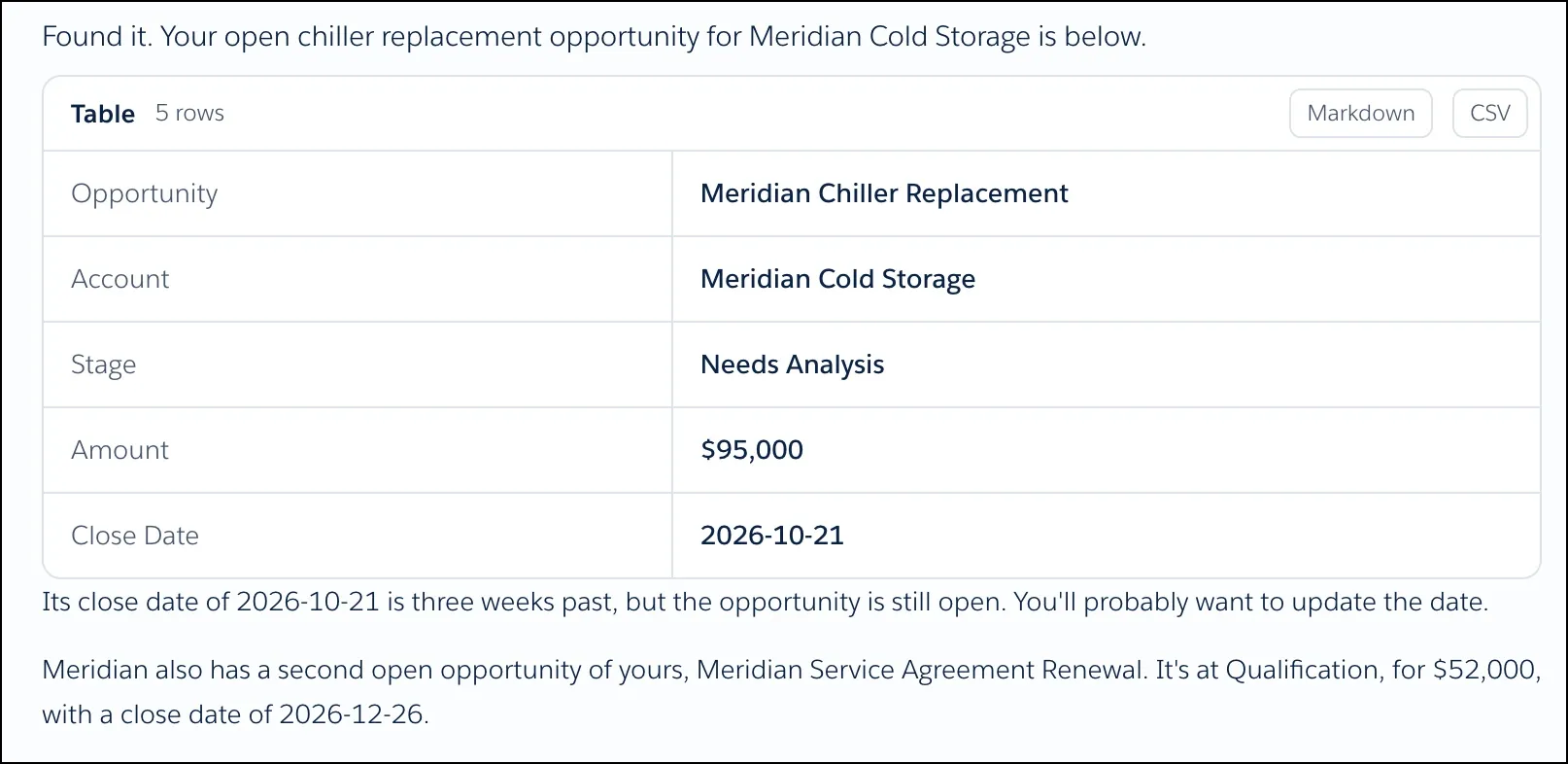
Enter the following prompt:
txt/deal-reviewYour AI assistant uses the
deal-reviewskill to summarize the deal's current state, its activity history, and its key risks.TIP
Is the response taking a while? Building the deal review can take a minute or two. Wait for it to finish before you continue.
Step 2: Find Out What's Missing to Close the Deal
You want to know what's keeping the deal from moving forward and which steps get it there.
Enter the following prompt:
txt/deal-advance-gapYour AI assistant shows how many of the stage's exit criteria the deal meets in an Exit criteria met gauge, and lists what's missing for the next stage in a gap-to-advance checklist.
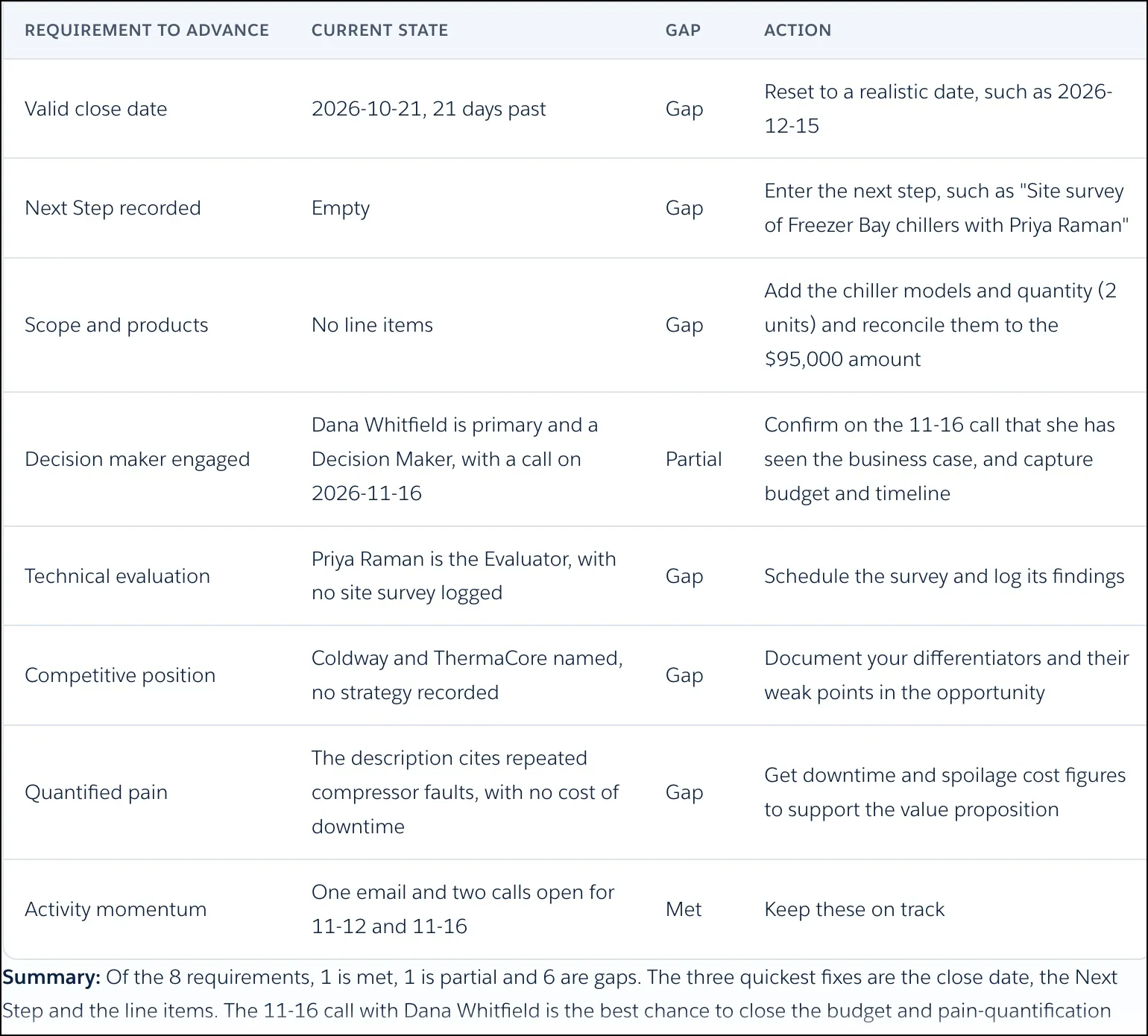
Review the gap checklist, which lists the blockers first, and the callout under it. Decide which blocker you'd tackle first.
Step 3: Build a Close Plan
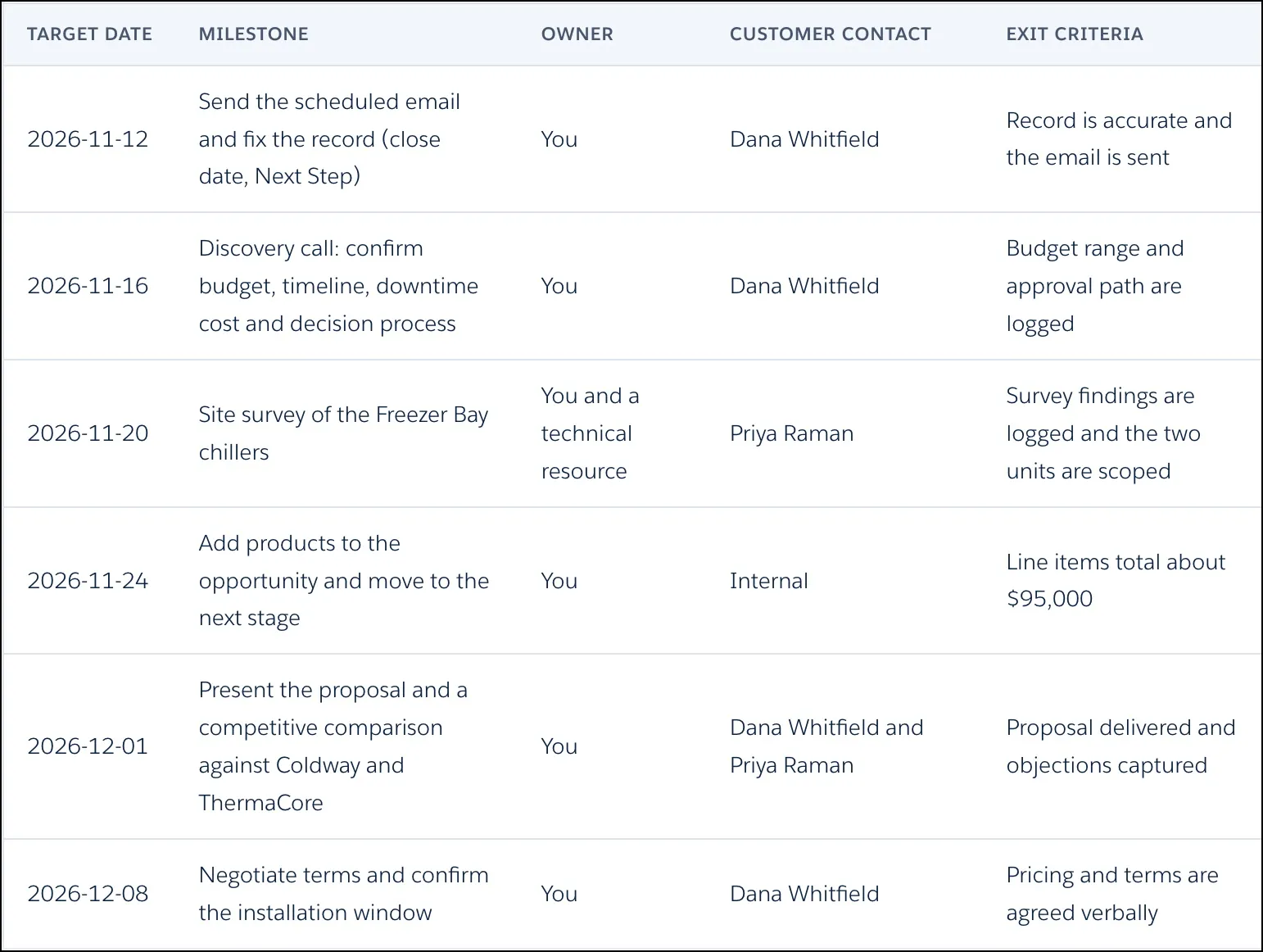
You want to turn what you've learned into a plan to get to a signature: a Mutual close plan with a Path to signature table of dated steps.
Enter the following prompt:
txt/close-planReview the Path to signature, by date table and the callout under it. The rows marked Critical and At risk are the risks to watch. Think about risks you often see in your own deals that aren't listed.
Step 4: Handle a Customer Objection
One of the risks in your close plan has come true: the customer says their budget won't be approved by the close date. You need a response, proof points, questions to ask, and the updates to record in Salesforce.
Enter the following prompt:
txtThe customer has pushed back because their budget will not be approved by the close date. Help me handle their objection.Your AI assistant uses the
handle-objectionskill to explain what's underneath the objection, suggest a response with proof points, and list follow-up actions.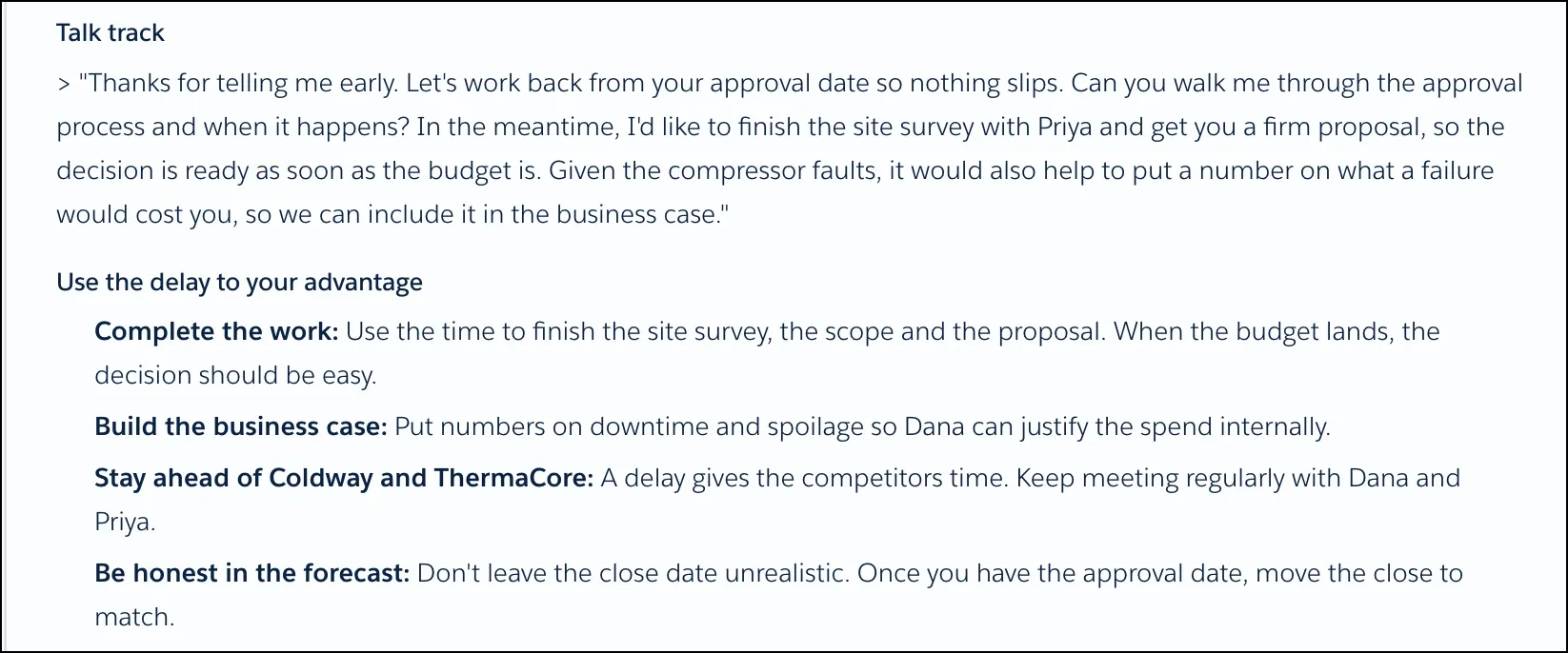
Review the callouts of the
deal-advance-gapandclose-planresponses, and write a next step based on them (for example,Schedule CFO meeting with Marcus Lee).Enter the following prompt. Replace
<next step>with your next step:txtUpdate the opportunity next step to <next step>.Your AI assistant uses the
update-opportunityskill and shows the proposed change to the Next Step field, then asksApply these changes? (yes / edit / cancel).Review the proposed change, then enter
yes.Your AI assistant updates the Next Step field of the opportunity in Salesforce and confirms the change.
Summary
- You reviewed the deal's current state using the
deal-reviewskill. - You identified what's missing for the next stage using the
deal-advance-gapskill. - You built a close plan with a dated path to signature using the
close-planskill. - You got a response, proof points, and questions to handle a customer objection using the
handle-objectionskill. - You updated the opportunity's next step using the
update-opportunityskill.
One deal is back on track, but it's only one of many. Next, you'll step back and review your entire pipeline.