
Appearance
Exercise 6: Review Your Pipeline and Plan Ahead
In this exercise, you'll step back from single accounts and deals and look at your entire pipeline: what's open, what drives your wins, and which renewals are coming up.
Working deal by deal, you can miss the big picture: where most of your revenue sits, which deals are at risk, and which customers are due for renewal. You'll look at the pipeline as a sales rep first, then as a sales leader.
Step 1: Review Your Pipeline
You want a clear picture of your open pipeline: amounts, probabilities, and close dates, plus the expected revenue and the risks that could keep you from reaching your goals.
Why a new chat? Your previous chats are about Meridian Cold Storage. A new chat keeps your AI assistant from focusing the review on that one account.
Start a new chat with the Salesforce connection turned on:
Claude: Click New chat. Click + in the chat box, select Connectors, and turn on Salesforce.
AIforce Playground: On the Chat tab, click New chat.
Enter the following prompt:
txt/pipeline-reviewYour AI assistant uses the
pipeline-reviewskill to show your open pipeline by stage, with your pipeline coverage if a quota is available, and the deals that are past their close date. It also summarizes the top risks.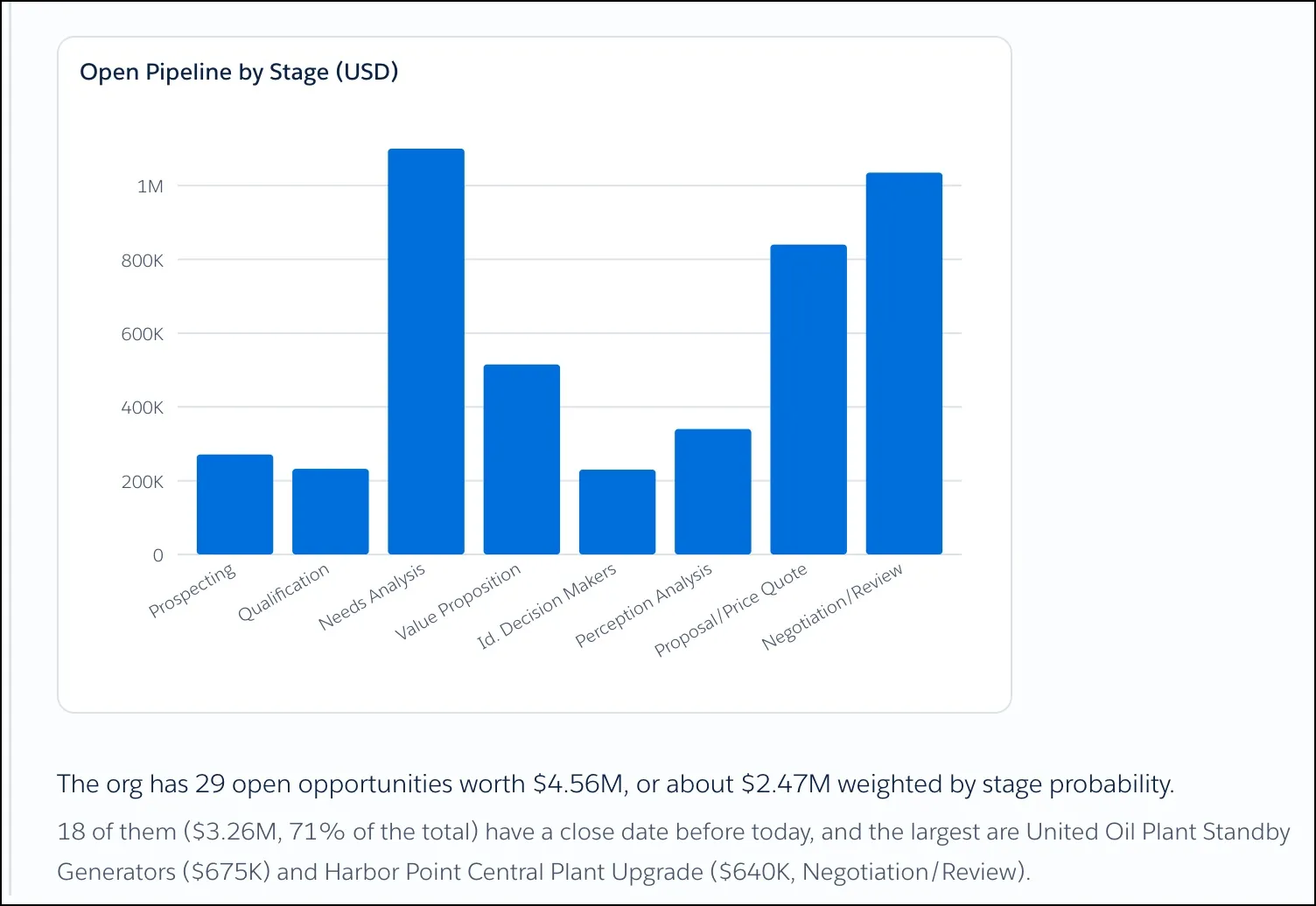
Enter the following prompt:
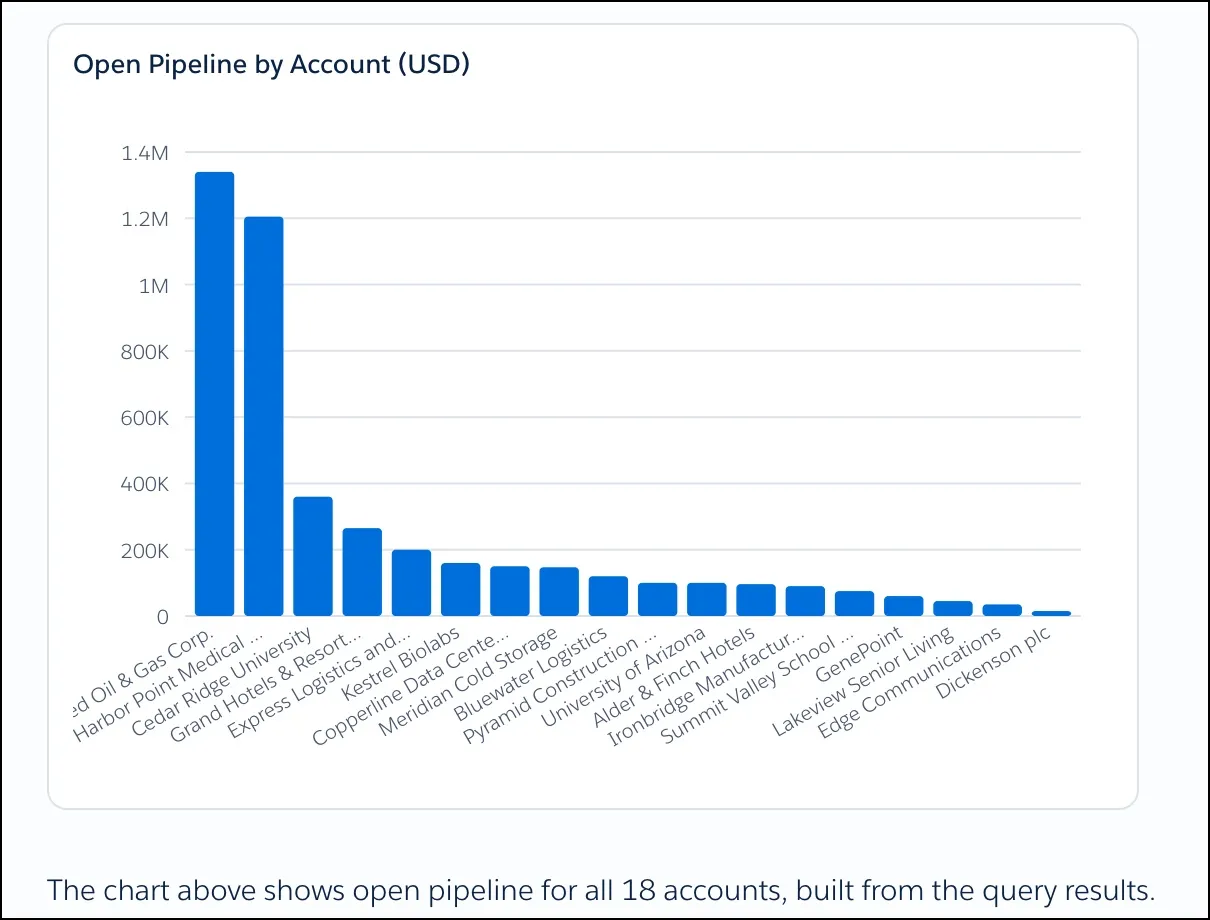
txtBreak down the pipeline by account.Your AI assistant shows your top accounts with their open pipeline and share of the total. The largest share belongs to Harbor Point Medical Center.
As a sales leader, you look at your team's pipeline, not only your own. Enter the following prompt:
txt/team-pipelineYour AI assistant breaks down the full pipeline in a Rep Summary. If no users report to you, it may first ask which scope to use (see the tip below).
TIP
No Rep Summary? The Rep Summary lists the reps who report to you. If no users report to you, your AI assistant asks which scope to use. Enter
Run the team pipeline org-wide across all active opportunity owners.in the same chat to see a per-rep scoreboard table of the pipeline by owner instead.
Step 2: Spot Patterns in Closed Opportunities
You want to understand what drives your wins and losses, so you can refine your sales strategy. You need your win rate, the reasons you lose, and the competitors you meet.
Enter the following prompt:
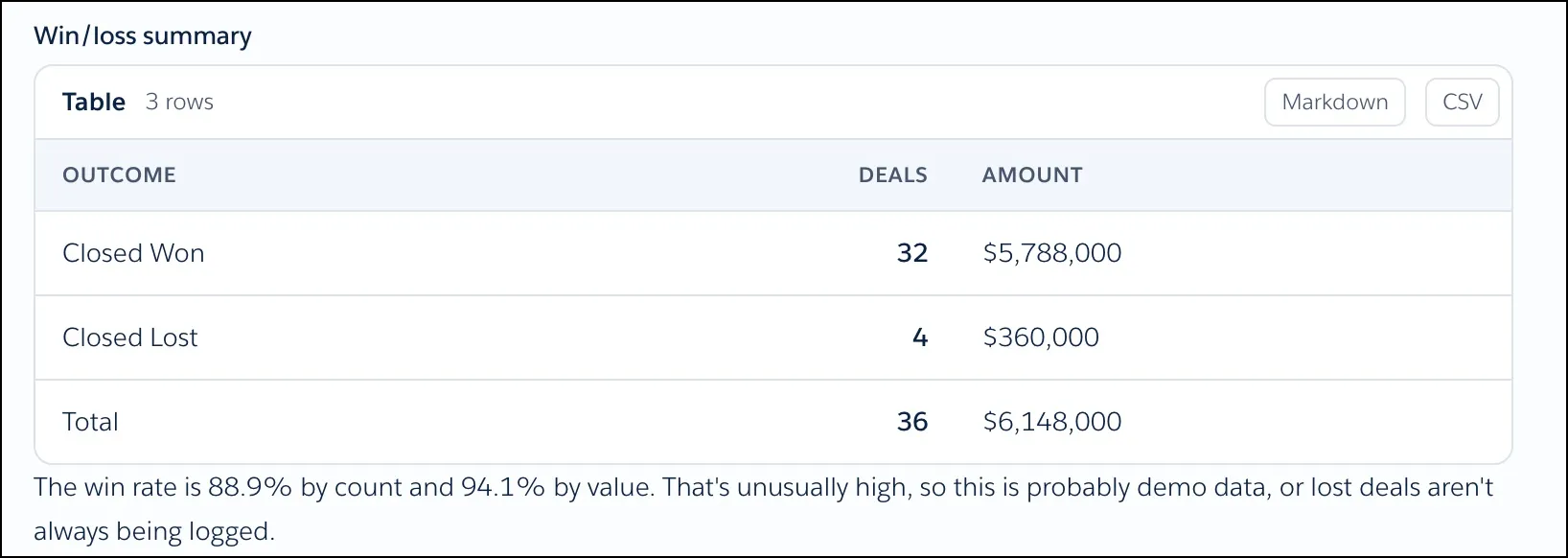
txt/win-loss-reviewYour AI assistant shows your win rate for the last quarter, the reasons for your lost deals, and your win rate by deal size.
To look closer at your competitors, enter the following prompt:
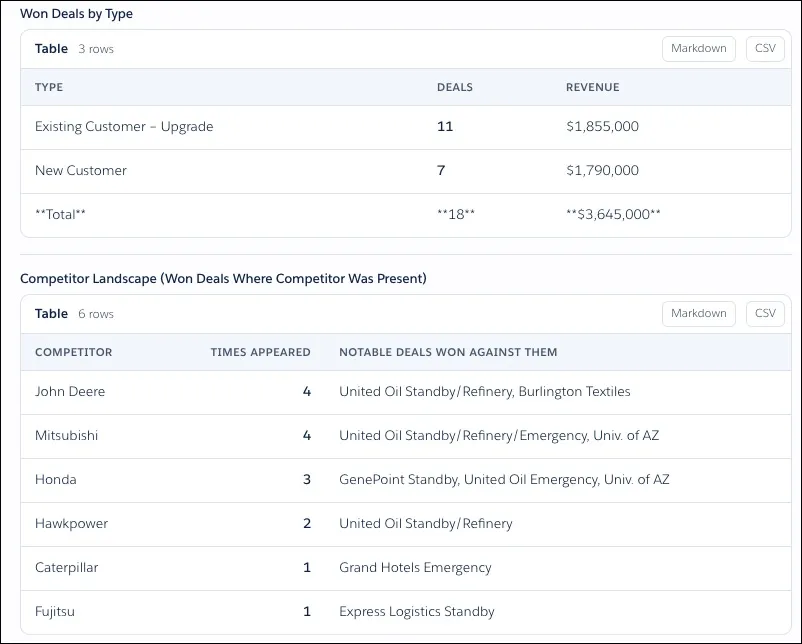
txtWhich competitors did we face in our closed deals, and how often did we win against each? Show it in a chart.Your AI assistant reads the competitors named in your closed opportunities and compares how often you won against each.
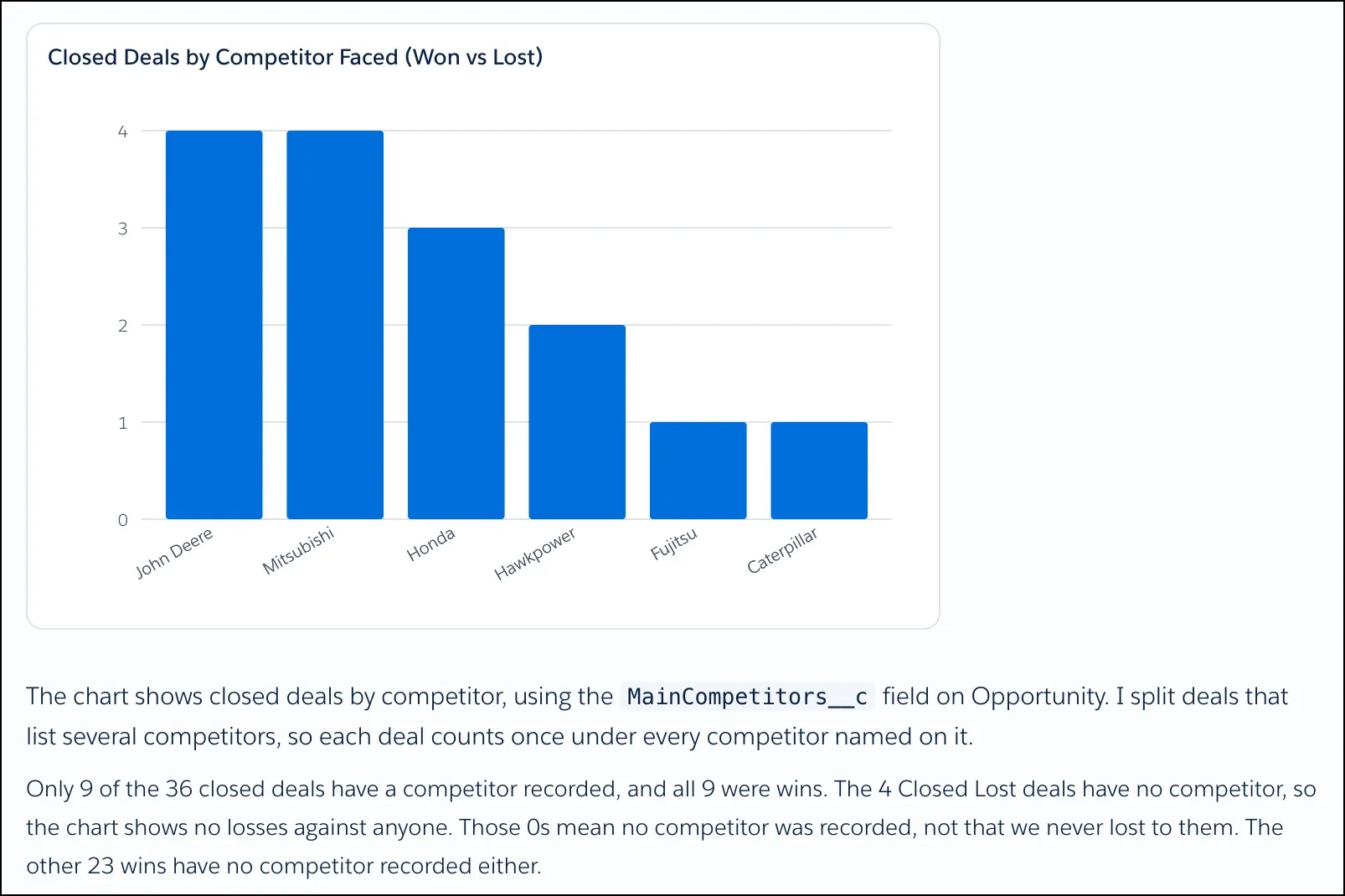
Find the competitor you win against most often, and the ones you've lost deals to.
Step 3: Get Ahead of Upcoming Renewals
Sales isn't only about new business. Renewals bring steady revenue, but only if you start on time.
Enter the following prompt:
txt/renewal-radarYour AI assistant lists the service agreement renewals coming up in the next months, starting with the most urgent.
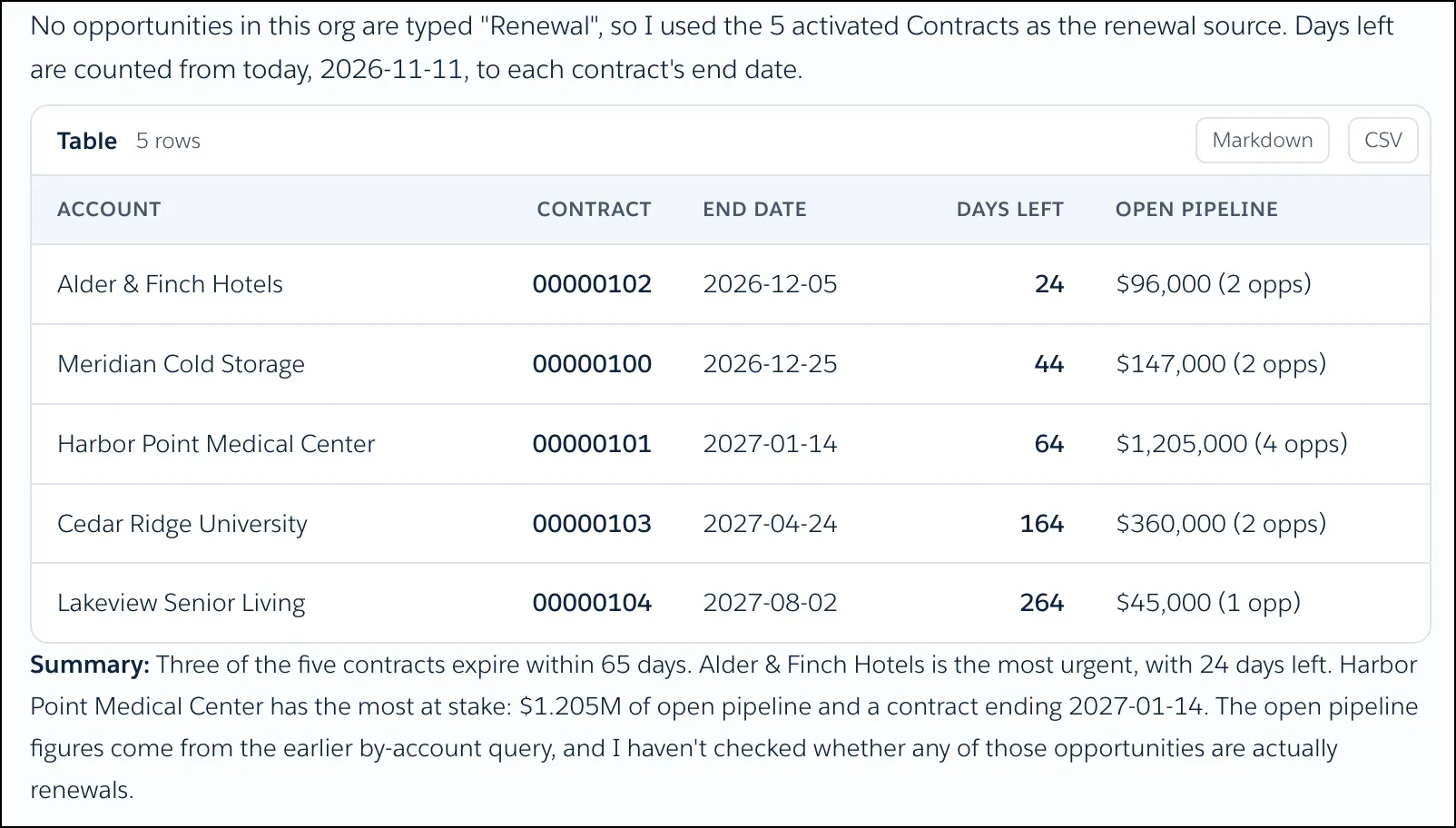
Enter the following prompt:
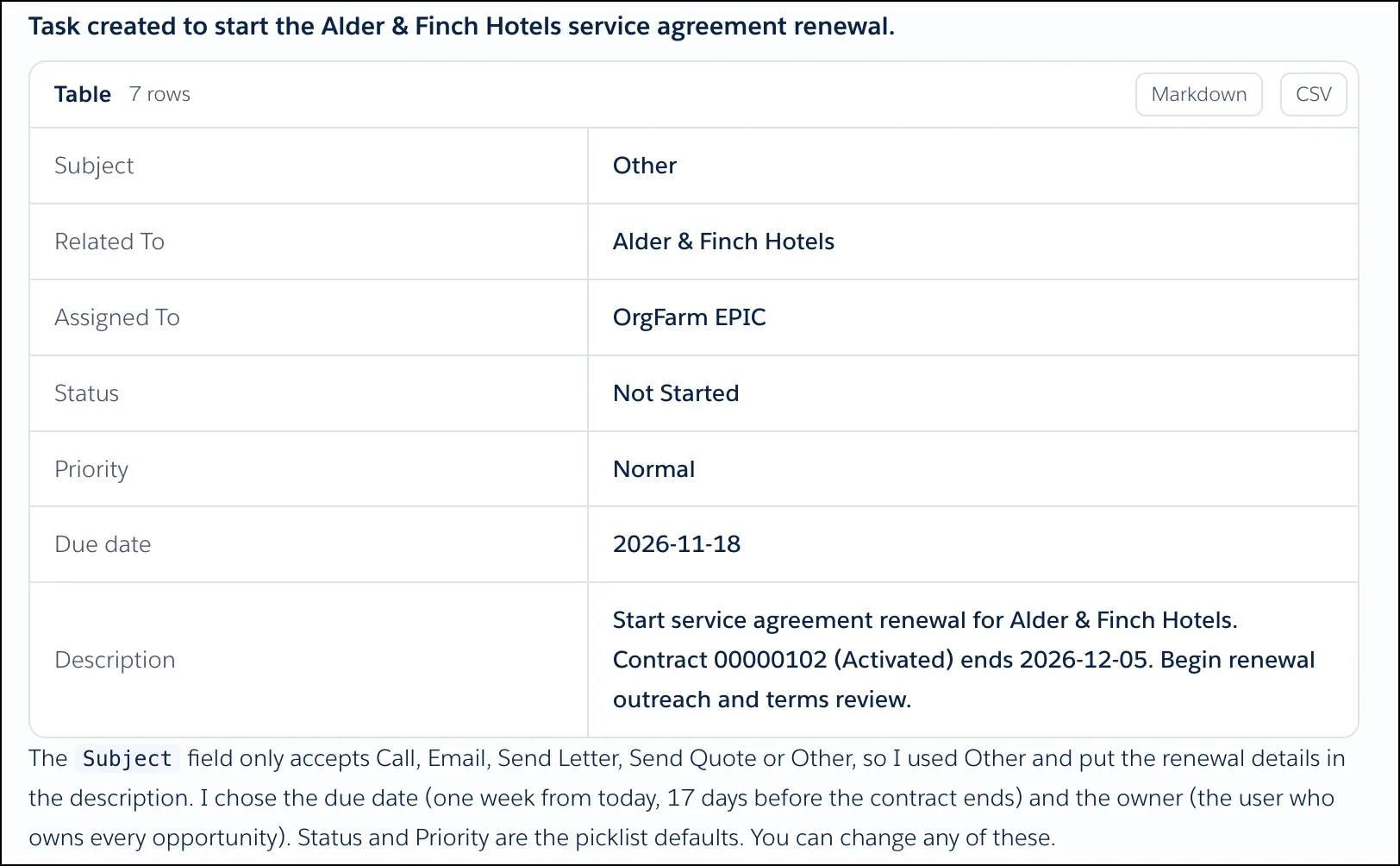
txtCreate a task to start the Alder & Finch Hotels service agreement renewal.Your AI assistant creates a task on the Alder & Finch Service Agreement Renewal opportunity. If it first shows a draft and asks which contact to link, reply with a contact (for example, Oliver Grant) and confirm the draft.
In your Salesforce org, enter
Alder & Finch Hotelsin the search box at the top of the page and press Enter.Under Accounts, click Alder & Finch Hotels.

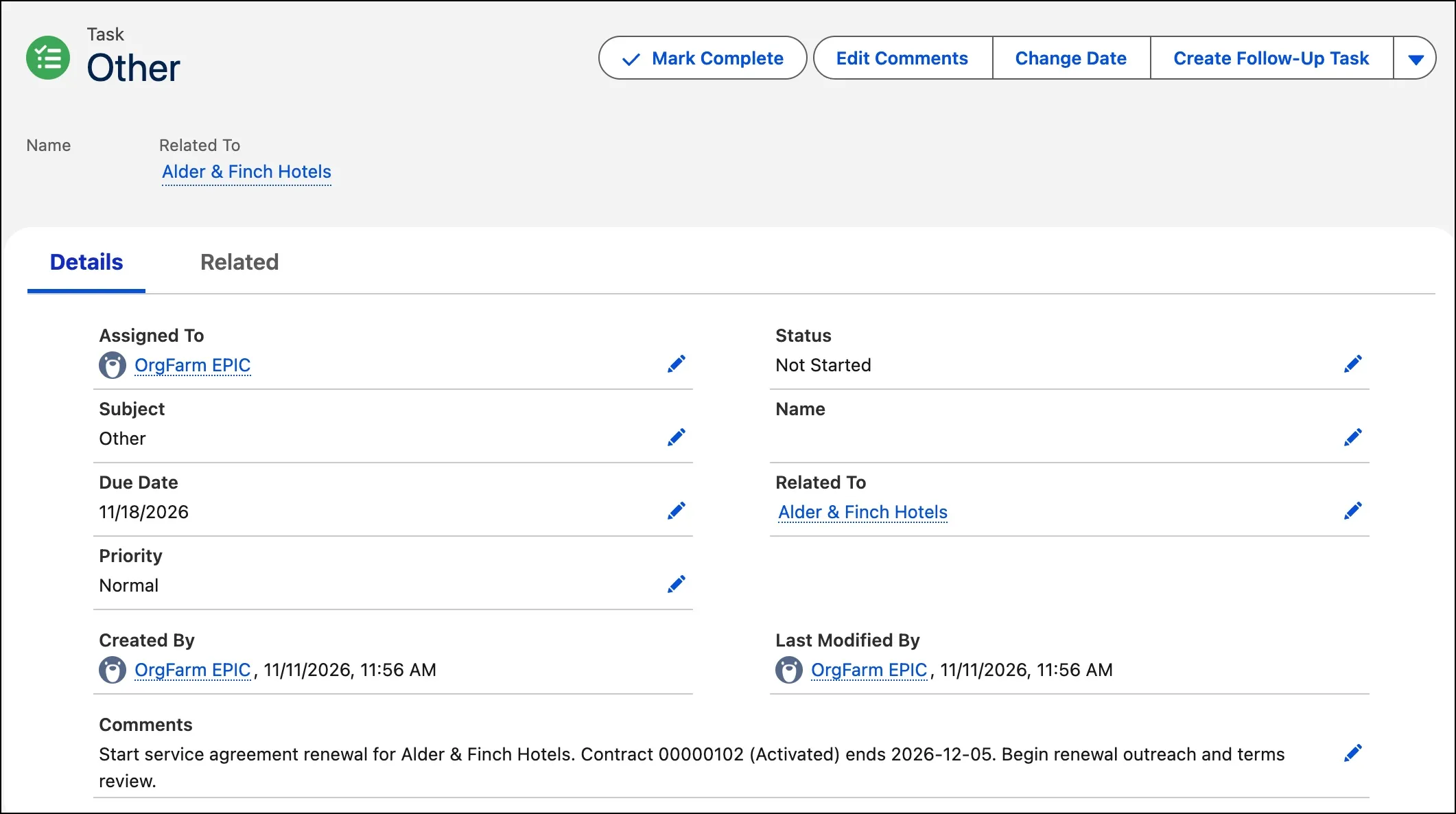
On the Activity tab, you should see the renewal task. Its subject varies, for example Call or Other, with the renewal details in its description.
Summary
- You reviewed your open pipeline by stage and close date using the
pipeline-reviewskill. - You reviewed your team's pipeline using the
team-pipelineskill. - You reviewed your win rate, your loss reasons, and your competitors using the
win-loss-reviewskill. - You found upcoming renewals using the
renewal-radarskill and created a renewal task.
You've done a lot this week, but it's spread across many chats and records. Next, you'll wrap up your week in a single summary.