Salesforce Headless 360 makes every major Salesforce capability available as an API, Model Context Protocol (MCP) tool, or CLI command. MCP is a standardized protocol that lets AI models discover and call external tools, APIs, and data sources at runtime, so any compatible client can connect to any compatible server without custom integration code. This post covers what that means when you build on the platform, and why the fundamentals you’ve been learning matter more than ever.
As the Salesforce Developer Advocacy team lead, I recently posted on the future of the Salesforce Developer role. In that post, I argued that AI is reshaping our work around system design, quality engineering, and cross-system thinking. Headless 360 is the platform shift that turns those arguments into daily practice.
The platform provides context and capability
The LLM provides intelligence. The platform provides everything else: identity, access, capabilities, governance, and the context that makes intelligence useful. When an agent calls an MCP tool, it’s invoking accumulated state. Without it, the agent has nothing to reason over, no permissions to inherit, no business process to follow.
This was always true. Every customer record, every workflow, every approval chain, every permission boundary your org has accumulated – that’s not overhead. That’s the business itself, encoded in a system that enforces it.
That combination of intelligence from the model and everything else from the platform is what separates a prototype from a production system. It’s also what makes Headless 360 different from “just expose some APIs”.
Two kinds of MCP tools
When we talk about MCP tools in the Salesforce ecosystem, we mean two things:
- MCP tools for coding agents. These enable developers to connect Claude Code, Cursor, or any MCP-compatible coding agent to their org and read metadata, generate Apex, run tests, or deploy through the pipeline. The consumer is a developer building software.
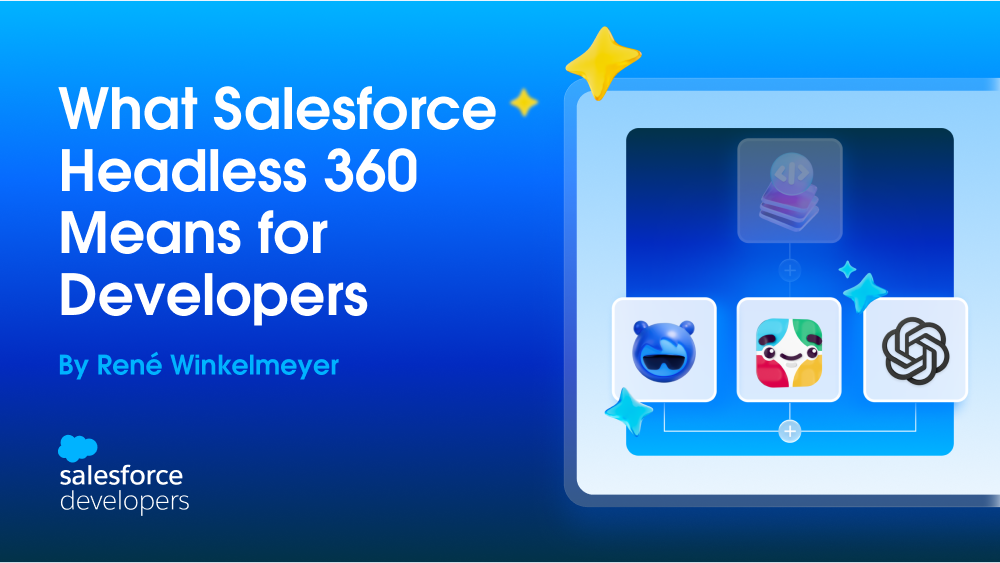
- MCP tools for business agents. These enable users to access Salesforce capabilities from any MCP-compatible client: including Slack, ChatGPT, and Claude, among others. These MCP tools also allow agents to access Salesforce capabilities autonomously. The consumer is an agent serving an end user.
Both kinds of MCP tools share the same open surface and the same trust layer. The difference is who’s calling and why. Headless 360 covers both, and both have implications for the expertise you’ve built.
Headless 360 changes how the platform can be consumed. Coding agents can now reach into your org through MCP tools to build and deploy. Business agents can call the same platform to serve customers in Slack, ChatGPT, Claude, or any MCP-compatible client. The Salesforce browser-based UI is one surface among many..
How software is built, delivered, and used is changing all at once
Agentic AI is changing three things simultaneously.
How software is written. Agents are becoming the development team. The first draft of an Apex class, an LWC, a test suite, or an Agentforce agent arrives in seconds. Your job shifts from writing code to specifying intent, evaluating output, and deciding what fits your existing system design.
How quickly it is delivered. Implementations compress from months to days. When an agent can execute against a development org, with human review gates before anything reaches production, the bottleneck moves from execution to clarity of intent.
How it is used. Humans will use Salesforce from anywhere, not necessarily the Salesforce UI. A sales rep gets a customer summary in Slack. A support agent resolves a case in Teams. And increasingly, the consumer isn’t a human at all; it’s a business agent reasoning over your data. The destination isn’t a Lightning Experience tab. It’s wherever the work is already happening.
These three changes are happening simultaneously, and they put pressure on the platform itself. Headless 360 is the platform shift designed to address all three at once.
| Dimension | Traditional Salesforce | Headless 360 |
|---|---|---|
| Who writes code | Human developer, start to finish | Human + coding agent via MCP tools; developer specifies intent and reviews output |
| Implementation timeline | Weeks to months across multiple roles | Days; agent executes against development org with human review gates |
| Primary consumer | Human navigating Lightning UI | Any authenticated caller – human, agent, app, or CLI |
In addition to these three core dimensions, Headless 360 also changes how governance is enforced and how you think about channel strategy. When the UI is no longer the primary surface, you can’t rely on a mix of UI constraints and schema rules for governance; instead, full schema-level enforcement (via validation rules, your sharing model, and Apex) is required. And rather than building per-channel UIs (for Lightning, mobile, and community, for example), with Headless 360 you define a capability once and let it render wherever it’s called, including Slack, ChatGPT, mobile, or web.
What Headless 360 actually is
Headless 360 makes every major Salesforce capability openly composable by agents, not just by code paths a human developer wrote in advance. The full surface, including 60+ MCP tools, 30+ coding skills, 4,000+ existing APIs, and 220+ CLI commands, is accessible to any authenticated caller that your trust layer authorizes.
This isn’t new territory for Salesforce developers. You’ve been building headless for years. This includes Experience Cloud sites with React frontends, Node.js apps over REST APIs, and mobile apps via the Mobile SDK. What’s new is that AI models can now dynamically discover, use, and compose capabilities at runtime, without custom integration code written in advance for each one.
When we say “openly composable by agents” the openly matters. Openness is the default posture. Governance is what makes it safe.
Headless 360 in practice
The capabilities Headless 360 unlocks aren’t abstract. Here’s what they look like in practice.
Build with any coding agent
The 60+ MCP tools and 30+ preconfigured coding skills give any compatible coding agent live access to your org. Agentforce Vibes 2.0 brings that natively inside Salesforce, but the MCP surface is the same regardless of which agent you choose.
Here is a typical session: your coding agent connects to a scratch org via MCP, reads the object model, scaffolds an Apex service class with governor-limit-aware test coverage, and pushes it through your DevOps pipeline. Same deployment gates, same quality checks, same review process as code written by hand. The pipeline doesn’t care who initiated it. It cares whether the gates pass.
The platform doesn’t privilege one agent over another. Your org’s capabilities are the constant. The tooling around it is your choice. For more on the MCP tools and how they work, see our post Introducing MCP Support Across Salesforce.
Render in any UI framework
Headless decouples capability from rendering. In practice, this means the platform no longer constrains your UI framework. A clear example of this is multi-framework support.
With multi-framework support, React developers can now build on Salesforce using the same patterns they already know, with no requirement to use LWC. A front-end engineer who’s never touched Salesforce can build a governed, data-connected application using familiar tools, because the platform adapts to their stack.
That hiring constraint where you needed someone who knew LWC or Aura? It’s no longer a hard constraint. The platform meets developers where they already are.
Deploy on any surface
The Headless Experience Layer is a new runtime that decouples capability definitions from their rendering surface. You define a UI fragment and the Headless Experience Layer (HXL) handles rendering it as a Slack block, a mobile card, a ChatGPT response, or a voice interaction. Business logic, data, and permissions stay separated from the screen, so you define intent once and render natively everywhere, including Slack, mobile, ChatGPT, Claude, Teams, or any MCP-compatible client.
This is where the two MCP lanes start to converge. The same openness that lets a coding agent build against your org will also let a business agent serve your customers from it. Today, the build-time surface is mature. The runtime surface already supports straightforward use cases, such as a support agent pulling a case summary inside a Slack thread. The broader vision is that the same capability can be delivered across surfaces such as voice interactions or partner mobile apps, and that ultimately capabilities can be made available on any surface.
Protect with built-in governance
Headless doesn’t mean ungoverned. Governance is what makes it safe to build with any coding agent, render in any UI framework, and deploy on any surface.
When a coding agent pushes an Apex class, it goes through the same validation, tests, and deployment gates as code written by a human. When an agent queries customer data through MCP, it hits the same sharing rules and field-level security as a user in Lightning.
Four things are enforced on every API call, every MCP tool invocation, and every CLI command:
- Identity. The agent acts as a specific user, not an anonymous caller. Permissions are scoped to that identity.
- Access. Sharing rules, field-level security, and permission sets enforce what the caller can see and do.
- Invocation scope. The agent can invoke only those tools and actions that have been explicitly exposed.
- Governance. Validation rules, triggers, approval chains, and governor limits all fire regardless of entry point.
The platform is open about what can be accessed. It is not open about who can access it, or how. That’s what makes it safe for openness to be the default posture.
Why most agentic prototypes don’t reach production
If you’ve tried to ship an agent, you’ve likely encountered this problem. The demo works. The stakeholder asks a question that breaks it. For example:
- “Will it respect the sharing rule on this object?”
- “What happens if the user doesn’t have permission to update that field?”
- “How does it know which approval policy applies?”
The LLM alone is not enough. The hard part is everything around it: business context, identity-aware permissions, policy enforcement, and the operational guarantees that make a system safe to run autonomously.
That gap is exactly what the Salesforce platform fills. The context an agent needs didn’t show up because someone wrote a clever prompt. It accumulated over years, in your data model, your validation rules, your sharing architecture, your trigger framework. Headless 360 makes that platform accessible to agents through a governed surface. You don’t rebuild context, permissions, or policy for your agents. They inherit it.
Testing is part of this too. Testing agents is different from testing deterministic code. You’re evaluating whether an agent’s reasoning led to an acceptable outcome across a distribution of inputs. Session tracing, custom scoring evals, and the Agentforce Testing Center are how you build confidence that an agent does the right thing in production. The discipline is familiar if you’ve built test suites for complex Apex, but the techniques are new.
What comes next
Headless 360 ships with MCP tools for coding and business agents, coding skills, multi-framework support, and the Experience Layer. That’s its surface. What makes it work is everything underneath: the state, the governance, the accumulated business logic of a platform you already know.
On the Salesforce Developer Blog and YouTube, we’re going deep on every building block, including skills for coding agents, multi-framework walkthroughs, trust and governance deep dives, testing and observability patterns, and more. Follow along and tell us where to go deeper.
The platform is open. Build on it.
Related Reading
- The Future of the Salesforce Developer in the Agentic AI Era
- Introducing Salesforce Headless 360
- Agentforce Vibes 2.0
- Headless Experience Layer
- Salesforce Multi-Framework
- Agentforce Labs
- Open Source Agentforce Skills
About the Author
Rene Winkelmeyer leads the Developer Advocacy team at Salesforce. His team focuses on Agentforce, Data 360, and the Salesforce Platform. In his spare time, you might find him still coding on GitHub. Follow Rene on LinkedIn.