


 j
jAccess Models API with Apex
Access Models API with REST
LWC & Flow Examples
Rate Limits
Model API Names
Generation Feedback
Language & Locales
Data Masking
Toxicity Scoring
AI Models
Prompt Builder
Prompt Template Batch Processing
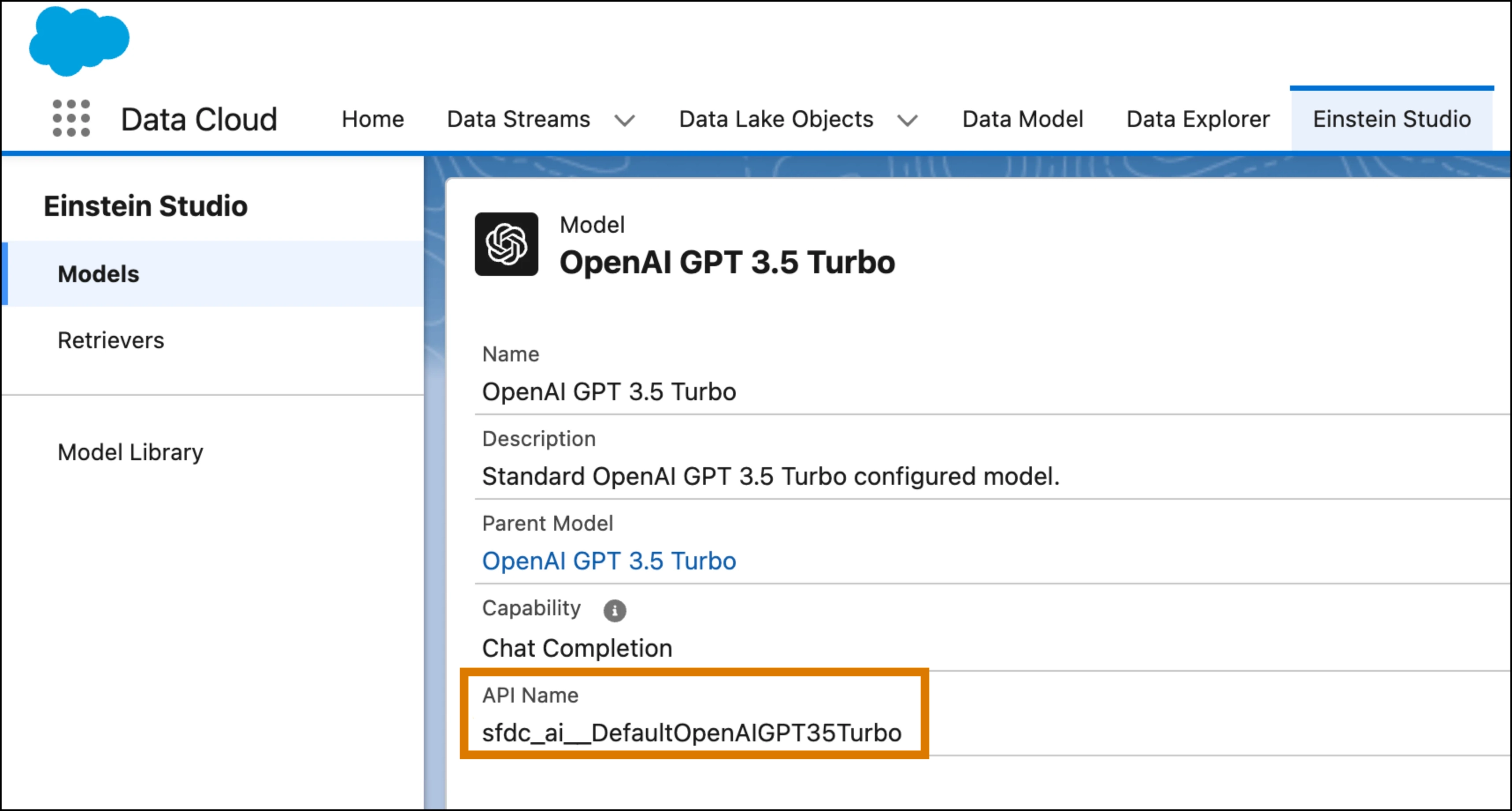
To access an LLM with the Models API, you must know its API name.
Most endpoints for the Models API require the model’s API name in the URL path. For example, to use the OpenAI GPT-4o mini model with the /generations endpoint, the URL looks like this:
1https://api.salesforce.com/einstein/platform/v1/models/sfdc_ai__DefaultOpenAIGPT4OmniMini/generationsThe API name is also required in the modelName property when making a Models API request using Apex. For example:
1aiplatform.ModelsAPI.createGenerations_Request request = new aiplatform.ModelsAPI.createGenerations_Request();
2request.modelName = 'sfdc_ai__DefaultOpenAIGPT4OmniMini';
The API name is a string made up of substrings:
sfdc_ai__DefaultOpenAI (not used with most geo-aware models)GPT4OmniMini (not used with BYOLLM and custom-configured models)To find the API name for a supported model, see Supported Models.
To find the model version, such as gpt-4o-2024-11-20, for a supported model, see Large Language Model Support in Salesforce Help.
To look up the API name of any custom or standard model configuration in AI Models:
j