Multiply Measures by a Fixed Amount

You can multiply the values of a measure or derived measure by a fixed amount. For example, you can use the multiplier to convert a field’s decimal values to percents.

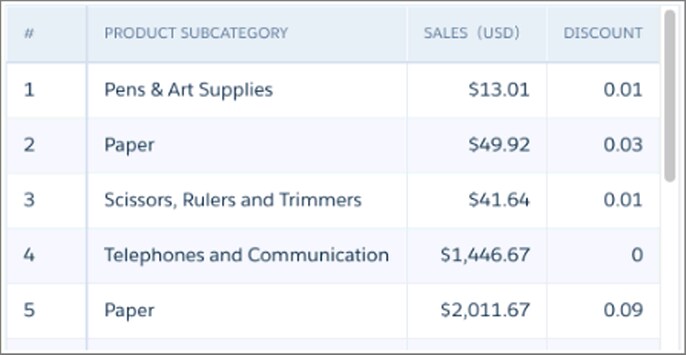
In this example lens, the values in the Discount column are shown as decimal values.

The values table shows the Discount field values in decimal form.

To change the decimal value to a percentage, modify the XMD file as shown in this example. Add “%” after the value, and change the field label to “Discount %”.

1{
2  “Measures” : [
3    {
4      "field": "Discount",
5      "format": {
6        "customFormat": "[\"##.##%\",100]"
7      },
8      "label": "Discount %",
9      "showInExplorer": true
10    }
11],

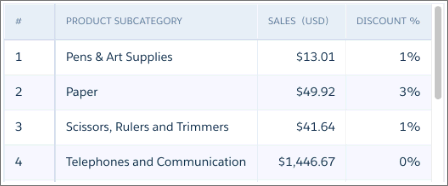
The Discount column now has the label Discount %, and the values are in percentages.

The values table shows the Discount field values as a percent.

If a measure field has a multiplier of “0”, downloading the data to an .xls or .csv file results in all values for that field displaying as “0”. A “0” multiplier has this format: "format":{"customFormat":"[\"#,###\",0]}.

Note

See Also