


Lightning Components Developer's Guide
 j
jNewer Version Available
Optional: Install the Expense Tracker App
If you want to skip over the quick start tutorial, you can install the Expense
Tracker app as an unmanaged package. Make sure that you have a custom domain enabled in your
organization.
A package is a bundle of components that you can install in your org. This packaged
app is useful if you want to learn about the Lightning app without going
through the quick start tutorial. If you’re new to Lightning components, we
recommend that you go through the quick start tutorial. This package can be
installed in an org without a namespace prefix. If your org has a registered
namespace, follow the inline comments in the code to customize the app with your
namespace.
To install the Expense Tracker app:
- Click the installation URL link: https://login.salesforce.com/packaging/installPackage.apexp?p0=04t1a000000EbZp
- Log in to your organization by entering your username and password.
- On the Package Installation Details page, click Continue.
- Click Next, and on the Security Level page click Next.
- Click Install.
- Click Deploy Now and then Deploy.
When the installation completes, you can select the Expenses
tab on the user interface to add new expense records.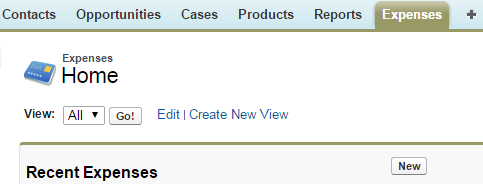 The Expenses menu item
on the Salesforce1 navigation
menu. If you don’t see the menu item in Salesforce1, you must create a
Lightning Components tab
for expenses and include it in the Salesforce1 navigation menu. See
Add Lightning Components to Salesforce1 for more information.
Salesforce1
Navigation.
The Expenses menu item
on the Salesforce1 navigation
menu. If you don’t see the menu item in Salesforce1, you must create a
Lightning Components tab
for expenses and include it in the Salesforce1 navigation menu. See
Add Lightning Components to Salesforce1 for more information.
Salesforce1
Navigation.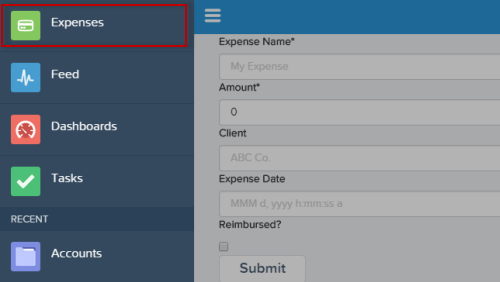
The Expenses menu item
on the Salesforce1 navigation
menu. If you don’t see the menu item in Salesforce1, you must create a
Lightning Components tab
for expenses and include it in the Salesforce1 navigation menu. See
Add Lightning Components to Salesforce1 for more information.
Salesforce1
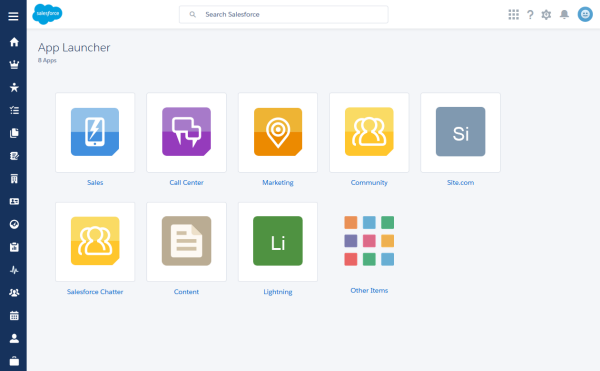
Navigation.For Lightning Experience, the Expenses tab is available via the App Launcher in the custom app titled “Lightning”.
Next, you can modify the code in the Developer Console or explore the standalone app at https://<myDomain>.lightning.force.com/<namespace>/expenseTracker.app, where <myDomain> is the name of your custom Salesforce domain.