


Service Cloud Voice Developer Guide
 j
jNewer Version Available
Set Up OAuth in the AWS Lambda Function
If you want to use the InvokeSalesforceRestApiFunction Lambda function, set up OAuth information for the AWS
Lambda function.
Before you start, open a text file so you can write down the parameter values.
- Log in to AWS Console > Lambda > Functions.
- Select the {Your Contact Center Name}-InvokeSalesforceRestApiFunction Lambda function.
-
Scroll down to Environment variables. Some of the variables are
already configured for your instance, but you have to set the values for CONSUMER_KEY_PARAM_NAME, PRIVATE_KEY_PARAM_NAME, and SUBJECT.
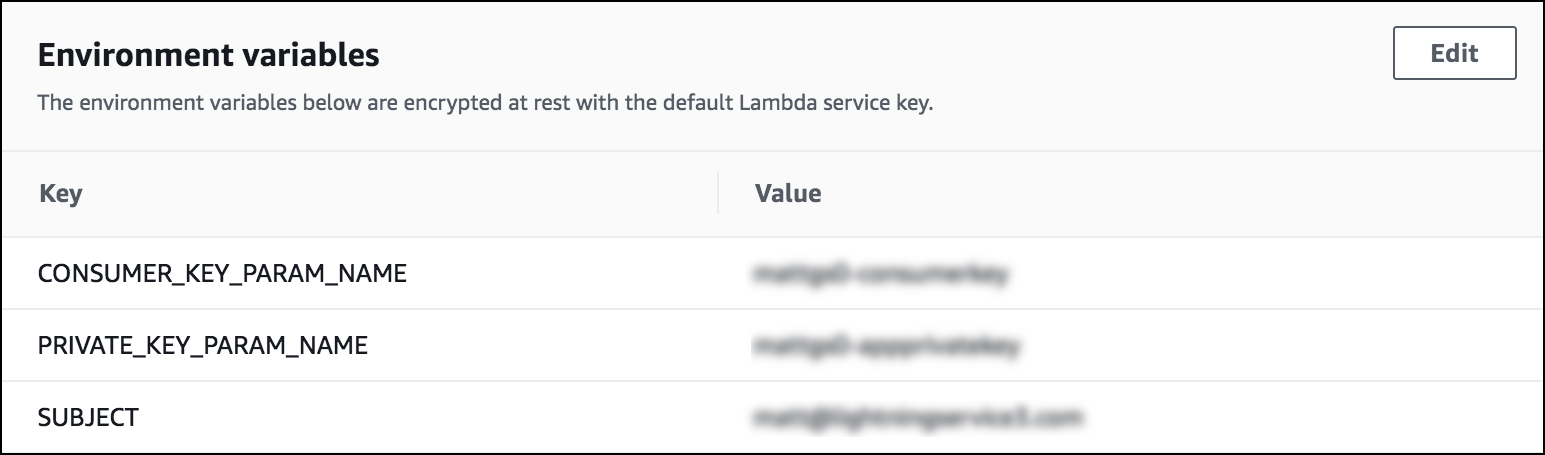
-
For the SUBJECT variable, enter the username that you
want to use to log in to Salesforce through the Lambda function.
In the connected app in Salesforce, check that the user is added to the connected app profile. Log in to Salesforce, and go to the App Manager. Open the action menu for the connect app, click Manage, and scroll to the bottom of the page to see the profiles.
- Copy the values for the CONSUMER_KEY_PARAM_NAME, PRIVATE_KEY_PARAM_NAME parameters and paste them into your text file. These values are the names of the SSM parameters that hold the actual credentials.
- Click Services > enter SSM in the search box > Systems Manager.
- Scroll down to the Parameter Store.
- In the parameter store, search for the CONSUMER_KEY_PARAM_NAME and PRIVATE_KEY_PARAM_NAME values that you wrote down.
- For the Consumer Key, update the value by clicking Edit and pasting the value of the consumer key from the connected app in the Value field.
- Save the changes.
-
Update the value of the private key by clicking Edit and pasting the private key into the
Value field. For the private key, you need the key that you used to sign the self-signed
certificate.
- Save your changes.