Managed Runtime Release Notes
Learn about Managed Runtime (MRT) features.
To check out Storefront Next release notes, see Storefront Next Release Notes.
Secure traffic from your Managed Runtime environments to third-party systems by allowlisting a known set of Managed Runtime IP addresses. By default, outbound requests from your environment don’t come from a fixed set of IP addresses, so you can’t reliably allowlist them. When you enable static outbound IP addresses, outbound requests from the SSR server use a known set of Managed Runtime IP addresses that you can add to your third-party system’s allowlist. All environments in the same region within your organization share the same IP addresses.
Static outbound IP addresses apply only to direct requests from the SSR server. Proxy requests don’t use them.
This feature is available on request and is disabled by default.
Where: This feature applies to Storefront Next and Composable Storefront.
How: To enable the feature for your organization, contact Salesforce Customer Support. After it’s enabled, in Runtime Admin, in Environment Settings, under Advanced, turn on Static Outbound IP Addresses, or set the ssr_static_ips property using the Managed Runtime API. After the environment redeploys, retrieve the assigned IP addresses from the ssr_static_outbound_ips property of the environment and add them to your third-party system’s allowlist.
See Also
Managed Runtime rolled out a patched version of Node.js 24 that addresses recent security vulnerabilities, including CVE-2026-111497 (Node2Shell) and CVE-2026-119443. Environments that you redeployed after October 28, 2026, received the patch immediately. Managed Runtime updated all other environments automatically on October 30, 2026. Patches for additional vulnerabilities are pending a final date.
Where: This change applies to Storefront Next and Composable Storefront.
Site preference changes that you make in B2C Commerce now reach your Managed Runtime storefront shortly after you save them. Previously, site preferences synced to Managed Runtime periodically, so a change took several minutes to appear in your storefront. Your storefront gets those changes sooner, without any action from you.
Where: This change applies to Storefront Next and Composable Storefront.
When: This change is available in B2C Commerce 26.10 and is enabled for all customers starting October 30, 2026.
See Also
With the Developer Workspace beta, manage storefronts in one place. Handle storefront environments, environment variables, redirects, and bundle deployments from the storefront’s page in Business Manager. Manage these Managed Runtime resources in Business Manager instead of Runtime Admin as part of the storefront development lifecycle. Monitor the performance of staging and production environments for real-world usage, including Core Web Vitals. Admins assign read, write, and delete permissions for each storefront’s resources, such as environments, environment variables, deployments, and redirects. On the Management Interface page, admins select the user interface and the API for that storefront. Admins select the legacy Runtime Admin interface or the new Business Manager interface.
Developer Workspace is a pilot or beta service that is subject to the Beta Services Terms at Agreements - Salesforce.com or a written Unified Pilot Agreement if executed by Customer, and applicable terms in the Product Terms Directory. Use of this pilot or beta service is at the Customer’s sole discretion.
Where: This feature applies to Storefront Next and Composable Storefront that are linked to Business Manager for B2C Commerce.
When: This feature is available in B2C Commerce 26.10.
How: To turn on the Developer Workspace beta in Business Manager, in the Search box, enter Feature Switches, and then select Feature Switches from the suggested result. Click Enable Developer Workspace (Beta), and then click Apply.
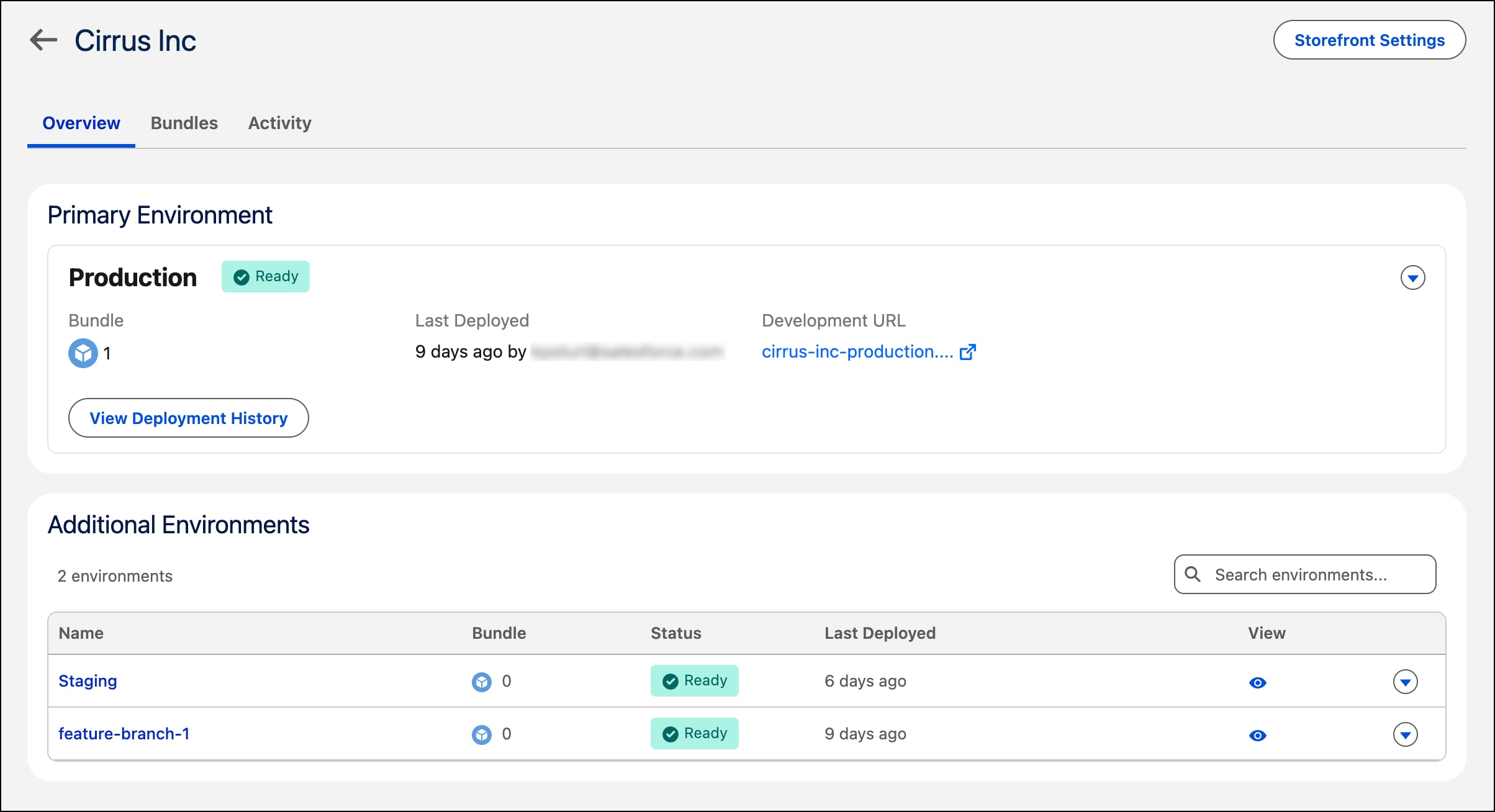
The Managed Runtime SCAPI-based APIs offer expanded administration tasks for managing Storefront Next and Composable Storefront (PWA Kit). Provision Storefront Next, update, edit, and delete storefronts. Create and manage environments, environment variables, access control headers, and redirects. Also, upload bundles and start deployments. The new APIs offer ease of setup because you use the same Account Manager API authorization as other SCAPI endpoints that you’re already familiar with. No need for creating a separate Managed Runtime API key. Also, they streamline your storefront development lifecycle and CI/CD by enabling automation with a bot user with SCAPI authentication.
Where: This feature applies to Storefront Next and Composable Storefront for B2C Commerce.
When: This feature is available in B2C Commerce 26.10.
See Also
Available starting with B2C Commerce 26.10, the Managed Runtime SCAPI Request Identification feature switch locks down the Salesforce B2C Commerce API (SCAPI) so that it accepts requests only from your Managed Runtime (MRT) environments. Enabling the switch attaches a shared secret header to every request MRT forwards to SCAPI, so SCAPI’s eCDN zone can distinguish genuine MRT traffic from a direct request sent to SCAPI from anywhere else, including one that spoofs MRT’s IP range or user agent. The SCAPI Identity Header (SIH) applies at the MRT platform level and protects Storefront Next automatically, without Storefront Next configuration. After you enable the switch, add your own custom firewall rule to block or log direct SCAPI traffic that doesn’t carry the header.
Where: This change applies to Managed Runtime with Storefront Next.
See Also
During planned maintenance windows, Managed Runtime APIs reject write requests (POST, PUT, PATCH, and DELETE) with an HTTP 503 response, error code service_read_only, and detail message Service is in READ_ONLY mode. Read requests (GET) continue to work normally.
Where: This change applies to Managed Runtime with Composable Storefront and Storefront Next.
The execution time for App Server requests has always been documented as limited to 20 seconds, but this limit wasn’t strictly enforced, and requests could previously run for up to 30 seconds. Managed Runtime now enforces the documented 20-second limit. After this time, Managed Runtime returns an HTTP 502. This protects your storefront from slow or hung backend calls that would otherwise tie up rendering capacity. If your backend integrations typically respond in under 20 seconds, this change requires no action.
Where: This change applies to Managed Runtime with Composable Storefront and Storefront Next.
Non-production Managed Runtime environments now have lower capacity limits, reflecting their use for development and testing traffic rather than live storefront traffic. Environments marked as production continue to receive full capacity and additional internal monitoring by Salesforce. Previously, there was no difference in capacity between production and non-production environments.
Where: This change applies to Managed Runtime with Composable Storefront and Storefront Next.
See Also
Log Center logs and Log Center metrics no longer require an environment to be marked as production. Enable either setting independently for any environment associated with a B2C Commerce instance, under Observability in Environment Settings.
Where: This change applies to Managed Runtime with Composable Storefront and Storefront Next.
See Also
Starting September 29, 2026, you can mark an environment as production only if it’s associated with a Staging or Production B2C Commerce instance. Environments associated with a development or sandbox instance, or with no instance association, can’t be marked as production after this date.
Associate your production environments with a Staging or Production B2C Commerce instance now, ahead of the deadline.
Where: This change applies to Managed Runtime with Composable Storefront and Storefront Next.
See Also
- Storefront Next: Edit Environment Settings
- Composable Storefront: Production Environments
- Composable Storefront: Edit Environment Settings
Storefront Next environments can now have up to 4 access control headers, up from 2. This gives you more headroom to support vanity domains, because each domain typically needs its own header. The limit for other Managed Runtime environments remains 2. The header Salesforce configures for your default domain can’t be deleted; add a separate header for each vanity domain instead.
Where: This change applies to Managed Runtime with Storefront Next.
See Also
Protected Storefront is now enabled by default for new Managed Runtime environments, so you no longer need to contact Salesforce Support to turn it on before restricting access to a storefront under development. Existing environments are unaffected.
Where: This change applies to Managed Runtime with Composable Storefront and Storefront Next.
See Also
- Storefront Next: Limit Access to a Storefront Under Development
- Composable Storefront: Limit Access to a Storefront Under Development
When you create a Storefront Next storefront on an On-Demand Sandbox (ODS) instance, Business Manager now adds default security rules to the instance’s default eCDN zone: custom firewall rules that block known AI crawlers and common vulnerability-probe paths, plus a rate limiting rule that blocks IP addresses sending excessive requests. The default zone is shared across every storefront on the instance, so these rules apply to all storefronts hosted there, not only the one that triggered their creation. ODS instances have less capacity than production, and these rules keep them responsive during development by limiting automated bot and crawler traffic.
Where: This change applies to On-Demand Sandbox (ODS) instances with Storefront Next.
How: If a rule blocks traffic you expect to allow, adjust its exclusions or rate limit rather than disabling it — see Adjust or Disable a Rule.
The maximum combined size of ssr_only and ssr_shared files in an Server-Side Rendering (SSR) bundle is now 247 MB, down from 249 MB. This reserves headroom for the fixed overhead Managed Runtime adds to every bundle, so bundles near the previous limit don’t fail during publish after upload. Check your bundle size before pushing if you’re close to the limit.
Where: This change applies to Managed Runtime with Composable Storefront and Storefront Next.
See Also