


 j
jCreate Projects
Quick Start with Apex Development
Apex Tools
Use Anonymous Apex
Test Apex Code
Refactor Apex Code
Aura
Visualforce
Use Custom Code Templates
An anonymous block is Apex code that you can compile and run without storing its metadata.
scripts folder.Here’s an example of anonymous Apex code that browses through all the contacts, and changes the mailing state to New York from NY. This script also logs the first and last name of the contact whose record was updated.
1List<Contact> contList =[SELECT FirstName, LastName, MailingState, AccountId
2  FROM Contact];
3for (Contact cont: contList){
4    if (cont.MailingState == 'NY') {
5        cont.MailingState = 'New York';
6        update cont;
7        System.debug('Record updated for:' + cont.FirstName + ' ' + cont.LastName);
8    }
9}Open your script in the text editor.
To run the whole script, right-click in the text editor and select SFDX: Execute Anonymous Apex with Currently Open Editor. To run only a part of the code, highlight the code, right-click, and select SFDX: Execute Anonymous Apex with Editor’s Selected Text.
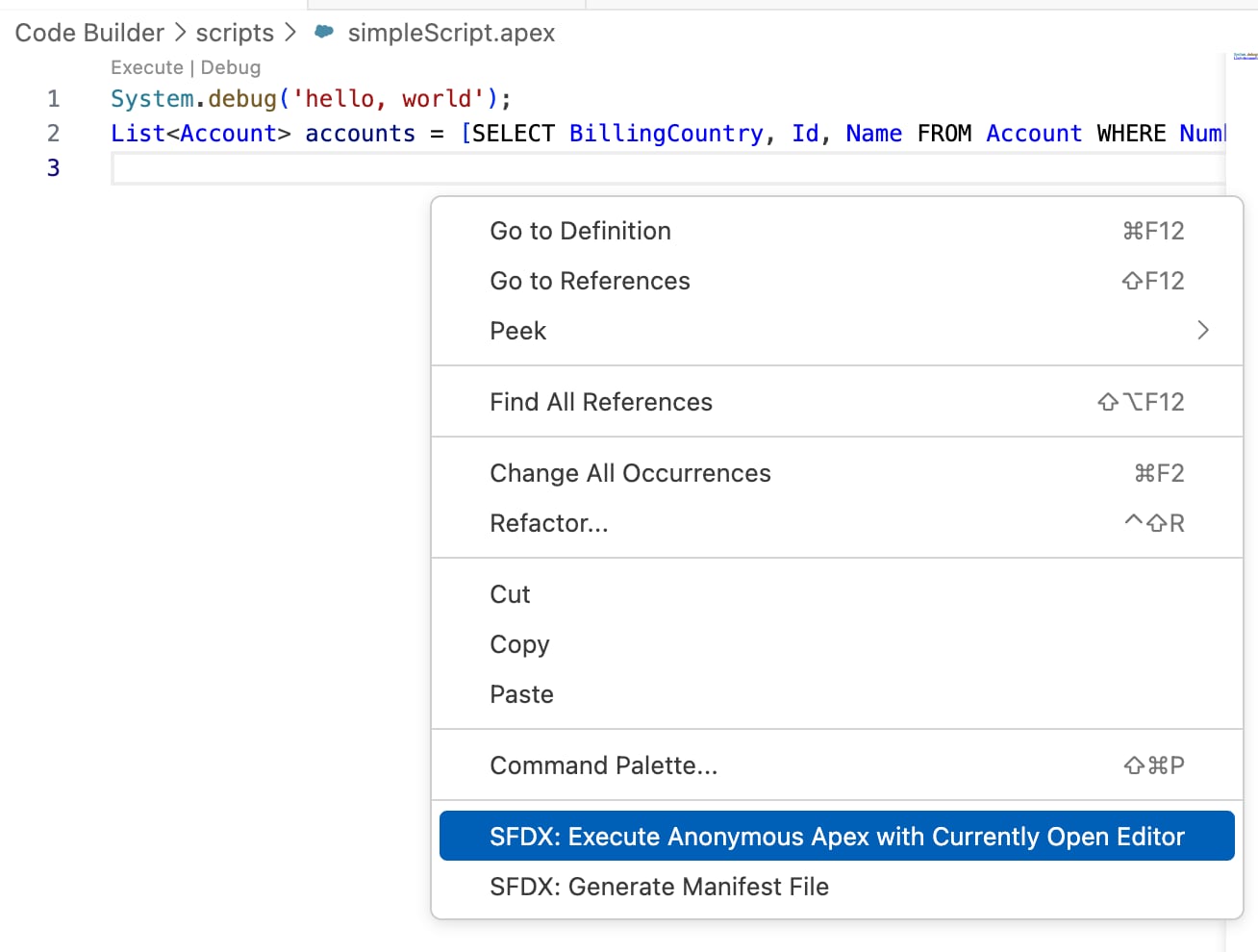
Alternatively, you can also run these commands from VS Code Command Palette when the script is open in the text editor.
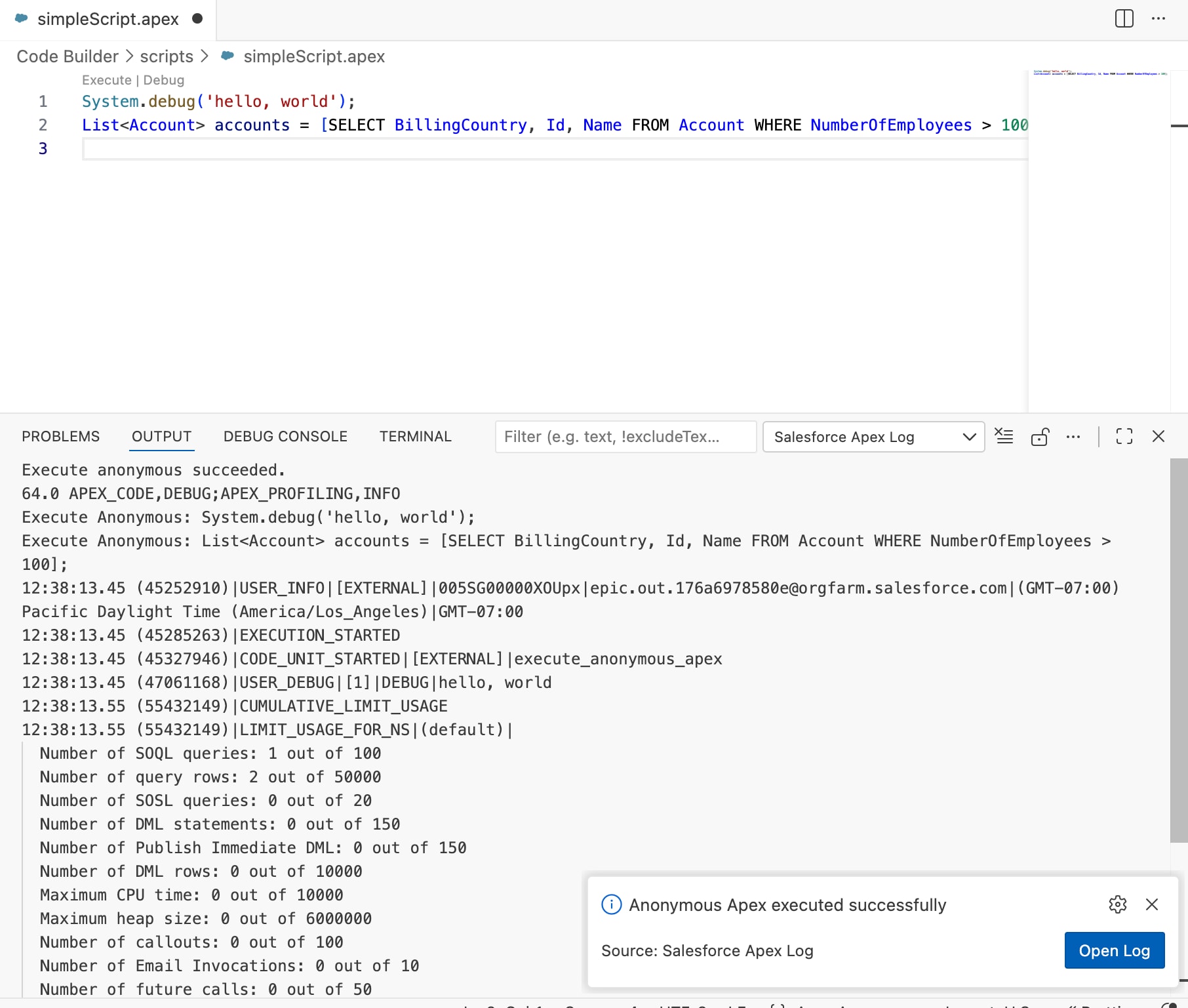
After you run the script, the DEBUG CONSOLE lists accounts and their updated ratings. To view the log in the Debug Log Viewer, click Open Log in the message.
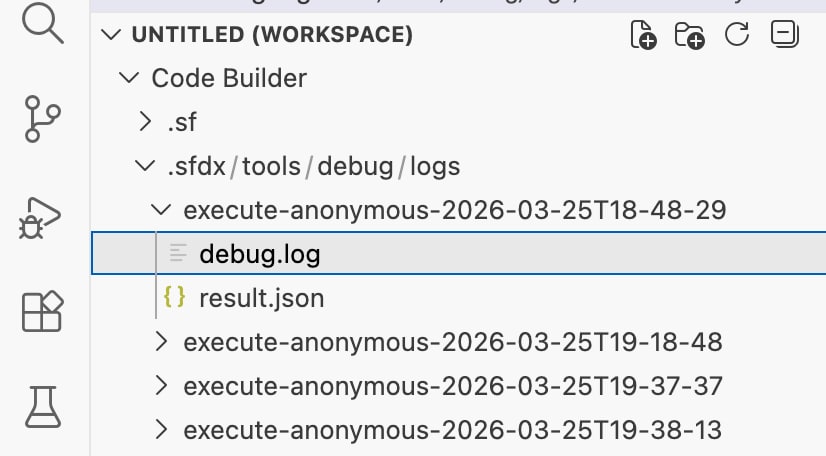
The debug logs are stored under sfdx/tools/debug/logs in your DX project. To open it in the Log Viewer, click a log file.
j