Create a Custom PMD Rule Using MCP Tools

Use the MCP tools get_ast_nodes_to_generate_xpath and create_custom_rule to generate custom PMD rules for Apex and Visualforce code in MCP clients such as Agentforce Vibes. Define organization-specific coding standards and detect custom patterns by entering a prompt that describes what to flag, such as deeply nested if statements or System.debug usage in Apex. Code Analyzer uses get_ast_nodes_to_generate_xpath to extract AST nodes and generate XPath with AI, then uses create_custom_rule to create the rule and add it to code-analyzer.yml.

To create a custom PMD rule to flag deeply nested if statement, use these steps

  1. Access the Code Analyzer MCP tools
  2. In an MCP client such as Agentforce Vibes, enter a prompt like: “Help me create a rule to flag if statements that are three levels deep.”
  3. The tool generates a sample code that violates the rule. Approve or refine the sample code.
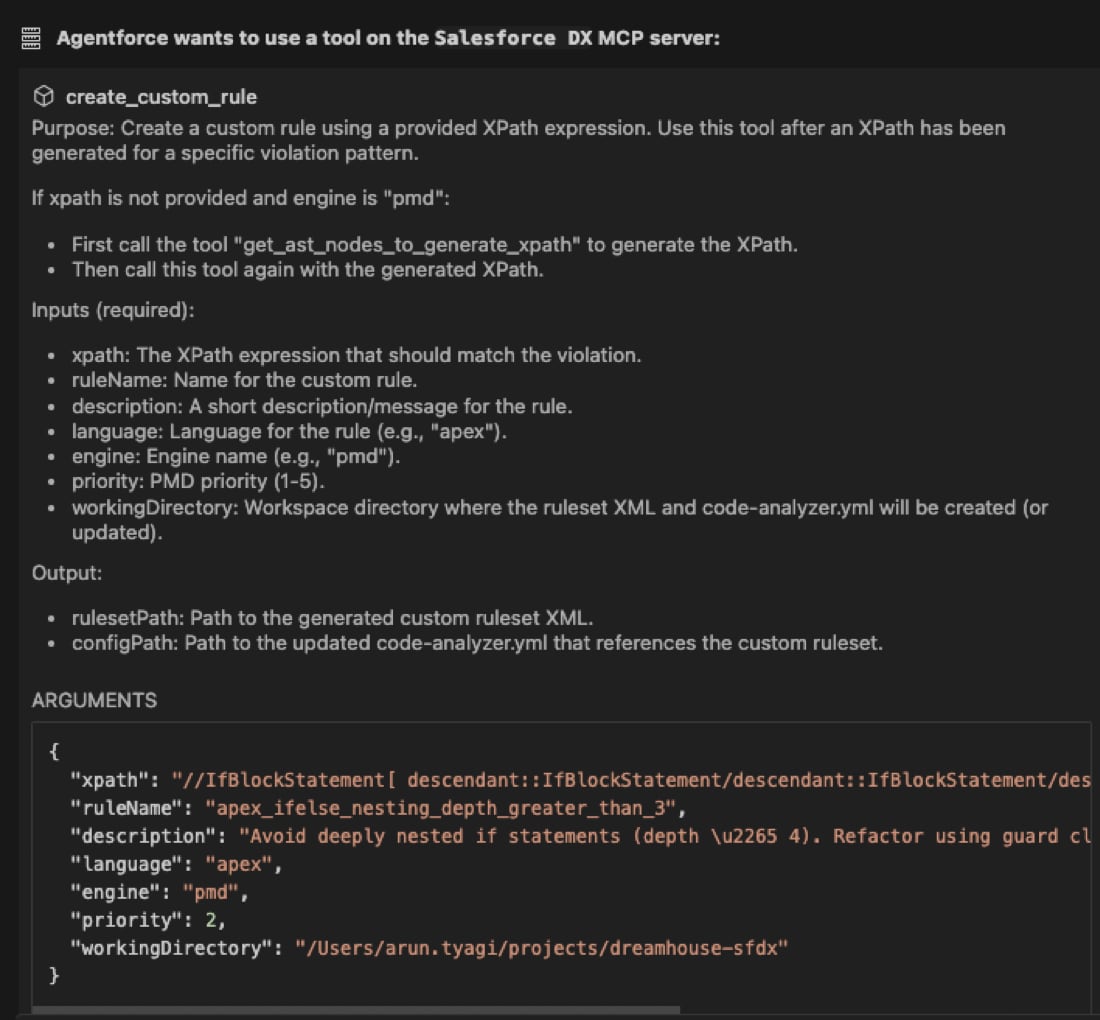
  1. The tool generates the XPath by extracting the relevant AST nodes for your prompt. Modify the query as needed. MCP client generates xpath query

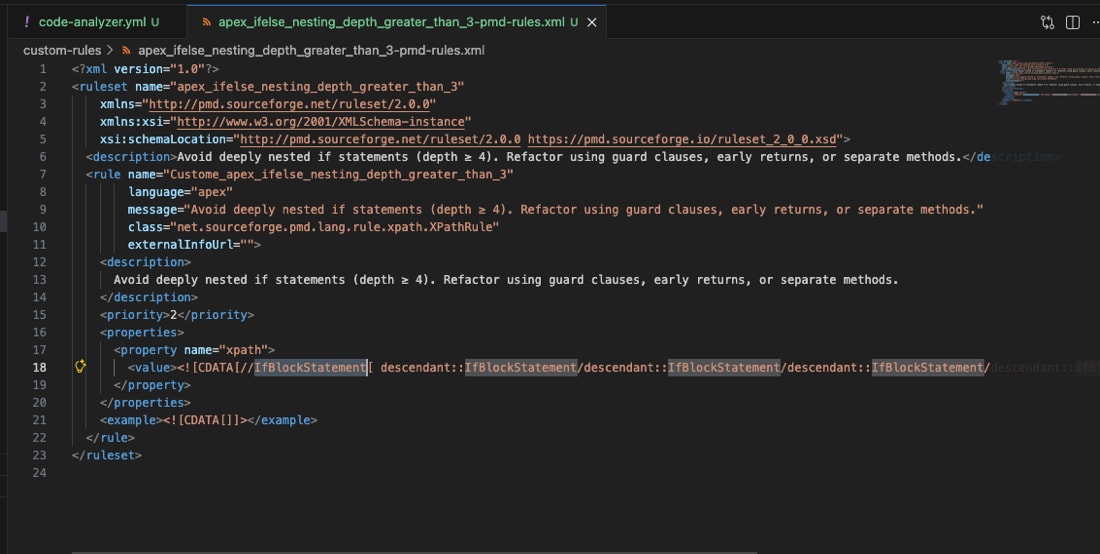
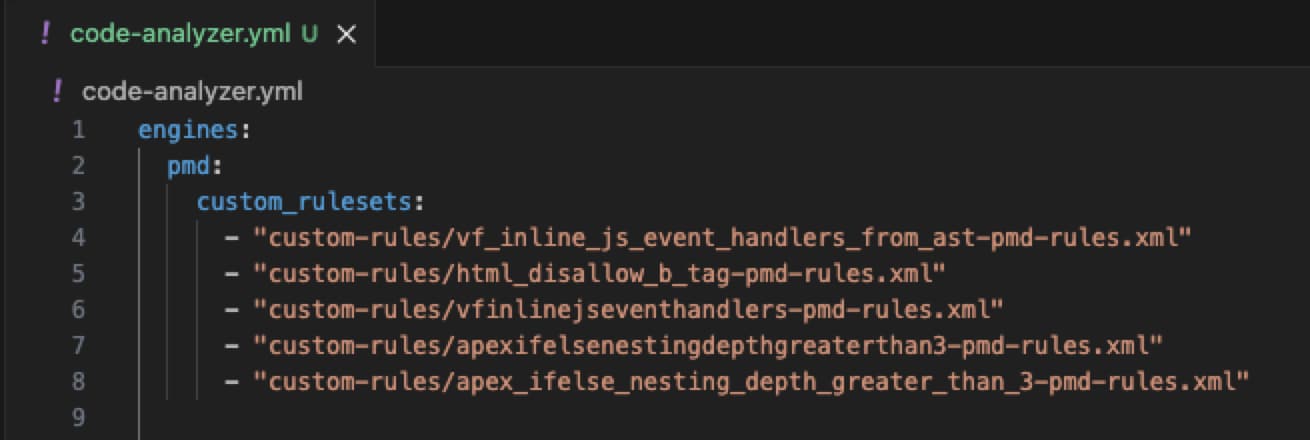
  2. The tool creates the rule in an XML file and updates the code-analyzer.yml with the new rule. MCP client generates xpath file

    MCP client updates config file with the rule

  3. Verify the rule by running Code Analyzer against your target codebase. For example:

You can also ask the tool to generate additional sample code that violates the rule, so you can confirm the analyzer flags the expected violations.