
Appearance
Exercise 2: Create an Amazon S3 Connection
You can use s to seamlessly unify data from various enterprise systems. As an example, Coral Cloud Resorts stores guest and reservation data in Amazon S3. To ingest data from Amazon S3, you first need to create an Amazon S3 connection.
To create an Amazon S3 connection:
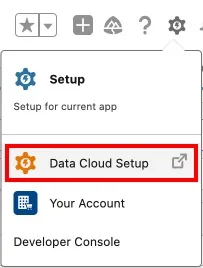
Open the Setup menu and select Data Cloud Setup.
In the left sidebar, click Other Connectors.
Click New.
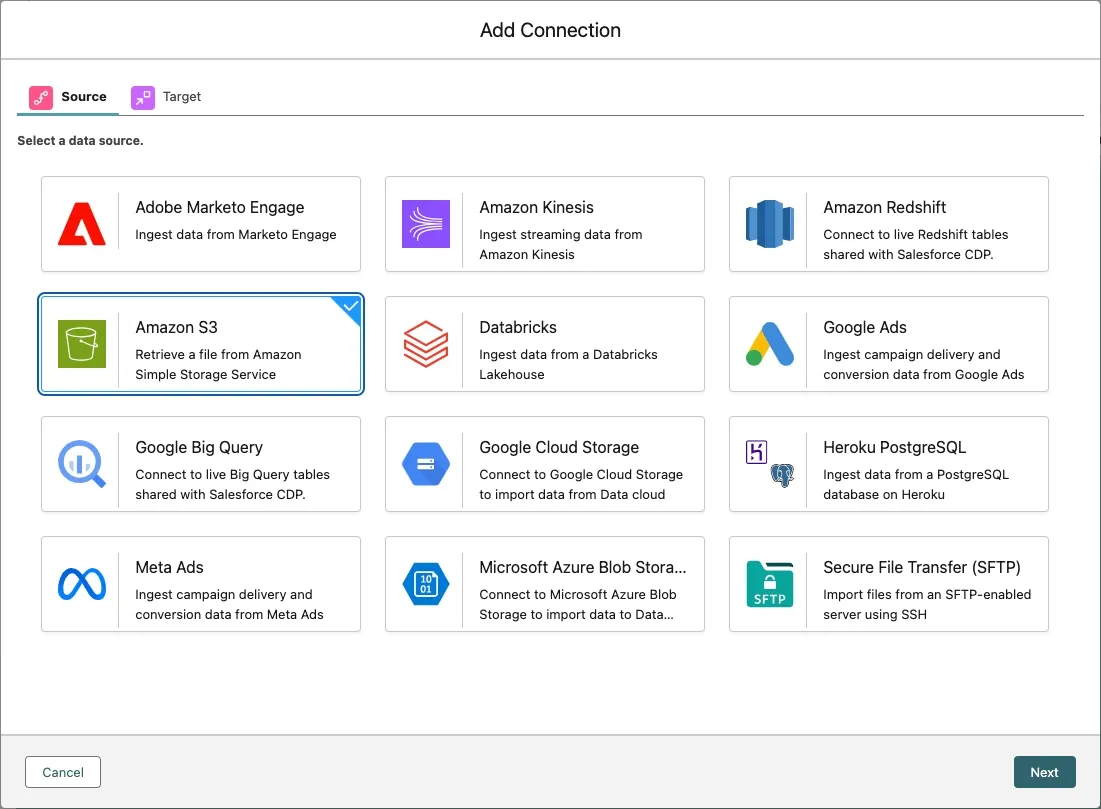
Select Amazon S3 and click Next.
Configure your Amazon S3 connection as follows:
Field Value Connection Name Coral Cloud Resorts S3 ConnectionConnection API Name Keep default Authentication Option Access Key/Secret Based (default) AWS access key Copy and paste these two parts together: AKIA47CRZ7andL5HSWB4P5QAWS secret access key Copy and paste these two parts together: BKxv3nr93KH03XhcJXL+andP1fxEpawPg0MCl6s0savBucket Name coral-cloudParent Directory Keep default value: /Click Test Connection to validate the connection.
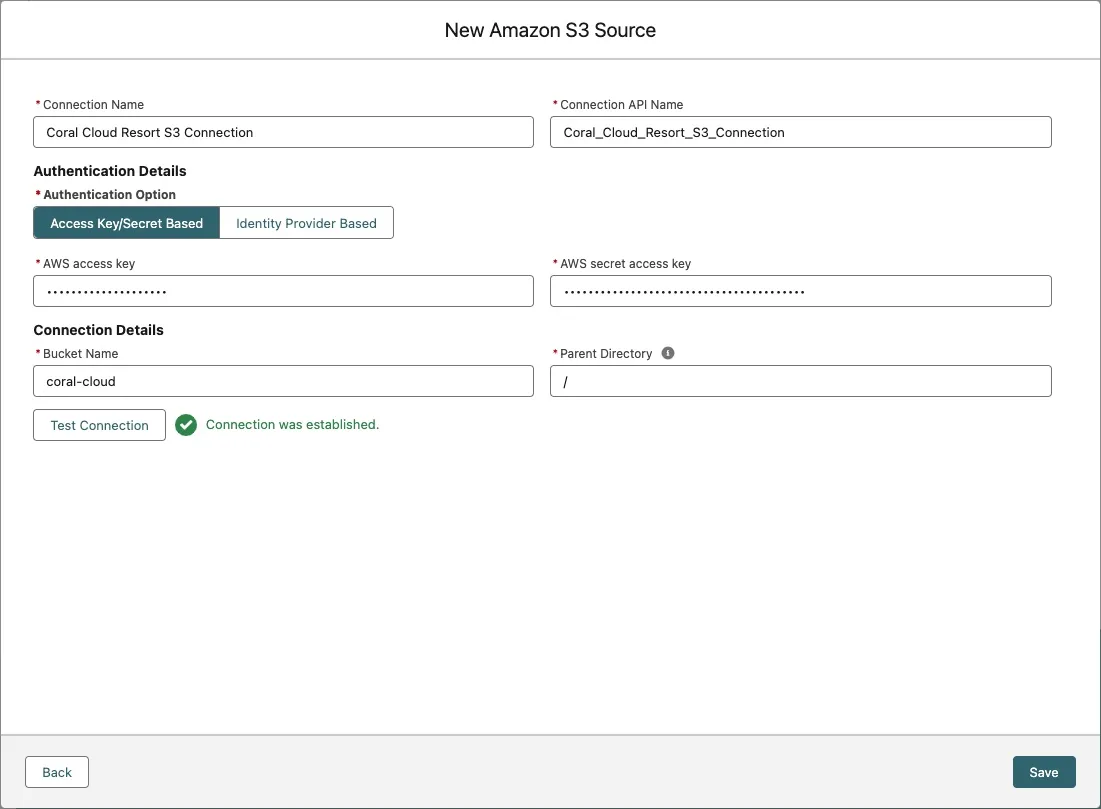
Click Save.
Summary
In this exercise, you created a connection to an Amazon S3 bucket. You can now use that connection to create data streams that ingest data stored in Amazon S3.